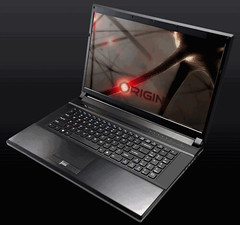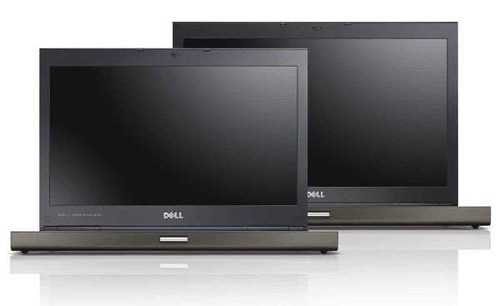
Dell today announced the next generation Dell Precision M4600 and M6600 mobile workstations and dual-socket Dell Precision R5500 rack workstation. These mobile and remote systems, specifically designed for professionals who need raw horsepower, scalable performance and application certification, deliver a desktop workstation experience without being tied to a specific location.
Dell Precision M4600 and M6600 Mobile Workstations:
The Dell Precision M4600 and M6600 represent the world's most powerful 15.6" and 17.3" mobile workstations with 2nd generation Intel Core i7 processor Extreme edition and 1600MHz system memory options.
The Dell Precision M4600 combines incredible performance with a durable yet lightweight 15.6" size and now offers a keyboard with a number pad, increased maximum memory capacity of 32GB, outstanding performance and protection of data with RAID 0/1, and increased hard disk drive (HDD) maximum up to 750GB2.
The 17.3" Dell Precision M6600 unites exceptional processing and graphics performance and productivity-boosting features in a sleek and dependable professional system. The M6600 is designed for the most demanding users looking for a larger display, higher scaling graphics options and additional storage with up to three options including an optional 2nd HDD and 128GB2 solid state drive (SSD) mini card with RAID 5 support. The M6600 will also offer the new flagship NVIDIA Quadro 5010M mobile professional graphics with 4GB2 of GFX memory in the coming months.
Enhancements and options to the new mobile workstation family include:
- Sleek and professional redesign with a rigid and durable aluminum and magnesium alloy chassis and MIL-STD 810G tested for extreme temperatures, vibration, dust, altitude and shock;
- Certification on the top applications from Autodesk, Dassault Systemes, PTC, Siemens PLM Software and many others to ensure established software reliability for demanding applications;
- Wide range of AMD FirePro Mobility Professional Graphics and NVIDIA Quadro Professional Graphics options with up to 2GB2 GDDR5 dedicated memory for high performance and accuracy for complex models;
- Optional four-finger multi-touch display for drawing, writing, editing and zooming onscreen with fingers or stylus and touch-enabled engineering software applications;
- Optional 100 percent color correct PremierColor IPS RGB LED display with PremierColor calibration software for accurate color reproduction and brilliant clarity for bright, crisp images3;
- Expansive DDR3 memory with four DIMM slots for up to 32GB1 of 1333MHz memory or up to 16GB1 of 1600MHz memory for blistering performance;
- Connectivity to virtually all peripherals with five USB ports including two USB 3.0, two USB 2.0 and one combination USB 2.0 and eSATA and three video out options including DisplayPort, VGA and HDMI;
- NVIDIA Optimus technology that intelligently detects graphics performance needed to help extend battery life;
- AMD Eyefinity technology that supports up to five simultaneous displays4 for workflow productivity and increased visual real estate for viewing large models and multiple applications;
- Powerful 2nd generation Intel Core processors with options up to Intel Core i7 Extreme Edition for enhanced performance and productivity.
Dell Precision R5500 Rack Workstation:
Dell has enhanced its rack workstation by providing the full scalability and performance of its highest performing desktop workstation into a dual-socket rack form factor, the Dell Precision R5500. With the R5500 located in a customers' secure data center or other centralized location, users can remove heat, noise and bulk for a more favorable workspace and boost productivity for global and rotating workforces by providing remote 1:1 access to the workstation from virtually anywhere.
The R5500, which is purpose-engineered for professionals who require compute intensive applications and extreme performance with remote capability, offers the latest Intel Xeon processors with memory capacity of up to 192GB and dual-wide GPU slots that scale up to 450 watts. In addition, the R5500 offers options for up to five industry standard full-height and full-length PCIe x16 slots including support for a full range of dual high-end graphics and general purpose (GP) GPU compute solutions from NVIDIA including the newest NVIDIA Quadro and NVIDIA Tesla solutions.
Users can seamlessly connect to the R5500 via optional PC-over-IP hardware-based compression technology, from Teradici, from the Dell FX100 Zero Client. PC-over-IP hardware-based compression transfers only the rendered graphics pixel data over the network, ensuring a fast and responsive remote experience. Alternately, customers can remotely connect via a standard notebook or desktop with optional VMware View software.
The rack workstation also offers certifications from leading ISVs including Autodesk, PTC, Siemens PLM Software, Softimage, Schlumberger, ESRI, Dynamic Graphics, CNC, and many others to ensure users' critical software is compatible and runs smoothly on their R5500 workstation.
Dell Security, Services and Support: All Dell Precision workstations come with robust security options to protect assets and intellectual property including Dell Data Protection | Encryption, Dell DataSafe Online Backup, fingerprint reader and Dell System Track and Recovery service.
Dell Precision customers can maximize their uptime with optional Dell ProSupport5 for 24/7 access to advanced technicians through a single point of contact for both Dell and non-Dell hardware and software issues. They can also take advantage of Custom Factory Integration (CFI) for simple and fast deployment and robust manageability options to help keep operations running smoothly and IT costs down.
Pricing and Availability:
The U.S. starting price for the Dell Precision M4600 is $1,678 and $2,158 for the M6600 and both will be available globally on May 10.
The Dell Precision R5500 starts at $2,551 USD and will be available in the U.S. and EMEA on May 3 and in Asia-Pacific Japan region on May 10.
Source:-Dell