Showing posts sorted by relevance for query Avast. Sort by date Show all posts

Tuesday, 19 July 2011

Get avast! Internet Security 6 License key for FREE

avast! internet security

avast! lover’s, its time to rejoice! Now you can get avast! Internet Security 6.0 license key valid till April 18, 2012 for FREE! avast! internet security 6 provides complete antivirus, anti-spyware, antispam, and firewall protection, complemented now by new avast! SafeZone technology. It creates an isolated virtual desktop, invisible to any possible attacker, where you can do your online shopping and banking securely.

How to get avast! Internet Security 6 License key for FREE (9 months) ?

1. Visit this link

 http://www.my-avast.de/AVAST-Aktion-com-so-gehts

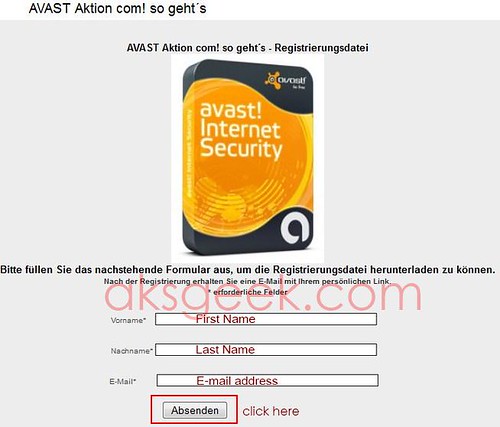
Avast Internet Security-form

2. Enter your first name (vorname), last name (nachname), email address and click on "Absenden" button.

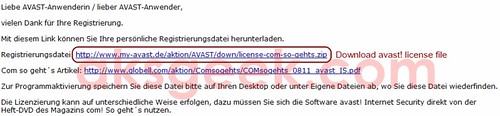
3. Now check your inbox, you’ll receive a mail from Globell Marketing containing link of avast! internet security 6 license file. Download the file and extract it.

Avast Internet Security-license

or Download license file from below link 

http://www.my-avast.de/aktion/AVAST/down/license-com-so-gehts.zip

This key is valid till April 18, 2012

4. Download and install avast! Internet Security 6.

5. During the setup use this license file and enjoy avast! internet security 6 for Free.

[Via]


Saturday, 26 February 2011

How to remove Avast! Gadget permanently in Windows 7?

Do you like new version of avast! (avast antivirus 6.0)? If you ask me, I like it specially autosandbox feature but the only thing I don't like is avast sidebar gadget and most frustrating part is,  if I close/remove from sidebar and even uninstall it--it comes back, every time I reboot my machine.

You'll not face any problem if you are not using sidebar at startup but what for those who are using windows sidebar like me. If you are here and reading this, may be you are looking for an answer of above question. So no more crap, here is what you are looking for...

How to get rid of Avast! Sidebar gadget?

1. Go to Control Panel
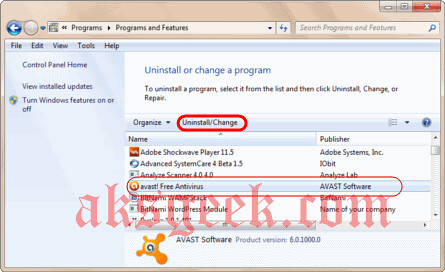
2. Select Program or click on uninstall program

avast program and features


3. From programs list select avast antivirus and click uninstall/change

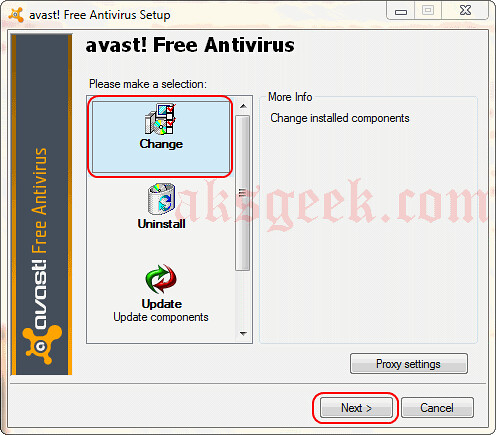
avast antivirus setup-change 


4. Select Change-> click next

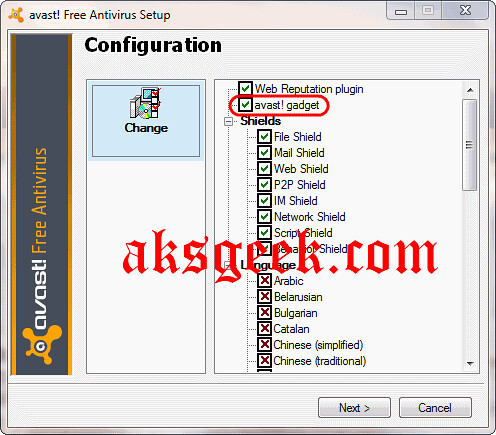
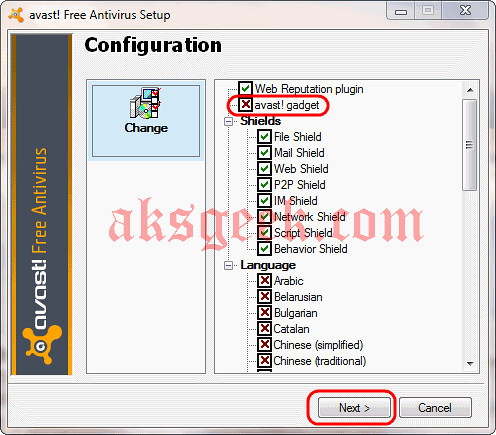
avast sidebar gadget checked avast! sidebar gadget removed

5. Uncheck avast! gadget

6. Click on next again and finish

That's it.

Do you know another way of doing this? What feature do you like in avast 6.0? You also don't like/want Avast! gadget like me? Share with us via comments.


Thursday, 24 February 2011

Avast 6.0 is out of Beta now Available for Download

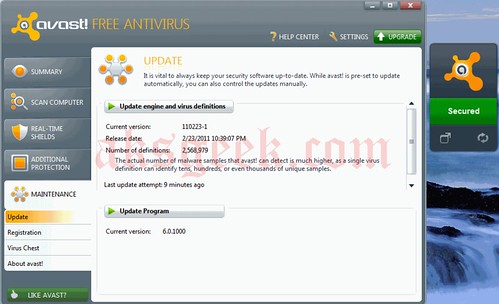
avast antivirus 6.0
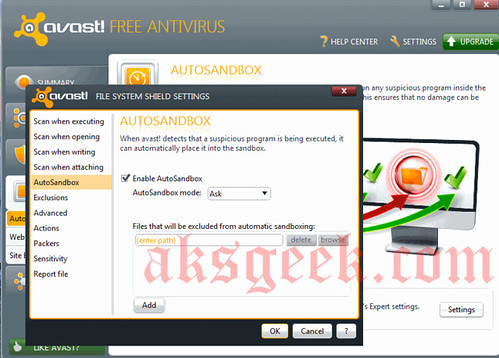
Great news for avast lover’s. Avast Antivirus 6.0 is out of beta and now available for download. There has been a lot of improvements been made in avast 6.0 like it includes  Auto Sandbox, WebRep, sidebar gadget for windows 7 and many more.
avast antivirus 6.0 auto sandbox
New Features Added in Avast Antivirus 6.0 Free:-
  • AutoSandbox
  • Improved antivirus with antispyware
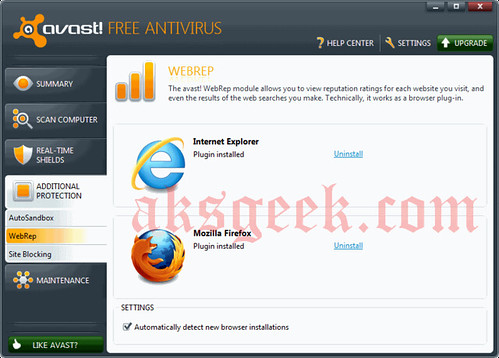
  • avast! WebRep
  • Script Shield
  • Site Blocking 
  • Sidebar gadget
avast antivirus 6.0 WebRep avast antivirus 6.0 with sidebar gadget

Monday, 31 January 2011

Avast Beta 6.0 now Available for Download

avast antivirus free

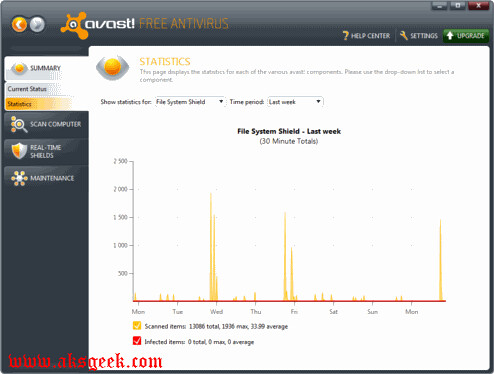
  Good news for avast lover’s , avast 6.0 Beta now available for download which includes new features like Auto Sandbox, WebRep, sidebar gadget for windows 7 etc.

What's new

  • AutoSandbox – suspicious programs will be optionally run sandboxed
  • avast! WebRep – browser plugin for website reputation rating; a combination of data from our virus lab and community voting
  • Script Shield now even in the Free AV
  • Site Blocking now even in the Free AV
  • SafeZone – a special virtualized area for sensitive transactions (e.g. secure online banking) (paid products only)
  • Restore factory settings command (Settings -> Troubleshooting)
  • Automatic actions in the boot-time scan
  • New compression method in the installer makes the setup packages about 20% smaller.
  • Script Shield now functional even with IE8/IE9 Protected Mode
  • Sidebar gadget
  • Improved stability/compatibility of the Behavior Shield
  • Improvements in the avast! sandbox

Issues:-

  • Help files not updated yet
  • Localizations incomplete yet
  • SafeZone not yet accessible (Pro AV / IS only)
  • WebRep only available for IE and Firefox (Chrome is coming soon)
  • Firewall: per-application packet rules not yet accessible
  • Firewall: uTorrent conflict not yet resolved

NOTE :- This version needs to be installed from scratch, i.e. updating from a previous version of avast won't work.

So guys, this is only for experienced user who want to try it  and for novice users  you guys just wait for the final release of Avast 6.0 and if you can’t wait and want to try this-- just for time pass and for enjoyment then you can go and download it (which i don’t recommend to the novice user).

Avast 6.0 Beta Free Antivirus | Pro Antivirus | Internet Security AV

Saturday, 25 February 2012

Avast 7 now Available for Download

Avast 7 cloud services

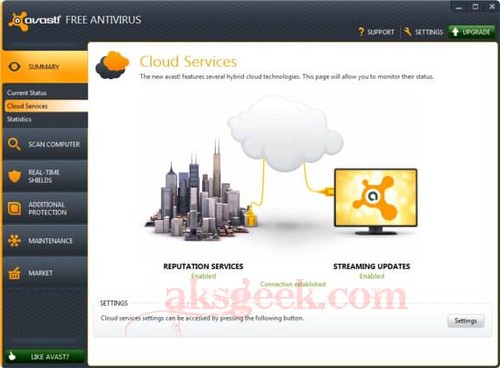
Avast! 7 stable/final version is now available for download build 7.0.1407, features cloud-based reputation scanning, streaming updates and remote assistance.

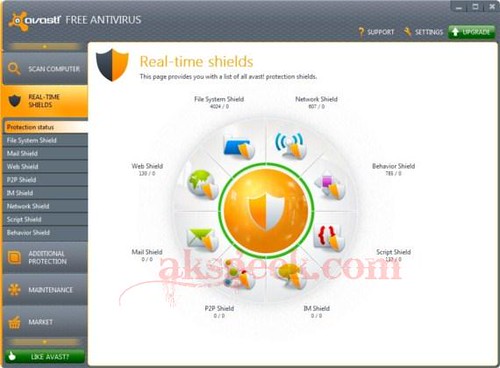
Avast 7 real shields

Avast! 7 Features:-

  • Reputation scanning via FileRep (cloud-based)
  • Streaming updates
  • Sandbox and Autosandbox improvements
  • Remote assistance
  • Browser protection improvements (including antiphishing)
  • New installer
  • Export/Import settings
  • UI facelift
  • Screensaver facelift
  • Runs on Win8 Developer Preview
  • Many other security and stability related fixes

Download Avast 7 Free | Pro | Internet Security

Saturday, 18 December 2010

Free tool for scanning USB for threat

virus usb

Few days ago, I read an article on avast blog stating that 1 out of 8 virus/malware attacks comes from USB. I want you all to read that article. So that you understand it’s not safe even if your machine is not connected to web.

You don’t need to take so much tension but need to take precaution and safety measure like disabling auto run, install good antivirus on your machine like avast or MSE (both are freeware) and in paid Kaspersky or enod32. and keep you antivirus update. But having updated antivirus on your machine doesn’t guarantee 100% protection You need to use other security tools too like malware bytes (for malware protection) or you can go for internet security and many other options available.

Choose the best and which suites your machine and your pocket the best.

Note that your machine should have only one antivirus installed but you can install more than one antispyware tool on your machine.

Today I’m sharing with you a free tool called Analyze Scanner. It is a handy and easy to use application that allows you to scan and remove malware components from your USB device.
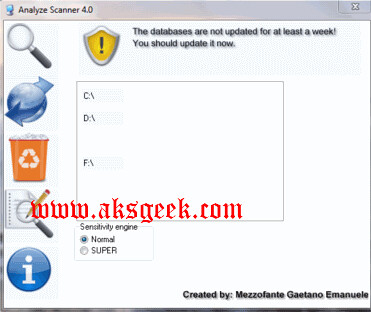
analyze scanner

Key Features :-

  • Quarantine
  • Scan with Main Menu
  • Sensitivity engine with 2 degrees (Normal, SUPER)
  • Auto-Start up for delete Autorun.inf
  • Update Database
  • Report (Italian and English)
  • Create a registry backup for restore in critical situation
  • Clean your system with CCleaner product
  • Create an easy restore point
  • Check your HOSTS file with Analyze HOSTS Controller
  • Technology Integration of Analyze Reboot Delete for delete a threat at the next reboot
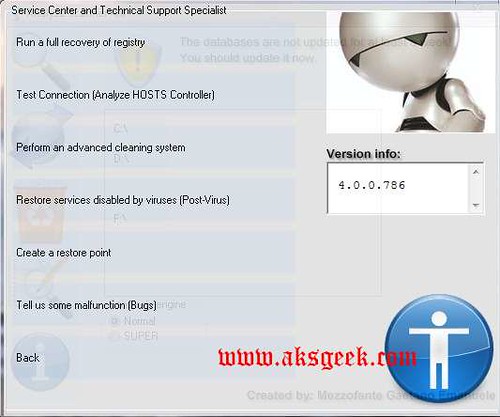
analyze scanner -02

Remarks:- Interface is nice but you need to look out for “back” button because its written and font are small. I updated the database it still showing database not updated. So author need to fix that but commenting on the work it does is SUPERB. scan is fast. If it find any threat, it alerts you and in that you can easily take actions. You can easily create restore point, back up you registry and many other features. Overall a nice and effective tool definitely worth a try and not only try worth a space on your hard drive. Right now all  I wish is to have it as a portable tool on my USB.
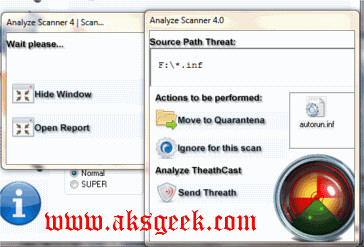
analyze scanner scanning

Do you like it or not? Share with us.

 Download Analyze Scanner (13.2MB)

Note:- Analyze Scanner is an addition tool with your antivirus. It’s not a replacement for antivirus program.