Showing posts with label Computers. Show all posts

Sunday, 30 July 2023

Got a New Mac? Do These 10 Things to Set It Up Perfectly

System Settings-MacOS
So you just bought a brand new Mac and can't wait to dive into the world of the Apple ecosystem. Congratulations! Whether you're a long-time Apple user or a first-time Mac user, setting up your new device can improve your experience and productivity. In this article, we'll walk you through ten important steps to ensure your new Mac is ready to reach its full potential. Let's get started!

1. MacOS Updates:

Once you've set up your Mac, check for macOS updates. Click on System Settings, then select General, then select Software Update. Install any pending updates to ensure your Mac is running the latest version of macOS, which includes bug fixes and new features.

2. Adjust System Preferences:

Customize your Mac's settings to your liking. Go to System Settings and explore options like Touchpad, Mouse, Keyboard, Desktop & Dock etc. Customize these settings to fit your workflows to personalize your Mac experience.

3. Customize your Dock:

The Dock is the quick access bar at the bottom of the screen. Customize for easy access by adding the apps you use most. To add an application to the Dock, simply drag its icon from the Applications folder or click and hold the application icon in the Dock, then select Save to Dock. 

4. Install Must Have Apps:

Go to the App Store and download essential apps like web browsers, communication tools (like Slack or Microsoft Teams), productivity apps, and media players. Some popular applications you might consider are Google Chrome, Microsoft Office, VLC Media Player, and Evernote.

5. Configure Time Machine (Backup):

It's important to back up your Mac regularly to protect your data from the unexpected. Connect an external hard drive and set up Time Machine (Apple's built-in backup solution). Go to System Settings > General>Time Machine and select an external drive as the backup destination.

6. Configure iCloud:

Take advantage of Apple's cloud services by setting up iCloud. Go to System Settings > Apple ID> iCloud. Enable iCloud Drive to sync files across devices, iCloud Photos to back up and access your photos and videos, and iCloud Keychain to keep your passwords safe. 

7. Security and privacy settings:

Make sure your Mac is protected by setting the necessary security and privacy settings. Go to System Settings > "Privacy & Security" to configure features such as FileVault (disk encryption), firewall, and gateways (application security). You can also manage app permissions to access your camera, microphone, and other sensitive data. 

8. Add email and social media accounts:

Integrate your email and social media accounts into your mail and calendar applications. This will help you stay organized and up-to-date without constantly switching between different platforms.


9. Personalize your desktop and screensaver:

Make your Mac feel more like home by personalizing the desktop wallpaper and screensaver. Simply right-click on the desktop, choose "Change Wallpaper," and select an image of your choice. For screensavers, go to System Settings > Screensaver and choose from the available options or add your own folder of images.

10. Learn useful keyboard shortcuts:

Finally, learn some useful Mac keyboard shortcuts to improve your workflow. Learn basic keyboard shortcuts like Command+C (copy), Command+V (paste), Command+Z (undo), and application-specific shortcuts that can dramatically speed up tasks. 

By following these ten steps, you can ensure that your new Mac is perfectly set up and tailored to your needs. From software updates to personalizing your desktop, every step helps create a smoother, more enjoyable Mac experience. Embrace the world of MacOS and explore the possibilities offered by the Apple ecosystem. 


Sunday, 16 April 2017

Get JPG to PDF Converter License key for Free

JPG to PDF Convertor-1
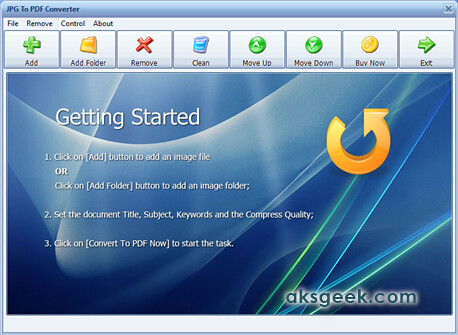
JPG To PDF Converter that quickly converts multiple images into a single PDF document and supports more than 20 image format.

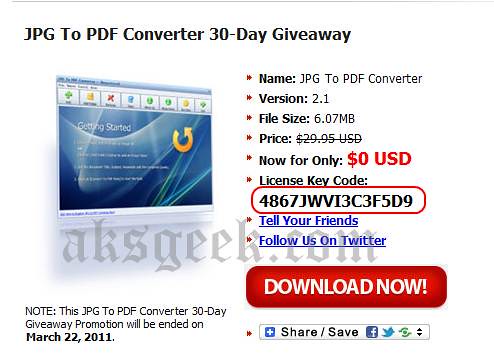
Looking for a license key to register JPG To PDF Converter for free which cost $29.95 then you are at right place. Long way back they organised 30 days Giveaway Promotion, which no longer active but the registration key is still working. All you need to do is:
1. Download JPG to PDF Converter
JPG to PDF free giveaway2. Install it and go to About-> click on register and enter the registration code given below
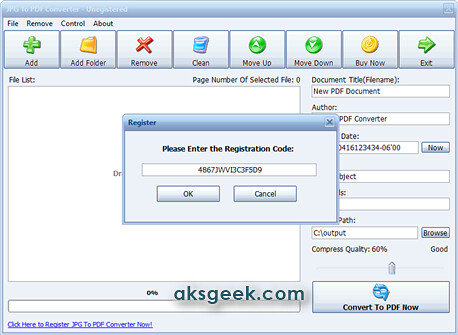
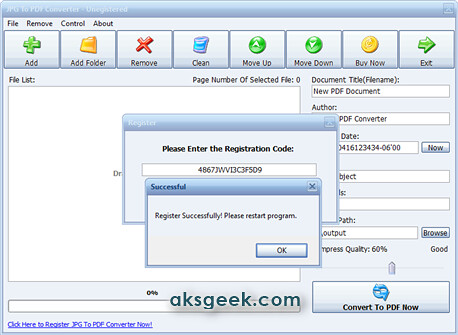
       License Key/Registration code:- 4867JWVI3C3F5D9
JPG to PDF Convetor license register
JPG to PDF Convertor

Giveaway Page

This post on JPG to PDF Converter giveaway originally published on 22.02.2011.

Merge, Split, Encrypt, Decrypt, add watermark to PDF

PDFill PDF Tools
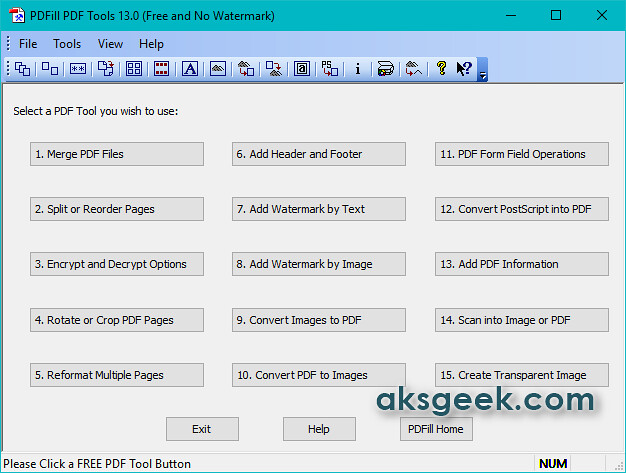
PDFill PDF Tools is a free app allows you to do all kind of operations you want to do with your PDF files like Merge, Split, Reorder, Encrypt, Decrypt, Rotate, Crop, Reformat, Header, Footer, Watermark, Images to PDF, PDF to Images, Form Fields Delete/Flatten/List, PostScript to PDF, PDF Information, Scan to PDF, and Create Transparent Image options.
PDFill PDF Tools Features:-
  • Merge- Merge two or more PDF files into a single PDF file.
  • Split or Reorder-Extract pages from a PDF file into a new file.  Reorder the page sequence into a new file.
  • Encrypt and Decrypt with Security Options
  • Rotate and Crop-Rotate a PDF page by 0, 90, 180 and 270 degree. Crop a page to modify its layout of Print or View by specifying its margins.
  • Header and Footer-Add Headers and Footers to present information, such as date, time, page numbers, or the title of the document, in the top or bottom margins of a document.
  • Watermark -Add Stylized Text Stamp or using image file (bmp, jpg, gif, png, tiff, and wmf).
  • Convert Images to PDF and PDF to images-Convert images (bmp, jpg, gif, png, tiff, and wmf) into a PDF file with layout options vice-versa.
  • PDF Form Fields: Delete, Flatten, List-Delete, Flatten or List the PDF Form Fields inside a PDF file.
  • Convert PostScript(PS) File into PDF -Covert PS files into PDF files so Adobe Reader can read them.
  • Add Information-Add information (title, author, subject, keywords, created, creator, producer, version) to PDF documents.
  • Free Scanner-Scan your paper form or photo as an image file (PNG, JPG, BMP, TIF, GIF) or a PDF file.
  • Create Transparent Image-Create a transparent image with options to adjust transparency options
This tool is completely free for personal as well as commercial use and best thing is NO Watermarks and ads. Now, what you’re waiting for?
Note:- This app will download Ghost Script and Java on your machine, if you don’t have it.
Download PDFill PDF Tool (Freeware, Windows Only)


Tuesday, 30 October 2012

uRex Video Converter Platinum Free till November 6th

uRex Video Converter Platinum

uRexsoft on the festive season of Halloween giving away uRex Video Converter Platinum for Free which normally cost $39.95 till November 6th.

uRex Video Converter Platinum offers a powerful and professional video converting solution which can convert almost all the popular video formats on your PC to various formats like AVI, MP4, DivX, MPEG, H264, WMV, MKV, MOV, VOB, ASF, DV, 3GP, HD format, like HD VOB, HD MKV, HD TS, HD AVI, HD MPEG, HD MP4, HD ASF, HD WMV, HD MOV and audio MP3, WMA, WAV.  Also, it makes you to enjoy movie on your PSP, PS3, iPod, iPhone, iPhone 5, Apple TV, Xbox, Google phones, iPad, iPad2, the new iPad and other digital multimedia devices with ease.

  • Support all popular video & audio formats, even HD videos like AVI, TS, H.264/AVC, MKV
  • Convert to popular formats like AVI, MPEG, WMV, MP4, DivX, MOV, and FLV
  • Support almost all multimedia devices such as PS3, iPhone, iPhone 5, iPod, the new iPad, iPad/iPad2, Apple TV, Xbox, Wii, Google phones
  • Support NVIDIA CUDA & ATI Stream technology
  • Edit, split and merge video while converting.

How to Get uRex Video Converter Platinum for Free? urex-video-converter-pt-giveaway-for-halloween

1. Visit uRexsoft Halloween giveaway page and download the uRex Video Converter Platinum (or directly download from below link).

2. The above downloaded zip file contains the license code, so just use that license code for product activation.

Download uRex Video Converter Platinum

Saturday, 27 October 2012

Win Two copies of Windows 8 Pro; Free uRex Video Converter and DVD Ripper from uRexsoft

urexsoft win 8 giveaway

Windows 8 is finally here, and in order to celebrate the coming of Windows 8, uRexsoft giving away 2 copies of Windows 8 Pro along with Windows 8 compatible freebies - uRex Free Video Converter and uRex Free DVD Ripper.

uRex Free DVD Ripper is a free DVD ripping program that is able to backup DVD for medias like AVI, DviX, XviD, FLV, F4V, MOV, MKV, MPEG, H.264 etc to avoid scratching with your own customized profile settings. Converting DVD with this freeware is easy and fast. It supports both home-made and commercial DVD movies and is able to remove the copy protection like CSS, Region Code, and Disney DVDs.

uRex Free Video Converter is your ultimate but free solution to handle abundant video like HD MKV, M2TS, MTS, AVCHD, AVC, and SD AVI, MPEG, MPG, MP4, WMV, MOV, FLV, RM, RMVB, WebM, F4V etc. It is the high quality video converter that free converts popular videos at one go and enables you to watch videos in AVI, MP4, FLV, WMV etc.

Download uRex Free DVD Ripper and uRex Free Video Converter. 

How to Win 2 copies of Windows 8 Pro:-

In order to win one of two copies of Windows 8 Pro, all you have to do is to like uRexsoft on Facebook and share the giveaway on Facebook, Twitter and more. Visit this promo page to know more.

Saturday, 13 October 2012

ASUS intros 21.5-inch ET2220 All-in-One PC Series

ASUS ET2220 AIO

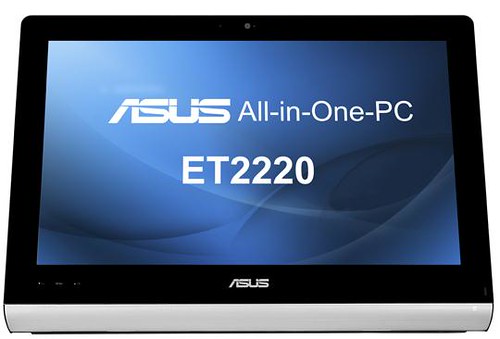
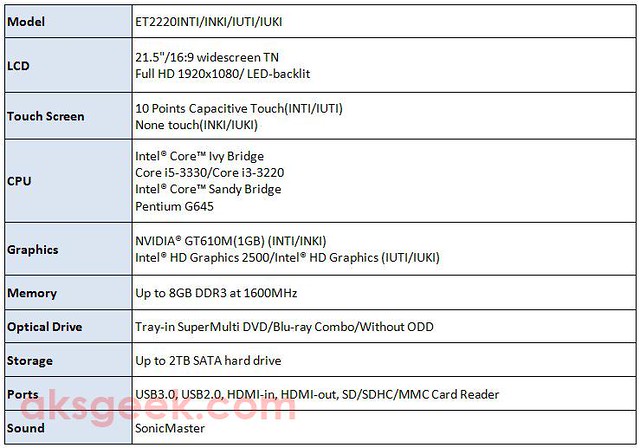
ASUS launched the Windows 8-ready ET2220 All-in-One PC Series. This 21.5-inch All-in-One PC features frameless 10-point capacitive touch display, powered by Intel Core Ivy Bridge Core i5/i3 or Intel Core Sandy Bridge Pentium G645 CPU, up to 8GB of DDR3 RAM, NVIDIA GT610M (1GB) graphics card option, up to 2TB SATA hard drive, USB 3.0, HDMI connectivity and VESA mount compatibility.

ASUS ET2220 All-in-One PC Series Specifications:-

ASUS ET2220 All-in-One PC Series Specs

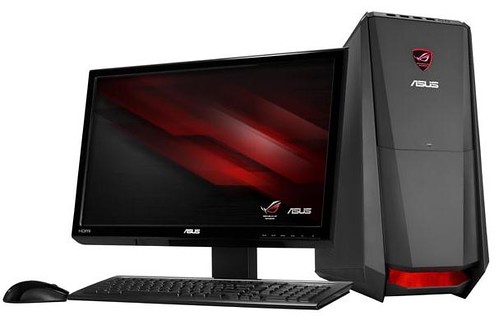
ASUS Unveils the ROG TYTAN CG8480 Windows 8-based Gaming Desktop PC

ASUS ROG TYTAN CG8480

ASUS unveiled the ROG TYTAN CG8480 - a gaming desktop with an Intel Core i7-3770K processor with Turbo Gear function that enables full 4-core CPU instant overclocking to reach a maximum speed of 4.2 GHz.

The one-click Turbo Gear overclocking, which allows users to dynamically overclock the CG8480’s Intel Core i7-3770K processor without the need to reboot. The CG8480 instantly overclocks its 4-core to three different modes, while the DEFCON indicator and bottom grill lighting shows system readiness with blue and red LED lights.

  • Startup mode: ROG logo + bottom grill lights up blue, with the CPU overclocked to 3.8GHz
  • Turbo Gear mode: ROG logo + bottom grill lights up red, with the CPU overclocked to 4.0GHz
  • Turbo Gear extreme mode: ROG logo + bottom grill lights up red, with the CPU overclocked to 4.2GHz

It comes equipped with the NVIDIA GeForce GTX 680 2GB GDDR5 graphics card that supports up to four monitors, while the 128GB SATA3 SSD delivers greater data access speeds than generic HDDs. No words on pricing and availability yet.

ASUS ROG TYTAN CG8480 Specifications: - 

  • Operation System - Windows 8
  • CPU - 3nd generation Intel Core i5/i7  K Processors
  • Chipset - Intel Z77
  • Graphics
    • Discrete VGA Choice:
      • NVIDIA GeForce GT640 3GB DDR3
      • NVIDIA GeForce GTX660 3GB DDR5
      • NVIDIA GeForce GTX670 2GB DDR5  NVIDIA GeForce GT680 2GB DDR5
      • AMD Radeon HD7770 1GB GDDR5
  • Memory - 4G up to 16GB  Dual Channel DDR3 at 1600Mhz – 4  x DIMMS
  • Storage
    • Up to 6TB
    • Up to 128GB SSD
  • CD/DVD Drive
    • Tray-in 24X SuperMulti DVD burner
    • Tray-in Blu-ray Combo
    • Tray-in Blu-ray writer
  • Secondary CD/DVD Drive - Yes
  • Interface
    • Front IO Port
      • 1 x 16-in-1 Card Reader
      • 1 x Microphone
      • 1 x Headphone
      • 2 x USB 3.0
      • 2 x USB 2.0
    • Rear IO Port
      • 1 x RJ45 LAN
      • 1 x 8 channel Audio I/O
      • 1 x PS/2
      • 1 x S/PDIF
      • 1 x HDMI
      • 1 x DVI-D
      • 1 x VGA
      • 4 x USB 3.0
      • 2 x USB 2.0
  • Power Supply - Peak 500W and 700W
  • Physical Dimension (mm) W x H x D - 543.73x 216.06 x 480.82 mm
  • Accessories
    • 1 x Keyboard (USB)
    • 1 x Mouse (USB)
    • 1 x Warranty Card
    • 1 x Power Cord
    • 1 x Quick Manual
  • Software
    • Trend Micro Titanium Internet Security Trial
    • Office Trial
    • nero 9 Essentials
    • PowerDVD
    • Adobe Reader
    • Adobe Flash Player
    • Lucid Virtu_Universal MVP
    • Windows Live Essential 2012
    • Bing Bar 7.1
    • Intel Smart Connect Technology
    • Intel Rapid Start Software
    • Bupdater
  • ASUS Utility
    • ASUS AI-SUITE II         
    • ASUS Easy Update                          
    • ASUS AI Manager
    • ASUS Backup Wizard
    • ASUS Instant On
    • ASUS Q-fan
    • ASUS@Vibe
    • ASUS AI Charger
    • ASUS WebStorage
  • Expansion Slot
    • 2 x  PCIe 3.0/2.0 x16 (x16 or dual x8)
    • 1 x  PCIe 2.0 x16 (x4 mode, black)
    • 1 x  PCIe 2.0 x1

Monday, 8 October 2012

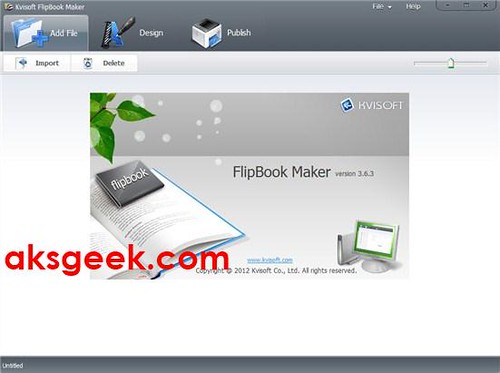
Win 1 of 3 Licenses of Kvisoft Flipbook Maker

Kvisoft Flipbook Maker

Last month we reviewed Kvisoft Flipbook Maker which allows you to create 3D Flash page-flipping books, simply with 3 steps of importing PDF/images/FLV, Designing (customizing styles) and publishing. Today we’re giving away 3 licenses of Kvisoft Flipbook Maker worth $97 each for Free.

How to participate in Kvisoft Flipbook Maker Giveaway?

Just follow the task mentioned below in rafflecopter giveaway page.

  1. Sign-in using Facebook or use your valid email address.
  2. Share this post on Facebook (compulsory), twitter or any other social networking site and forums.
  3. Make sure you post a comment (compulsory) below this article, using same email ID/Facebook username or account used in rafflecopter.
  4. The licenses will be awarded to those who follow the above steps.
a Rafflecopter giveaway

(Make sure java script is enabled in your browser. In case you don’t see the rafflecopter giveaway page, try refreshing this page using F5 or click on refresh icon in your browser.)

Contest Start Date: October 8th, 2012

Contest End Date: October 14th, 2012 (12.01AM EST)

Winners will be announced on or after October 15th, 2012.

Monday, 10 September 2012

HP announces ENVY 23, ENVY 20, SpectreONE and Pavilion 20 all-in-one PC

SpectreONE

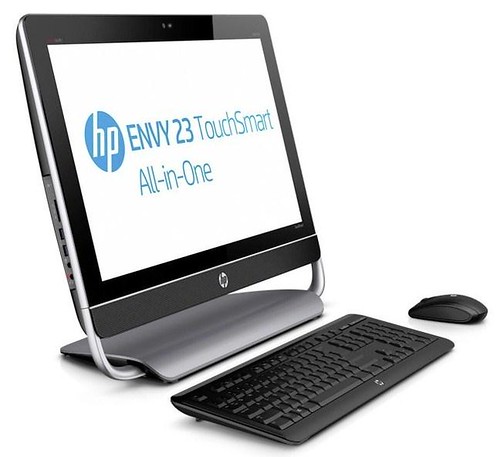
HP today announced four new consumer all-in-one (AiO) PCs, including two additions to the HP ENVY line.

  • The new HP ENVY 23 and ENVY 20 TouchSmart AiO PCs, offering 10-point multitouch technology and beautifully simple designs.
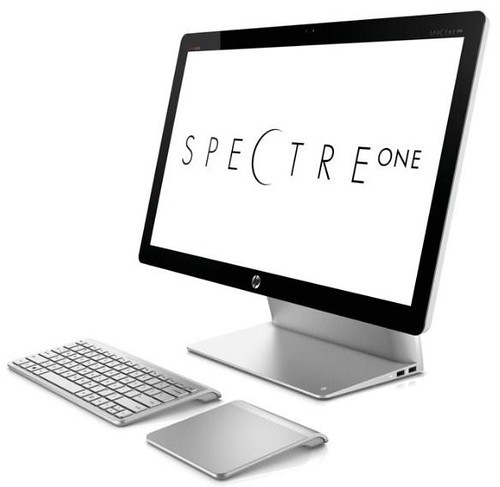
  • The incredibly thin and stunningly elegant HP SpectreONE is the first AiO PC to join the premium HP Spectre product family.
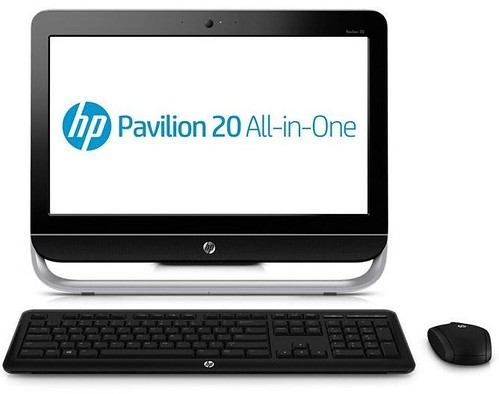
  • The new HP Pavilion 20 is a powerful non-touch AiO PC built for value-conscious consumers.

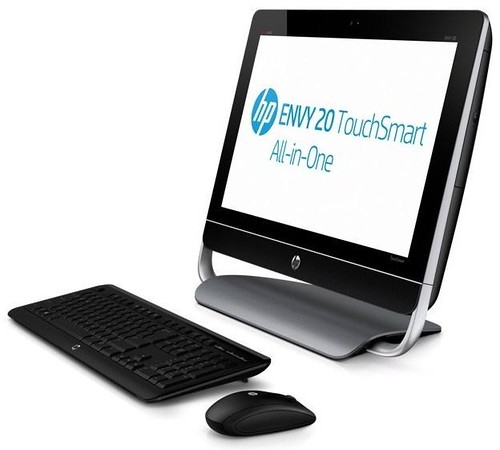
HP ENVY 20 and ENVY 23 TouchSmart all-in-oneHP ENVY 20

HP has built on its expertise with enhanced HP TouchSmart technology to make working, playing and staying connected as easy as a tap here or a swipe there. Designed to work with Microsoft Windows 8, the new HP ENVY 23 and HP ENVY 20 TouchSmart PCs deliver excellent performance and the capability of sensing up to 10 fingers on the screen for intuitive navigation, on-screen typing and playing games.

The HP ENVY 23 and HP ENVY 20 TouchSmart PCs offer 23- and 20-inch diagonal high-definition (HD) displays, respectively. They come equipped with the latest Intel processors, optional ExpressCache and solid state drives (SSDs), and up to 3 terabytes of storage for photos, videos and music. The ExpressCache SSD option provides users with fast boot-up and application start times. HP ENVY 23

For added entertainment, the HP ENVY 23 and HP ENVY 20 TouchSmart PCs offer Beats Audio and exclusive HP innovations such as the HP TrueVision HD webcam, HP Connected Photo, HP Connected Backup and HP Connected Music powered by Meridian.

HP Connected Photo seamlessly syncs photos from a smartphone to the PC and stores them in their native resolution. HP Connected Music allows consumers to experience music downloads, streaming services and internet radio all in one convenient place. HP Connected Backup allows customers to seamlessly access and automatically back up files online for every day search, retrieval and access.

The HP ENVY 20 TouchSmart also offers HP Connected Remote, which delivers the ultimate audiovisual experience by turning a smartphone or tablet into a remote control, enabling users to wirelessly control music, videos and photos.

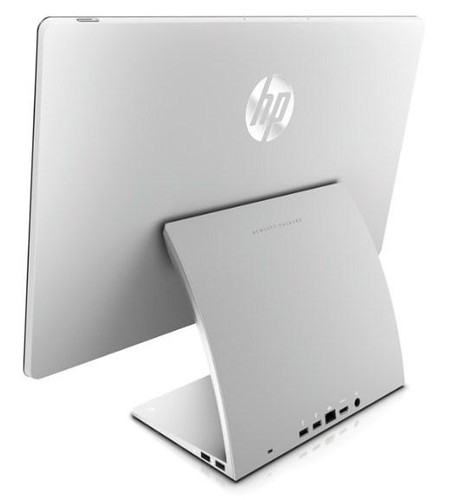
HP SpectreONE SpectreONE Aio

The HP SpectreONE AiO PC has a gorgeous ultraslim design complemented by a 23.6-inch flush-glass full HD display and a unique curved back. At just 11.5 millimeters thin, the HP SpectreONE is the thinnest AiO PC in HP’s portfolio, and one of the thinnest AiO PCs available on the market today.

An accompanying stylish wireless trackpad, designed specifically for the HP SpectreONE, offers users freedom of movement with multitouch capabilities. Users can scroll, swipe and tap their way through the new Windows 8 environment.

As powerful as it is beautiful, the HP SpectreONE features the latest Intel processors, an NVIDIA 1GB graphics card, optional ExpressCache and optional SSD. It also delivers connectivity with HP’s TouchZone near-field communication (NFC) technology and a full array of ports, including two USB 2.0 ports, two USB 3.0 ports, HDMI-in and a Beats Audio headphones jack. With HP’s TouchZone NFC technology, users simply tap a smartphone or NFC tags on the base of the HP SpectreONE to instantly transfer content or login to the PC.

An entertainment powerhouse, the HP SpectreONE offers Beats Audio, an HP TrueVision HD webcam and the new HP Connected Remote, HP Connected Photo and HP Connected Music. Full versions of Adobe Photoshop Elements 10 and Adobe Premiere Elements 10 are provided to give users additional photo- and video-editing capabilities.

The HP SpectreONE is bundled with several services at no additional cost. To safeguard confidential data and thwart cyberthreats, the HP SpectreONE PC includes a two-year subscription to Norton Internet Security. The SpectreONE also gives users support from a dedicated team of experts, and 90 days of complimentary HP SmartFriend Services. HP SmartFriend Services provides stress-free assistance with PC setup and answers to all how-to questions. Customers receive prioritized treatment with a direct number, minimum wait time, extended support hours and follow-up calls. Users also can choose to receive online chat support with remote assistance.

HP Pavilion 20 AiO PC HP Pavilion 20

For users craving the ease and space-saving design of an HP AiO PC at a great value, the HP Pavilion 20 AiO PC packs a 20-inch diagonal HD display in an attractive easel design. The HP Pavilion 20 joins the recently announced HP Pavilion 23 AiO PC and offers intuitive features, including an HP TrueVision HD webcam, to keep users connected to family and friends.

The HP Pavilion 20 also offers the new HP Connected Remote, HP Connected Photo and HP Connected Music.

This new array of AiO PCs follows an Aug. 30 announcement of new touch notebooks, all designed to work with Windows 8. Additional PCs and a tablet made for business will be announced in the coming weeks.

Pricing and availability

  • The HP ENVY 23 TouchSmart and HP ENVY 20 TouchSmart AiO PCs are expected to be available in the United States in October at starting prices of $999 and $799, respectively.
  • The HP SpectreONE is expected to be available in the United States in November with a starting price of $1,299.
  • The HP Pavilion 20 is expected to be available in the United States in October with a starting price of $449.

[Press Release]

Tuesday, 10 July 2012

AKSclusive Giveaway - Get 3 Licenses of Password Resetter 2.0

Password Resetter 2.0

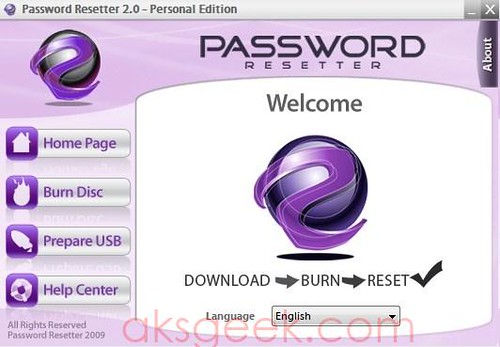
Last month I reviewed the Password Resetter 2.0 - Personal Edition, which lets you reset your Windows admin or normal user password in a matter of seconds and now today I’m  giving away 3 licenses of the same Password Resetter 2.0 - Personal Edition worth $35 each.

How to participate in Password Resetter 2.0 Giveaway?

Just follow the task mentioned below in rafflecopter giveaway page.

  1. Sign-in using Facebook or use your email (valid).
  2. Share this post on Facebook (compulsory), twitter or any other social networking site and forums.
  3. Make sure you post a comment (compulsory) below this article, using same email ID/Facebook username or account used in rafflecopter.
  4. The licenses will be awarded to those who follow the above steps.
a Rafflecopter giveaway

(Make sure java script is enabled in your browser. In case you don’t see the rafflecopter giveaway page, try refreshing this page using F5 or click on refresh icon in your browser.)

Contest Start Date: July 10th, 2012

Contest End Date: July 28th, 2012 (12.01AM EST)

Winners will be announced on July 29, 2012.

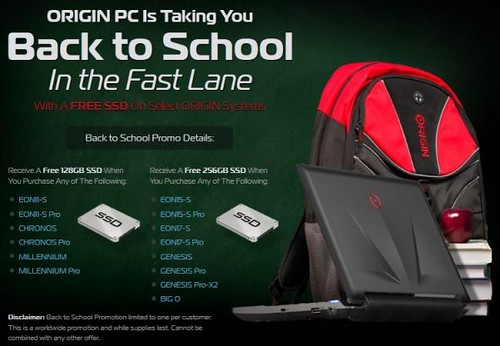
ORIGIN PC announces Back to School Promo, giving away 256GB SSD Free

ORIGIN PC Back To School

ORIGIN PC announced a Back to School promotion and giving away a FREE solid state hard drive of up to 256GB to customers who purchase an ORIGIN system for a limited time only.

FREE SSD Back to School Promo Details (While Supplies Last)

Receive A Free 128GB SSD When You Purchase Any of The Following:

  • EON11-S
  • EON11-S Pro
  • CHRONOS
  • CHRONOS Pro
  • MILLENNIUM
  • MILLENNIUM Pro

Receive A Free 256GB SSD When You Purchase Any of The Following:

  • EON15-S
  • EON15-S Pro
  • EON17-S
  • EON17-S Pro
  • GENESIS
  • GENESIS Pro
  • GENESIS Pro-X2
  • BIG O

Source:- ORIGIN PC

Monday, 30 April 2012

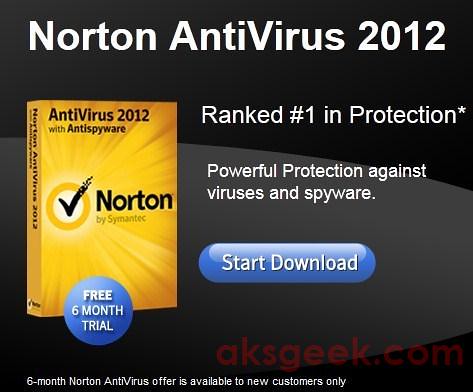
Norton Antivirus 2012 Free for 6 Month

Norton Antivirus 2012 free for 6months
We’ve already shared with you free 90 days trial of Norton Internet Security 2011 and Norton 360 version 5.0 – currently active but changed to 60 days free trial of both (NIS 2012 and Norton 360 v5.0) and 90 days trial of NIS 2012. Now, adding to that list Norton Antivirus 2012 (NAV 2012) which is free for 6 months. Head past the break to know how to get 6 months NAV2012 for Free.

How to get Norton Antivirus 2012 Free for 6 months?
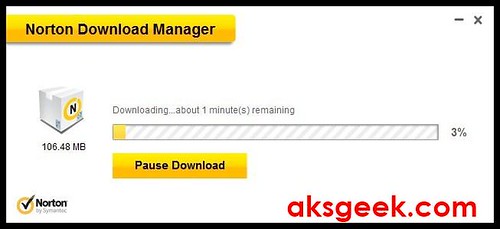
1. Visit this link and click on start download. Norton Download manager
2. Run the setup file (534KB) you have downloaded from above link. Norton download manager will first download the 106.48MB of NAV2012 and then automatically starts the installation procedure.
3. Once you are done with the installation. You need to create a new Norton account but make sure you use new email address which is NOT registered with Norton because this free offer is for new users only.
All done! now you can enjoy 6 months of free Norton Protection. And if you want, you can get free password manager – Norton Identity Safe.


Wednesday, 11 April 2012

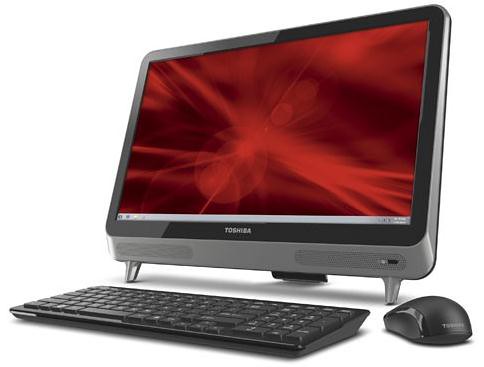
Toshiba reveals 21.5" LX815 and 23" LX835 all-in-one PC

toshiba lx815 and lx835

Toshiba announced the 21-inch LX815 and 23-inch LX835 all-in-one desktop computers offer full HD 1080p displays with optional touchscreens on edge-to-edge glass. Both models equipped with third-generation Intel Core processors (Ivy Bridge), up to 16GB RAM, up to 3TB high-speed hard drives, two USB 3.0 ports plus four USB 2.0 ports and HDMI-in. The Toshiba LX815, starting at $599.99, and LX835, starting at $879.99, will be available for purchase at the beginning of Q3 2012 exclusively at Best Buy stores, e-tailers and direct from Toshiba.

Thursday, 1 March 2012

Qualcomm and Microsoft to Provide Developers with Snapdragon-Based Windows on ARM Test PCs

Qualcomm and Microsoft team up to proveide Snapdragon-based Windows on ARM Test PCs

Qualcomm announced that its Snapdragon processor will be joining Microsoft's Windows on ARM developer seeding program. Qualcomm is working with Microsoft to provide test PCs to select developers in order to test and optimize apps for forthcoming Snapdragon-powered Windows on ARM PCs and tablets.

This invitation-only program will combine a pre-release version of Windows on ARM with next-generation, high performance Snapdragon S4 test PCs. These test PCs contain Qualcomm's Snapdragon S4 MSM8960 processor with second-generation high performance, power efficient CPU, hardware accelerated Adreno graphics, full multimedia, GPS, sensors, and peripherals that will enable development and test of next-generation Windows Metro style apps for the coming wave of Windows on ARM PCs.

These test PCs are not representative of commercial form factors or the final Windows on ARM experience; they are designed to give developers early access to building and testing Windows Metro style apps on Qualcomm's latest technology.

Saturday, 25 February 2012

Avast 7 now Available for Download

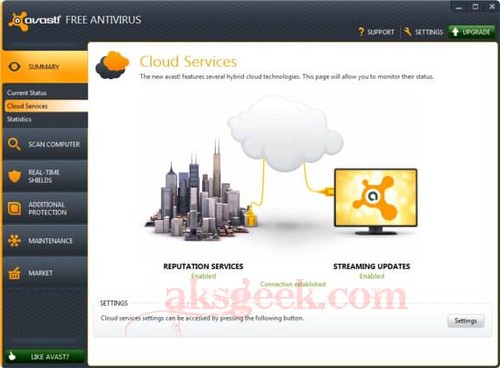
Avast 7 cloud services

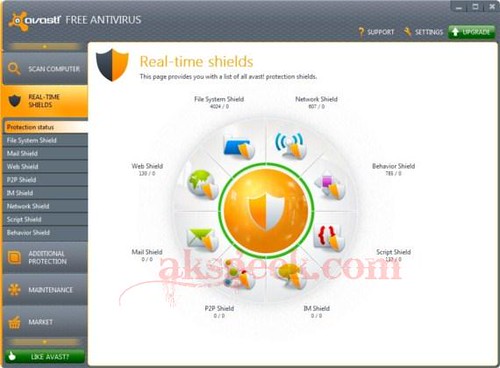
Avast! 7 stable/final version is now available for download build 7.0.1407, features cloud-based reputation scanning, streaming updates and remote assistance.

Avast 7 real shields

Avast! 7 Features:-

  • Reputation scanning via FileRep (cloud-based)
  • Streaming updates
  • Sandbox and Autosandbox improvements
  • Remote assistance
  • Browser protection improvements (including antiphishing)
  • New installer
  • Export/Import settings
  • UI facelift
  • Screensaver facelift
  • Runs on Win8 Developer Preview
  • Many other security and stability related fixes

Download Avast 7 Free | Pro | Internet Security

Tuesday, 14 February 2012

Get VPNywhere Premium VPN Account Free for 3 Months

vpnywhere

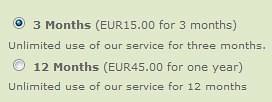
In past, we have shared many VPN services including most popular and free SecurityKISS Tunnel. Now you’ve a chance to get VPNywhere.com premium VPN account which cost €15 for 3 month FREE!

VPNywhere offers premium VPN connection which allows users to surf the internet anonymously and connect you with Skype, MSN, Facebook or any other social service with ease. It works with Windows XP, Windows Vista, Windows 7, Linux, Mac OSX, iPhone, Windows Mobile and several home internet routers.

How to get VPNywhere 3 Months VPN Account for Free?

1. Visit this signup page.

2. Select 3 months membership option and fill up the form using valid email id.

vpnywhere membership

3. Enter the Promotional Coupon Code: 2294AA3 and click continue and accept T&C.

4. Now, you will receive an email confirmation link in your inbox from support@support.vpnywhere.com, just click the link to activate your account. Shortly you’ll receive another mail from VPNywhere with account details.

vpnywhere payment details

To know how to setup your connection to VPNywhere click here.

This is a limited time offer. So Hurry Up!

Enjoy! and Happy Valentines Day.

Thursday, 2 February 2012

Download Free Kaspersky WindowsUnlocker utility to disinfect ransomware

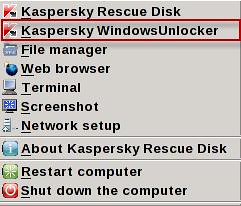
Kaspersky WindowUnlocker _ menu

Almost every computer user know about virus, trojan, spyware, malware etc and surely using free or paid security products to protect their machine. But do you know, what is ransom malware? It is a malware created to block access to a computer or restrict access to some functions and request a ransom (by showing instructions on screen) to restore computer functionality and starts automatically when Windows booted up even in safe mode. If your machine is infected with ransom malware, you can use a free utility called Kaspersky WindowsUnlocker to disinfect ransom malware.

The Kaspersky WindowsUnlocker utility is designed to disinfect registries of all operating systems installed on the computer (including operating systems installed on different partitions or in different folders on one partition) and disinfect user registry trees but it does not perform any actions with files (in order to disinfect files you can use Kaspersky Rescue Disk).

How to remove ransom malware using Kaspersky WindowsUnlocker?

  1. Download the Kaspersky WindowUnlocker ISO image (~200MB).
  2. Burn ISO image to a CD/DVD or USB Drive via Kaspersky USB Rescue Disk Maker and boot computer from it.
  3. A message will appear on the screen: Press any key to enter the menu – press any key and select language.
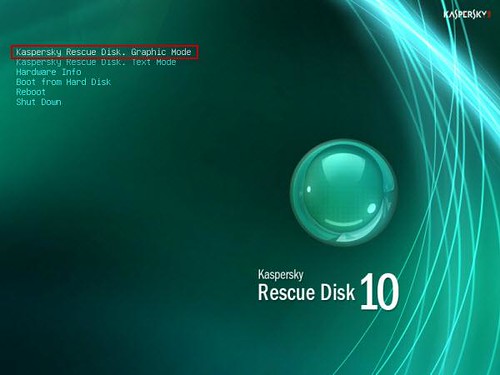
  4. Kaspersky Rescue disk is available in graphic and text modes select any one of them (graphic mode recommended) and accept the agreement. Kaspersky WindowUnlocker _ rescue disk graphic mode
  5. Now, click the start button and select the Kaspersky WindowsUnlocker. Kaspersky WindowUnlocker _ menu
  6. The utility automatically starts and disinfects the registry. Results of performed actions will be displayed in the root window (white color window). If the root log file contains info about successfully performed actions, for example, Registry hive "path" opened successfully and "path" - suspicious value "value" deleted, then the utility has successfully ended its work on your computer.

Wednesday, 1 February 2012

Mozilla Firefox 10 now available for Download

Firefox 10

Stable version of Mozilla Firefox 10 is now available for Windows, Mac and Linux users. Mozilla added new features to the latest browser update which includes - the forward button is now hidden until you navigate back, most add-ons are now compatible with new versions of Firefox by default, Anti-Aliasing for WebGL is now implemented and firefox 10 now supports CSS3 3D-Transforms. For developers, Mozilla added IndexedDB APIs to more closely match the specification and new CSS Style Inspector. You can download the Firefox 10 from the link below.

Download Firefox 10

Windows | Mac | Linux | ftp


Wednesday, 18 January 2012

Dell unveils the Alienware X51 gaming desktop

Dell Alienware X51

Dell introduced the Alienware X51 small gaming desktop features-- powerful 2nd generation Intel Core i processors, NVIDIA GeForce GT or optional GTX class graphics cards for intense gaming performance, Wireless-N technology for easy Internet access, HDMI 1.4 for connecting to 3D TVs and watching 3D Blu-ray movies, two SuperSpeed USB 3.0 ports for fast data transfer, High-Definition 7.1 Performance Audio and GDDR5 graphics memory - the most advanced graphics memory offering available. At its entry-level configuration with a Core i3 processor, 4GB memory, 1GB NVIDIA GeForce GT 545 graphics, and a 1TB 7,200rpm hard drive, the raw power of the X51 yields an average 34 frames per second in Battlefield 3 at high settings and a resolution of 1080p, starting at $699.

Alienware X51 Product Specifications:

  • Intel Core i3 Dual Core (standard) and Intel Core i5 and i7 Quad Core Processor Options
  • Intel H61 Express Chipset Architecture
  • Mini-ITX Motherboard
  • Powerful NVIDIA Graphics Card Options
    • 1GB GDDR5 NVIDIA GeForce GT 545 (Standard)
    • 1GB GDDR5 NVIDIA GeForce GTX 555
  • Configure with up to 8GB of DDR3 Memory (4GB Standard); 2x 240-Pin DDR3 SDRAM Slots
  • Fast 7,200RPM 1TB Hard Drive
  • Microsoft Windows 7 Home Premium
  • Slot-Loading Dual Layer DVD Burner (Standard) or optional Blu-ray Disc Reader
  • Internal High-Definition 7.1 Performance Audio with Waves MAXX Audio Software
  • Integrated 10/100/1000Mbps Gigabit Ethernet NIC and Integrated 802.11 a/b/g/n Wi-Fi Wireless LAN (standard)
  • USB 2.0 (6x); USB 3.0 (2x); Microphone In; Headphone/Speaker Out; HDMI 1.4 Output; RJ-45 Gigabit Ethernet; Front, Rear and Center Speaker Ports; SPDIF Digital Output (TOSLINK); SPDIF Digital Output (Coax)
  • Alienware 240 Watt Power Supply (Standard) or optional 330 Watt Power Supply
  • Dual-orientation tower system dimensions: h: 13.5” (343mm) x w: 3.74” (95mm) x d: 12.52” (318mm)
  • Starting Weight: 12.1 lbs. (5.49 Kg.)

Available in the U.S. and Canada at this time. 

Source:- Dell

Wednesday, 11 January 2012

ORIGIN PC Announces the GENESIS now Overclocked to 5.7GHz and Exclusive Design upgrade for EON

ORIGIN PC EON17-S

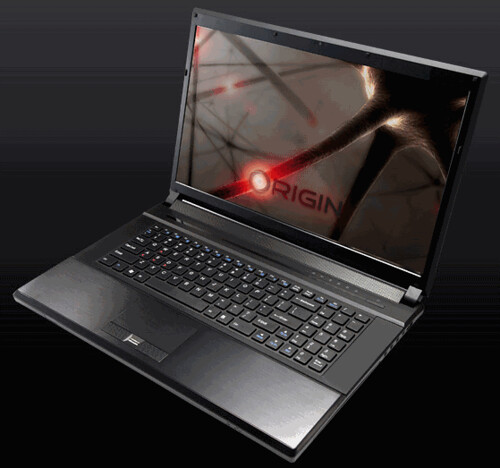
ORIGIN PC starts off 2012 with three major announcements. The GENESIS desktop has been overclocked to a record 5.7GHz with the exclusive new ORIGIN PC Phase Change cooling system. The Phase Change cooling system will be available in late Q1. Starting today, ORIGIN PC launches free U.S. based lifetime 24/7 technical support on all desktops and laptops and announced that EON17-S and EON15-S laptops to receive an upgrade with the new exclusive ORIGIN PC design.

The GENESIS desktop features:

  • Expert Overclocking: Experience new heights and reach 5.7GHz, only available with ORIGIN PC's award winning professional overclocking and high end custom cooling solutions.
  • Phase Change Technology: Achieve a new level of cooling with ORIGIN PC's exclusive Phase Change Technology which cools the processor to sub zero temperatures as low as -40 degrees Celsius.
  • Latest Name Brand Components: ORIGIN PC works directly with every name-brand component manufacturer to bring the newest and fastest technology to our customers first including overclocked Intel X79 Processors and NVIDIA GeForce GTX 580 3GB cards in 4-way SLI.
  • Custom Built and Supported in the U.S.: Every detail of the GENESIS desktop is selected by the customer and hand built in the U.S. by award winning ORIGIN PC integrators.

Starting today, every ORIGIN PC customer receives free U.S. based 24/7 technical support for life, including current customers. ORIGIN PC continues to lead the industry by becoming the first and only boutique system builder to provide free U.S. based lifetime 24/7 technical support. Anytime customers have a question about a game, application, or hardware component; ORIGIN PC will be there to help.

ORIGIN PC laptops now look as good as they perform with the new exclusive A-panel featuring next generation design. Stand out from the crowd with the unique ORIGIN PC design and record breaking performance. The ORIGIN PC design comes in a black finish or with custom airbrushing in any color or any design. The EON17-S and EON15-S will start shipping with the new design in Q1. The EON-17 will feature the design shortly after.