Showing posts with label Freebies. Show all posts

Sunday, 6 August 2023

Top 15 Free PDF Editors for All Your Document Needs


PDF files have become an integral part of modern communication and document sharing. Whether you want to create, edit or markup PDF files, a reliable PDF editor is essential. But with so many choices, making the right choice can be overwhelming. Don't be afraid! In this article, we explore the 15 best free PDF editors that offer a wide range of features to suit your needs.

1. PDFescape:

pdfescape


PDFescape is a web-based PDF editor that allows you to create, edit, and annotate PDF documents without any installation required. It offers a user-friendly interface and basic editing tools, including text and image editing, form filling, and adding annotations.

Pros:
- No installation required; works directly from your web browser.
- Simple and intuitive interface.
- Supports most operating systems.

Cons:
- Limited advanced editing features.
- Requires an internet connection to use.

Supported OS: Windows, macOS, Linux, and web-based.


2. Sejda PDF Editor:


Sejda PDF Editor is a comprehensive online editor that offers a rich set of editing tools for free. You can merge, split, compress, and convert PDFs, as well as add annotations, text, and images to your documents.

Pros:
- Allows editing large PDFs up to 200 pages for free.
- No watermarks on edited documents.
- User-friendly interface.

Cons:
- Limited number of free edits per hour (3 edits per hour).
- Advanced features locked behind a paywall.

Supported OS: Windows, macOS, Linux, and web-based.


3. Smallpdf:

Smallpdf is a widely popular online PDF editor that provides various editing options, including merging, splitting, compressing, and converting PDF files. It also allows you to add text, images, and annotations.

Pros:
- Clean and intuitive interface.
- Offers cloud integration with Dropbox and Google Drive.
- Supports a wide range of file formats.

Cons:
- Free version has limited access to advanced features.
- Watermarks added to edited documents.

Supported OS: Windows, macOS, Linux, and web-based.


4. PDF-XChange Editor:

PDF-XChange Editor is a robust desktop application with a free version that offers a comprehensive set of PDF editing tools. It allows you to edit text, add comments, and create fillable forms.

Pros:
- Feature-rich free version with no watermarks.
- Fast and efficient performance.
- Supports OCR for text recognition.

Cons:
- Free version lacks some advanced features found in the pro version.
- Only available for Windows.

Supported OS: Windows.


5. LibreOffice Draw:

LibreOffice Draw is part of the LibreOffice suite and provides basic PDF editing capabilities. While primarily known as an open-source office suite, Draw allows you to edit PDFs, add images and text, and make annotations.

Pros:
- Completely free and open-source software.
- Cross-platform compatibility.
- Regularly updated with new features.

Cons:
- Limited advanced editing tools.
- Not as user-friendly as other options.

Supported OS: Windows, macOS, Linux, and more.


6. Inkscape:

Inkscape is a powerful open-source vector graphics editor, and while its primary purpose is not PDF editing, it can handle basic PDF editing tasks. You can add and manipulate text, images, and shapes.

Pros:
- Free and open-source software.
- Advanced vector graphics editing capabilities.
- Active community and regular updates.

Cons:
- Not as straightforward for PDF editing compared to dedicated editors.
- May have occasional stability issues.

Supported OS: Windows, macOS, Linux


7. PDF Candy:

PDF Candy is an online PDF editor with a simple interface and various editing tools. It allows you to merge, split, convert, and compress PDFs. You can also add text, images, and watermarks.

Pros:
- Easy-to-use and navigate.
- No watermarks on edited documents.
- Batch processing for multiple PDFs.

Cons:
- Limited number of free edits per day (up to 5 edits per day).
- Requires an internet connection for use.

Supported OS: Windows, macOS, Linux, and web-based.


8. PDFsam Basic:

PDFsam Basic is a desktop PDF editor focused on splitting, merging, and rotating PDF pages. It also offers basic editing features such as adding images and text to PDFs.

Pros:
- Free and open-source software.
- Simple and fast processing.
- Available for multiple platforms.

Cons:
- Limited advanced editing features.
- Interface can be improved for ease of use.

Supported OS: Windows, macOS, Linux.


9. FormSwift:

FormSwift is an online PDF editor that specializes in creating and editing forms. It provides a user-friendly editor to modify existing forms or design custom ones.

Pros:
- Form-specific editing features.
- Allows easy form creation.
- Supports e-signatures.

Cons:
- Limited to form editing; not ideal for other PDF editing tasks.
- Watermarks added to edited documents.

Supported OS: Windows, macOS, Linux, and web-based.


10. PDF Buddy:

PDF Buddy is a web-based PDF editor that offers basic editing tools such as adding text, images, and signatures. It also supports form filling and annotations.

Pros:
- No installation required.
- Intuitive interface.
- Supports collaboration on documents.

Cons:
- Limited number of free edits per month (3 free edits per month).
- Advanced features require a paid subscription.

Supported OS: Windows, macOS, Linux, and web-based.


11. Foxit PDF Reader:

Foxit PDF Reader is a popular desktop application known for its lightweight and fast performance. While the free version is primarily a PDF reader, it also includes basic editing tools.

Pros:
- Fast and efficient performance.
- Allows text and image editing.
- Multi-tab document viewing.

Cons:
- Free version lacks some advanced editing features.
- Offers additional features as part of a paid suite.

Supported OS: Windows.


12. PDFelement:

PDFelement by Wondershare is a powerful PDF editor with a limited free version. It offers a range of editing tools, including text and image editing, form creation, and annotation features.

Pros:
- User-friendly interface.
- Supports OCR for text recognition.
- Offers a trial of the more advanced Pro version.

Cons:
- Free version adds watermarks to edited documents.
- Some advanced features require a paid subscription.

Supported OS: Windows, macOS.


13. Soda PDF Online:

Soda PDF Online is a web-based editor that allows you to edit PDFs quickly. It offers basic editing features such as text and image manipulation, as well as form filling and annotations.

Pros:
- Simple and easy to use.
- Cloud integration with various storage services.
- Batch processing for multiple PDFs.

Cons:
- Limited number of free edits per day (up to 3 edits per day).
- Watermarks added to edited documents.

Supported OS: Windows, macOS, Linux, and web-based.

Download link: https://www.sodapdf.com/pdf-editor/


14. PDF24 Creator:

PDF24 Creator is a desktop software that provides PDF editing capabilities. It allows you to merge, split, and convert PDFs, as well as add text and images to existing documents.

Pros:
- Free and lightweight software.
- Supports other formats conversion to PDF.
- Includes a virtual PDF printer.

Cons:
- Interface can be slightly confusing for first-time users.
- Lacks some advanced features found in dedicated PDF editors.

Supported OS: Windows.


15. Master PDF Editor:

Master PDF Editor is a desktop application that offers a limited free version for non-commercial use. It provides basic PDF editing tools, including text, image, and shape manipulation.

Pros:
- User-friendly interface.
- Supports form creation and filling.
- Includes OCR for text recognition.

Cons:
- Free version adds watermarks to edited documents.
- Some advanced features require a paid license.

Supported OS: Windows, macOS, Linux.


You can easily find the right tool for your PDF editing needs in this list of the 15 best free PDF editors. Whether you want web-based options for added convenience or desktop apps for more in-depth features, these editors include a variety of features. Be sure to consider your requirements, such as the need for advanced editing tools, compatibility with your operating system, and limitations of the free versions.
Sunday, 16 April 2017

Get JPG to PDF Converter License key for Free

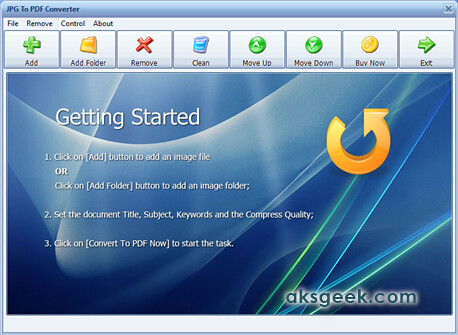
JPG to PDF Convertor-1
JPG To PDF Converter that quickly converts multiple images into a single PDF document and supports more than 20 image format.

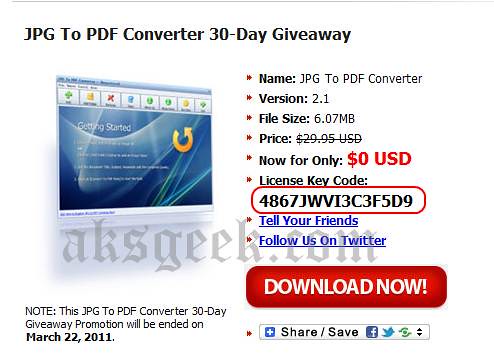
Looking for a license key to register JPG To PDF Converter for free which cost $29.95 then you are at right place. Long way back they organised 30 days Giveaway Promotion, which no longer active but the registration key is still working. All you need to do is:
1. Download JPG to PDF Converter
JPG to PDF free giveaway2. Install it and go to About-> click on register and enter the registration code given below
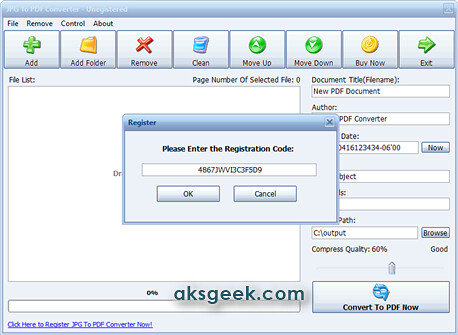
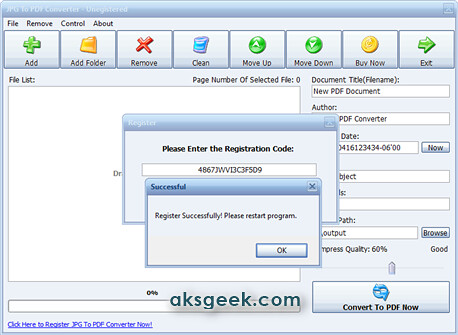
       License Key/Registration code:- 4867JWVI3C3F5D9
JPG to PDF Convetor license register
JPG to PDF Convertor

Giveaway Page

This post on JPG to PDF Converter giveaway originally published on 22.02.2011.

Merge, Split, Encrypt, Decrypt, add watermark to PDF

PDFill PDF Tools
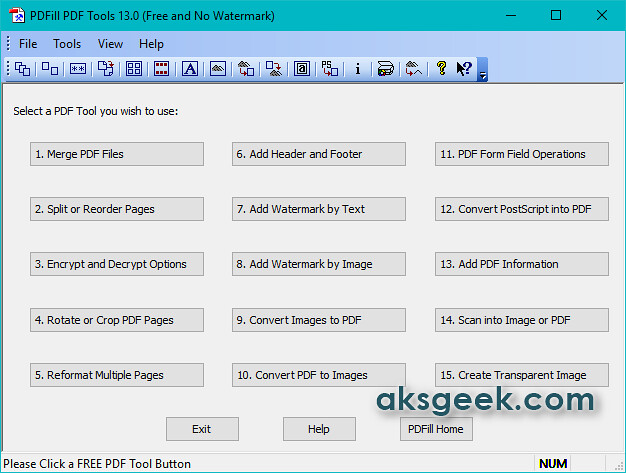
PDFill PDF Tools is a free app allows you to do all kind of operations you want to do with your PDF files like Merge, Split, Reorder, Encrypt, Decrypt, Rotate, Crop, Reformat, Header, Footer, Watermark, Images to PDF, PDF to Images, Form Fields Delete/Flatten/List, PostScript to PDF, PDF Information, Scan to PDF, and Create Transparent Image options.
PDFill PDF Tools Features:-
  • Merge- Merge two or more PDF files into a single PDF file.
  • Split or Reorder-Extract pages from a PDF file into a new file.  Reorder the page sequence into a new file.
  • Encrypt and Decrypt with Security Options
  • Rotate and Crop-Rotate a PDF page by 0, 90, 180 and 270 degree. Crop a page to modify its layout of Print or View by specifying its margins.
  • Header and Footer-Add Headers and Footers to present information, such as date, time, page numbers, or the title of the document, in the top or bottom margins of a document.
  • Watermark -Add Stylized Text Stamp or using image file (bmp, jpg, gif, png, tiff, and wmf).
  • Convert Images to PDF and PDF to images-Convert images (bmp, jpg, gif, png, tiff, and wmf) into a PDF file with layout options vice-versa.
  • PDF Form Fields: Delete, Flatten, List-Delete, Flatten or List the PDF Form Fields inside a PDF file.
  • Convert PostScript(PS) File into PDF -Covert PS files into PDF files so Adobe Reader can read them.
  • Add Information-Add information (title, author, subject, keywords, created, creator, producer, version) to PDF documents.
  • Free Scanner-Scan your paper form or photo as an image file (PNG, JPG, BMP, TIF, GIF) or a PDF file.
  • Create Transparent Image-Create a transparent image with options to adjust transparency options
This tool is completely free for personal as well as commercial use and best thing is NO Watermarks and ads. Now, what you’re waiting for?
Note:- This app will download Ghost Script and Java on your machine, if you don’t have it.
Download PDFill PDF Tool (Freeware, Windows Only)


Thursday, 6 December 2012

Facebook for BlackBerry v3.3 App now integrates BBM

Facebook for BlackBerry

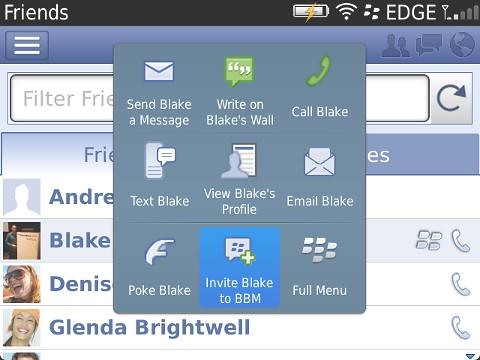
Research in Motion (RIM) updated the Facebook for BlackBerry v3.3 app, now available for free download from App World. A new upgrade includes the new look and feel with refreshed icons and navigation, BBM integration, ability to un-friend in app and photo enhancements.

Source:- Inside BlackBerry, App World

Snapseed Available for Free on Android with Google+ integration

Snapseed

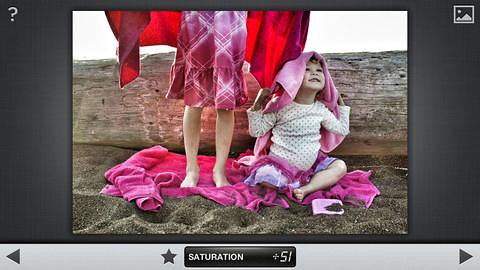
After acquiring Nik Software last September, Google today made Snapseed- photo editing app available for Free on Android. Plus new version 1.5 for iOS, also free.

Snapseed includes:

  • Basic adjustments like tune, straighten and crop
  • Creative filters like drama, black & white, and vintage that you can apply individually or in combination
  • Control Point technology to selectively enhance your photo—to brighten just a face, for instance, or deepen just the sky
  • The ability to share your creations via Google+ and other services

Source:- Google blog, PlayStore, App Store

Wednesday, 7 November 2012

SkyDrive App updated, support Windows Phone 8 devices

SkyDrive 3.0 Windows Phone App

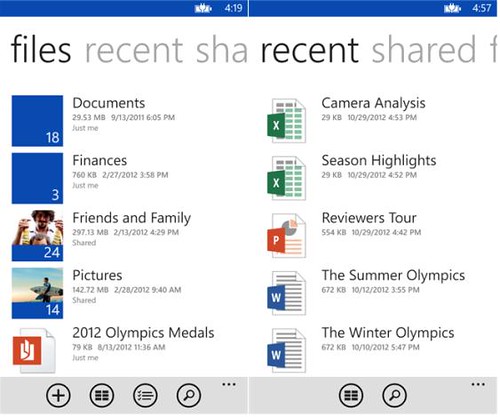
Microsoft has updated its SkyDrive app to version 3.0 adding support for Windows Phone 8 devices, now available for download. SkyDrive app also support the following new features -

  • Search your SkyDrive files and folders
  • New settings for photo upload and download size
  • Support for Windows Phone 8
  • Updated app icons and visuals

Download SkyDrive 3.0 for Windows Phone

Friday, 2 November 2012

Amazon launches Cloud Drive Photos App for Android

Amazon Cloud Drive Photos

Amazon announced that its Cloud Drive Photos app is now available for download on Android both handsets and tablet, giving users 5GB Free Cloud Drive storage to upload, view, and share their photos.

Android Cloud Drive features include:

  • All Your Photos, Wherever You Go: Save your entire photo collection in Cloud Drive and your photos will be available to enjoy on your Kindle Fire, Android Phones and tablets, or with any web browser.
  • Share Photos Through Your Favorite Apps: You can select photos directly from your Cloud Drive and share them through Facebook, email and many other apps.
  • Save to the Cloud: It's simple to save photos to your Cloud Drive – simply press and hold on a photo or album and select "Upload to Cloud Drive" to save directly to the Amazon Cloud from your device.
  • Beautiful Photo Display: Your photos are displayed in a horizontal mosaic or vertical grid view, optimized for the screen size of your Android device.

Source:- Cloud Drive Photos App (Google Play)

Monday, 8 October 2012

Nokia Transport Beta Updated, now available for download

Nokia Transport

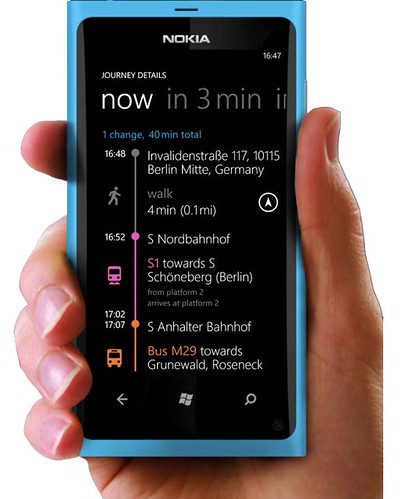
Nokia has released a new beta version of Nokia Transport which  is available for the Nokia Lumia 610, Nokia Lumia 710, Nokia Lumia 800 and the Nokia Lumia 900.

Nokia Transport 2.3 Beta is available in more than 550 cities worldwide, help you find the best and quickest route around town. In this new version of Nokia Transport the icons have been modified to make your journey more ‘glanceable’. Different icons now represent different modes of transport, e.g. bus, train, or subway each has it’s own icon. Additionally, hotels, restaurants and shops now have new icons, too. You can check you previous destination with a simple swipe left or right.

Key Features:

  • Everything, all in one place: One view for all your public transportation information with integrated pedestrian, bus, train, and light rail for over 700 agencies worldwide.
  • Tap for transport nearby: Easily discover which stop or station is closest to where you are, check upcoming departure times for buses, trains, trams, and more.
  • Integrated route options:  With Journey Planner you can review multiple integrated route options including the fastest way to get there from where you are.  Choose the route and time that works best for you and you are all set with detailed door-to-door routing.
  • Detailed door-to-door routing: Guided directions show you where to get off, and guide you all the way to your final destination with integrated walking directions. View your walk directions on a map or in a list view.
  • Pin your favorite destination to your start screen: Easily find your way back to your favorite destinations right from your start screen and get route and departure times at a glance.
  • Smart search: quickly search by address or POI to find the best route.

You can also expect to see Nokia Transport arriving on the upcoming Nokia Lumia 920 and Lumia 820.

Download Nokia Transport 2.3 Beta

Source:- Nokia Conversation

Friday, 21 September 2012

Get uRex iPhone DVD Ripper for Free till October 10th

uRex iPhone DVD Ripper

As Apple launched its widely rumored iPhone 5 device, uRexsoft in no time upgrades its uRex iPhone DVD Ripper and giving away to all ifans for free till October 10th to watch DVD on iPhone 5.

uRex iPhone DVD Ripper is a professional windows DVD to the new iPhone 5 ripper that helps you rip DVD to the new iPhone 5 as well as iPhone 4S, iPhone 4 and 3GS.

Key Features :-

  • Convert DVD to iPhone 4S, iPhone 4, iPhone 5, iPhone 3G and iPhone 3GS.
  • Extract audios from DVD from DVD to iPhone 4S, iPhone 5, iPhone 4 and iPhone 3GS MP3, M4A and AAC
  • Trim video lengths, crop videos, Adjust brightness, contrast and other effects etc.
  • Capture DVD screenshots as JPG or BMP image.

How to get uRex iPhone DVD Ripper for free? iPhone DVD Ripper giveaway

1. Visit this page and download uRex iPhone DVD Ripper (or directly download from below link).

2. The above downloaded zip file contains the license code, so just use that license code for product activation.

Download uRex iPhone DVD Ripper

Thursday, 13 September 2012

Facebook 3.2 for BlackBerry Smartphones now Available for Download

facebookfor blackberry v32

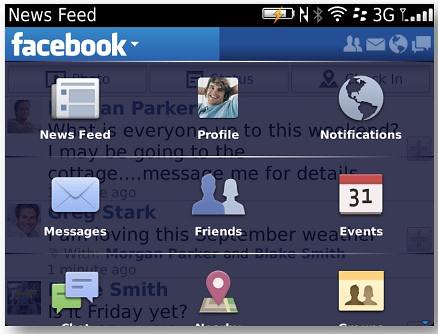
Research in Motion (RIM) today released Facebook for BlackBerry v3.2 which is now available for free download from App World. A new upgrade version includes various improvements and features like updated icons, integrate birthdays of your Facebook friends into your BlackBerry device calendar. The app adds more functionality with Facebook events, allowing users to view information about events, post messages, view guest profiles, and receive event notifications.

Download Facebook for BlackBerry v3.2

Source:- BlackBerry blog

Wednesday, 12 September 2012

Verizon launches Mobile Security App for Android

Verizon Mobile Security App

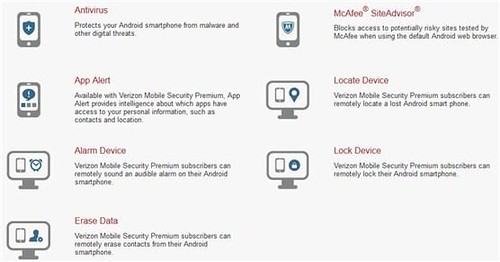
Verizon announced Verizon Mobile Security, an application that helps customers secure and protect Android smartphones against digital and physical threats. The Mobile Security app is powered by Asurion and McAfee is available in two (Free and Premium) version on Android smartphones running Android 2.1 or higher.

Verizon Mobile Security Basic – Provides antivirus protection, powered by McAfee, to detect viruses and malware, and McAfee SiteAdvisor to identify and warn customers of suspicious websites. There is no charge to download Verizon Mobile Security Basic, but a Verizon Wireless data plan is required and data usage will apply.

Verizon Mobile Security Premium – Includes the security features of Verizon Mobile Security Basic, as well as McAfee App Alert, which delivers information about which apps have the ability to access, store or transmit data to or from the device. Available for $1.99/month per line, Verizon Mobile Security Premium also provides recovery features from Asurion that allow customers to remotely locate, alarm, lock or wipe data from a lost or misplaced device using their My Verizon accounts.

Verizon customers who are subscribed to the Total Equipment Protection insurance plan can add Verizon Mobile Security Premium for $1 per month. Total Equipment Coverage combines the benefits of Asurion's Wireless Protection Plan for lost, stolen, and damaged devices, and Verizon Wireless' Extended Warranty for mechanical or electrical defects after the manufacturer's warranty expires.

Source:- Verizon

Monday, 10 September 2012

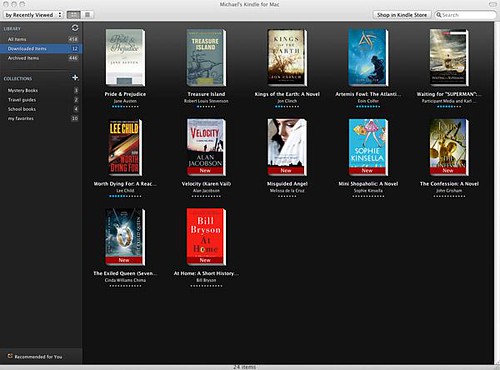
Kindle App for Mac updated

kindle app for mac

Amazon has updated its Kindle app for Mac with support for Lion gestures, Kindle Format 8 books, and more.

What's New in Version 1.10.3

  • Support for Lion gestures (panning and swiping).
  • Support for Kindle Format 8 books, providing richer formatting.
  • Improved support for larger libraries; Bug fixes and performance improvements.
  • Improved performance for books that have a large number of notes and highlights.
  • Support for Japanese.
  • Miscellanous bug fixes.

Source:- iTunes

Wednesday, 29 August 2012

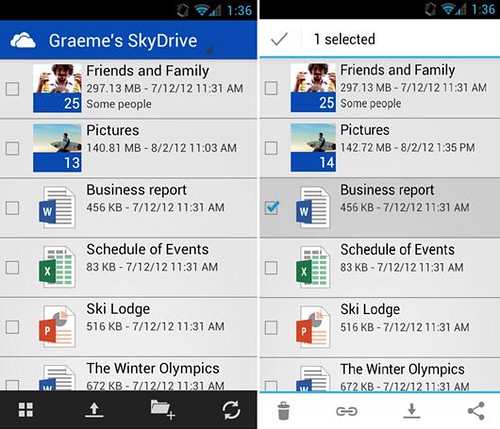
SkyDrive for Android now Available

SkyDrive-android

Microsoft released the SkyDrive app for Android platform and is now available for download. With this new app Android device users can access, upload, and share photos, files – include similar features as of Windows Phone and iOS apps. This app is designed to work best with Android 4.0 (Ice Cream Sandwich) - though it’s also fully functional on Android 2.3 and above.

Source:- Google Play, Windows Blog

Tuesday, 21 August 2012

uRex iPad DVD Ripper Free for Students and Teachers

ipad dvd ripper

uRexSoft announced the Back to School deals, offering uRex iPad DVD Ripper worth $29.95 for Free to students and teachers. This program lets you convert and playback DVD movies on iPad easily, with best video quality and fast speed.

Key Features:-

  • Convert DVD to the new iPad, iPad 2 and iPad
  • Extract audios from DVD from DVD to the new iPad, iPad 2 and iPad MP3
  • Trim video lengths, crop videos, Adjust brightness, contrast and other effects etc.
  • Capture DVD screenshots as JPG or BMP image

How to get it for free?

If you have a mailbox ended with school domain name (e.g. ".edu"), or send the scanned certification copy (like student ID or teacher ID, school report card and other documents with stamp of academic institutions) in JPG or GIF format via email to sales@urexsoft.com.

Last Date:- September 21st, 2012

Source:- uRexSoft

Tuesday, 14 August 2012

New YouTube App for PlayStation 3 rolling out

PS3 YouTube App

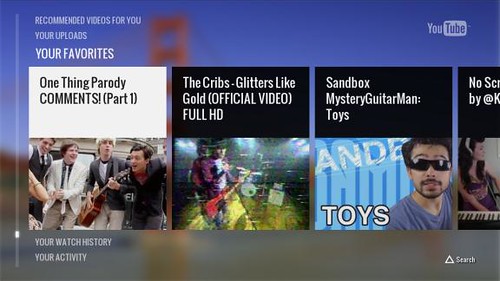
Google today rolling out new YouTube App for PlayStation 3 in North America, available for free download from the PlayStation Store. The new YouTube app features improved search, see your subscribed channels which also includes official music videos and allows you to control YouTube on PS3 with a smartphone.

Source:- YouTube blog

Wednesday, 25 July 2012

Apple releases Xcode 4.4

Xcode 4.4

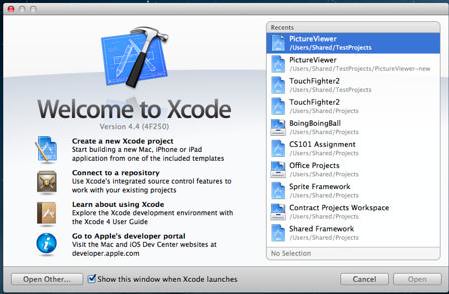
Along side with OS X Mountain Lion, Apple today has released Xcode 4.4 in the Mac App Store with SDKs for OS X 10.8 Mountain Lion and support for the new MacBook Pro’s high-resolution Retina display.

Xcode provides everything developers need to create great applications for Mac, iPhone, and iPad. Xcode 4 has been streamlined to help you write better apps. It has unified user interface design, coding, testing, and debugging all within a single window. The Xcode IDE analyzes the details of your project to identify mistakes in both syntax and logic, it can even help fix your code for you.

What's New in Version 4.4

  • This update runs on both OS X Lion and OS X Mountain Lion.
  • Included in Xcode 4.4:
  • SDKs for OS X 10.8 Mountain Lion and iOS 5.1.
  • Enhanced for the MacBook Pro with Retina display.
  • Code completion persists your selections to give more accurate suggestions.
  • Objective-C @synthesize command is generated by default when using properties.
  • Objective-C adds literal syntax for numbers, arrays, dictionaries, and expressions when developing for OS X.
  • Apple LLVM compiler supports additional C++11 features, including lambdas.
  • Assistant editor tracks caller or callee for the current selection.
  • New localization workflow can share a single base .xib file for multiple locales on OS X.
  • Source control can commit individually selected changes.
  • ARC migration tool converts both retain/release and garbage collected code.
  • Fixes an issue where code completion could fail, requiring the user to delete derived data.
  • Additional bug fixes and stability improvements.

Source:- Download Xcode 4.4

Box for Windows Phone now Available in Marketplace for Free

Box for WindowsPhone

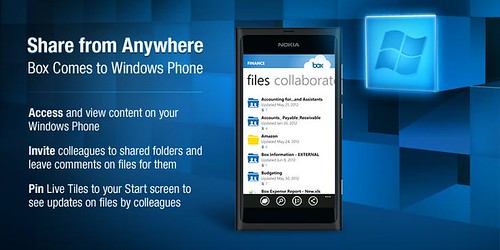
Online storage service provider Box launched its first app for the Windows Phone platform, which is now available for free download from Windows Phone Marketplace. The Box for Windows Phone app has all the features offered to other platforms such as Android and iOS. These includes the ability to view, share, upload; invite others to shared folders and leave comments on files; search files; performing bulk actions on files/folders like move, copy, delete and naming; application-specific passcode lock; pin Live Tiles to your Start screen to see when colleagues leave updates on Box.

In addition to all this, Box translated the app into French, Italian, German, Spanish, Brazilian Portuguese, Simplified Chinese, Traditional Chinese and Japanese.

Source:- Windows Marketplace (Box for Windows Phone)

Friday, 20 July 2012

Music Unlimited Service Android Mobile and Tablet Apps Updated

Music Unlimited Android tablet

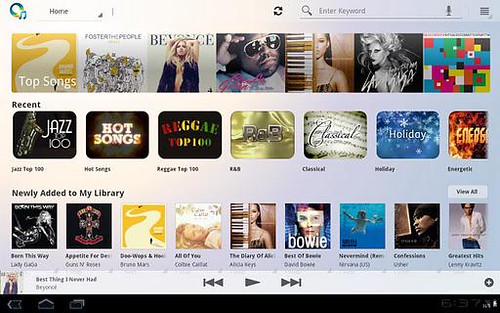
Sony released new updates for its Music Unlimited Service Android smartphones and tablets apps. Music Unlimited Android Tablet app v1.4 delivers Offline Playback, giving users the ability to enjoy music even when a 3G or Wi-Fi connection isn’t available, or when they want to conserve battery life or curb data usage.

Music Unlimited Android Mobile app v1.4 update let users to access the "My Channels" feature which gives them the ability to create and control customized radio stations built around a favorite artist. New update also includes 30 second "preview mode" available without any account and adds move APK to SD card on supported devices.

Both the Music Unlimited app for tablets and smartphones are free to download from Google Play store though some features require a monthly subscription in order to access them.

Source:- Sony Entertainment Network

Thursday, 19 July 2012

Zoho Office Suite Integrated into Google Drive

Zoho Office Suite

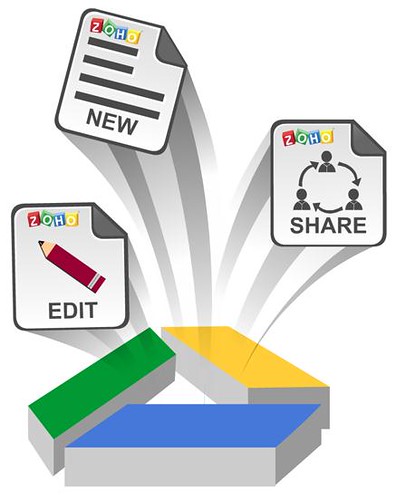
Zoho productivity applications - Zoho Writer word processor, Zoho Sheet spreadsheet and Zoho Show presentation for Google Drive are available today for Free. You can get all of them from Chrome Web Store link below.

Zoho Office Apps in Google Drive

Users can add Zoho applications to Google Drive using the “Manage apps” option in the Settings menu in Google Drive. Once added, Zoho Writer, Zoho Sheet and Zoho Show will appear as options under the “Create” option, to create new documents, spreadsheets and presentations. When users right-click on individual files to open them within Google Drive, the Zoho applications will appear under the “Open with” option.

When a user saves Zoho documents, spreadsheets or presentations in Google Drive, the files are stored in Google Drive and automatically synchronized with that user’s other desktop, laptop, smartphone or tablet devices - assuming those devices are also connected to Google Drive.

Files uploaded from a desktop, as well as native Google files, can be opened using the Zoho Office applications. While editing existing documents, a copy of a document is created and saved in Zoho Office formats - .zdoc for documents, .zsheet for spreadsheets and .zslides for presentations - leaving the original document untouched.

Users can also invite their Google contacts to collaborate on their Google Drive documents and edit them using Zoho editors in real time. Based on the permissions, users will be allowed to access the document for collaboration.

Source:- Chrome Web Store, Zoho

Jelly Bean Android 4.1 SDK now Available for Download

nexus7

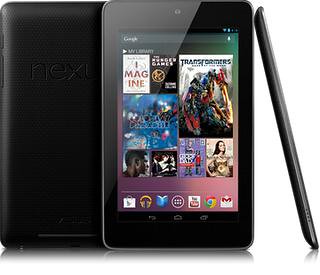
Google today released the full SDK for Android 4.1 Jelly Bean which is now available to developers and can be downloaded through SDK Manager. In addition, Google also released SDK Tools revision 20.0.1 and NDK revision 8b containing bug fixes only. Just hit the source link below to get started.

Source:- SDK Tool revision, NDK, Android Developers