Showing posts sorted by relevance for query iOS 5.0.1. Sort by date Show all posts

Friday, 4 November 2011

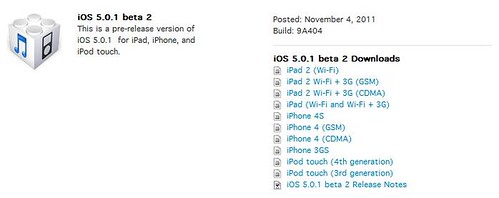
Apple Releases iOS 5.0.1 Beta 2 to Developers

iOS 5.0.1 beta 2

Apple now seeding iOS 5.0.1 beta 2 to developers which is now available in Apple’s iOS Dev Center. You can also check for OTA update on the devices running iOS 5.0.1 beta 1.

iOS 5.0.1 beta contains improvements and other bug fixes including:

  • Fixes bugs affecting battery life
  • Adds Multitasking Gestures for original iPad
  • Resolves bugs with Documents in the Cloud
  • Improves voice recognition for Australian users using dictation
  • Contains security improvements

Download iOS 5.0.1 beta 2

Wednesday, 28 December 2011

Untethered 5.0.1 Jailbreak for Non-A5 Devices Now Available

non-A5 devices pwned

Pod2g's has released untethered iOS 5.0.1 jailbreak for the iPhone 4, iPhone 3GS, iPod Touch 3G, iPod Touch 4G, and iPad 1.

According to Dev-Team, this exploit has been incorporated into redsn0w 0.9.10, the Pwnage Tool and Chronic Devteam's Cydia package.

Here are the basic steps for how to get it:

  • The untether is for iOS 5.0.1 on iPhone3GS, iPhone4, iPhone4-CDMA, iPad1, iPod touch 3G, iPod touch 4G
  • If you have one of those devices and are not on 5.0.1 yet, update now!  The SHSH window is still open for 5.0.1  If you unlock via ultrasn0w or gevey, make sure you only get to 5.0.1 via a custom IPSW!  See the guides at places like iClarified.com if you don’t know how.  Once you’re at 5.0.1, use the latest redsn0w 0.9.10 to both jailbreak and untether.
  • If you’re already at 5.0.1 with a tethered jailbreak, you have two choices: either run redsn0w 0.9.10 over your current jailbreak (deselect “Install Cydia” if you do that), or install the Cydia package prepared by the chronic devteam.  The patches are the same regardless of which you choose.
  • Some of you are using a hybrid 5.0/5.0.1 configuration.  If so, do not attempt to install this untether over that setup!  You will most likely get into a reboot cycle.  Do a sync and fresh restore to 5.0.1 then install the jailbreak + untether.

Source:- Dev-Team

Friday, 11 November 2011

Jailbreakers and unlockers avoid iOS 5.0.1 update

iOS 5.0.1 Warning for Jailbreaker

Those who are keen to jailbreak their iOS devices should not update to yesterday's release of iOS 5.0.1. MuscleNerd on twitter has warned iOS users that there is no downgrade path from iOS 5.0.1 to iOS 5.0 yet. He also recommends that users wait until one is available before they update.

Jailbreakers and unlockers should avoid today's 5.0.1 until a flow for downgrading to 5.0 is developed.

Downgrade flow needs to be modified for AP "nonce" http://is.gd/b3G0io ... saved SHSH blobs are not enough to downgrade to 5.0

Saturday, 5 November 2011

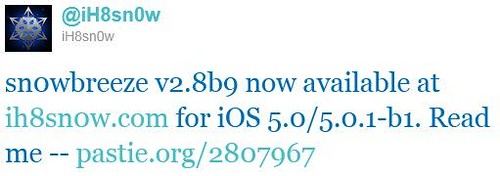
Sn0wbreeze v2.8b9 now available to jailbreak iOS 5.0.1 beta

iH8sn0w -sn0wbreeze v2.8b9

iH8sn0w has released a new version v2.8b9 of sn0wbreeze to jailbreak iOS 5.0.1 beta 1.

sn0wbreeze v2.8 [BETA 9]:
* Supports iOS 5.0 (9A334)/5.0.1-b1 (9A402)
* Fixed iBooks sandbox crashing issues.
* Fixed location services issues with iPhone 3GS users running the iPad baseband.
* Re-added iPad baseband install option to iPhone 3GS.
* Removes UDID requirement/Beta timer in 5.0.1.
* Tethered devices are booted via iBooty which is extracted to the Desktop after running sn0wbreeze.

Tethered?
- iPhone 3GS (old bootrom)...NO
- iPhone 3GS (new bootrom)..YES
- iPhone 4 (GSM)............YES
- iPhone 4 (CDMA)...........YES
- iPod Touch 3G.............YES
- iPod Touch 4..............YES
- iPad 1G...................YES

** iPhone 3GS iPad baseband (06.15.00) users: **
- Re-flash the iPad baseband via sn0wbreeze if you restore(d) to a stock 5.0 firmware.

Download sn0wbreeze v2.8b9

Monday, 19 December 2011

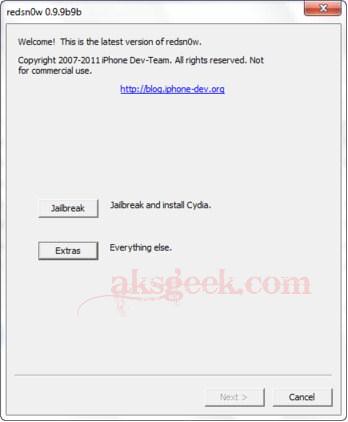
Download RedSn0w 0.9.9b9 with iOS 5.0.1 Support

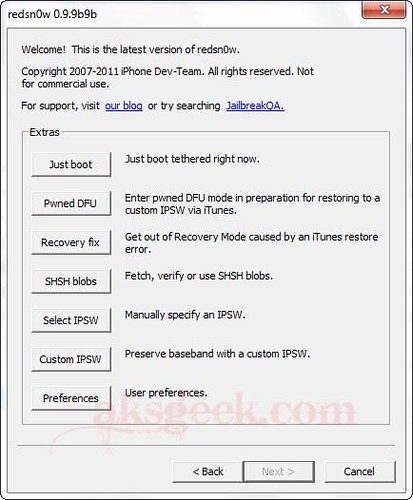
redsn0w 0.9.9b9b

The iPhone Dev-Team has updated RedSn0w for iOS 5.0.1 and added some other useful features too:

  • native support for 5.0.1 (no need to point redsn0w at 5.0 IPSW or use command-line args).  Support automatically extends to all of redsn0w’s various functions: “Jailbreak”, “Just boot”, “Fetch blobs”, “Stitch blobs”, “Recovery Fix”
  • iBooks fixed in 5.0 and 5.0.1.  This is a targeted fix that doesn’t remove entire sandbox mechanism.  5.x users already using redsn0w “Just Boot” can just use the new version without redoing entire jailbreak again
  • 3GS old-bootrom owners can now create custom IPSWs without blobs
  • ultrasn0w compatability update (i.e. same baseband requirements) for 5.0.1 will be available on Cydia Monday redsn0w 0.9.9b9b_01
  • support for newer 8GB iPhone4 (which until now had problems with “Fetch blobs”).  Thanks to @JKjeepnJeff for loaning us one of these newer i4 units for testing!
  • allows Windows users (not just OS X users) to use the “Custom” button to create IPSWs without baseband updates.  (Update: please wait for 0.9.9b9b for this!)
  • accommodates APTickets in 5.x (until next Apple countermove).  APTickets are crypto-verified before submitting to Cydia, just like the main blobs.  Cydia server support for sending back the APTickets is upcoming.  For now, use stitched IPSWs for 5.x.  Due to APTickets, stitched 5.x IPSWs now require user to start in “Pwned DFU” mode
  • Support added for stitching 4.x blobs to iPad2-GSM IPSWs.  Similar to @notcom’s TinyCFW but doesn’t require lots of RAM or a TSS-assisted restore. Won’t work for iPad2 5.x blobs (or iPhone4S at all) until a bootrom-level exploit is out
  • top line now shows whether (and where) a redsn0w update is available, or if the version being run is the latest.  Uses DNS TXT record to alleviate any concerns about snooping
  • no 5.1 beta support at this time (major apps like Cydia are not yet compatible)
  • Owners of newer 3GS iPhones must not flash the iPad baseband.  The iPad baseband will not work on 3GS iPhones built later than 2011 week 35.  You have a week 35 or later device if your serial # starts with xx135.

Download

redsn0w 0.9.9b9b for Mac  | redsn0w 0.9.9b9b for Windows

Source:-iPhone Dev-Team

Saturday, 5 November 2011

Sn0wbreeze gets updated to jailbreak iOS 5.0.1 Beta 2

iH8Sn0w- jailbreak v2.8b10

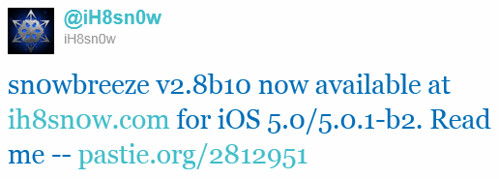
iH8Sn0w has updated Sn0wBreeze from v2.8b9 to v2.8b10 to support jailbreaking iOS 5.0.1 beta 2.

sn0wbreeze v2.8 [BETA 10]:

* Supports iOS 5.0 (9A334)/5.0.1-b2 (9A404)
* Fixed iBooks sandbox crashing issues (as of 2.8b9).
* Fixed location services issues with iPhone 3GS users running the iPad baseband (as of 2.8b9).
* Re-added iPad baseband install option to iPhone 3GS.
* Removes UDID requirement/Beta timer in 5.0.1.
* Tethered devices are booted via iBooty which is extracted to the Desktop after running sn0wbreeze.

Tethered?

- iPhone 3GS (old bootrom)...NO
- iPhone 3GS (new bootrom)..YES
- iPhone 4 (GSM)............YES
- iPhone 4 (CDMA)...........YES
- iPod Touch 3G.............YES
- iPod Touch 4..............YES
- iPad 1G...................YES


iPhone 3GS iPad baseband (06.15.00) users:

- Re-flash the iPad baseband via sn0wbreeze if you restore(d) to a stock 5.0 firmware.

Download Sn0wbreeze v2.8b10

Source:- iH8sn0w(twitter)


Friday, 11 November 2011

Sn0wbreeze 2.8b11 available to Jailbreak iOS 5.0.1

iH8sn0w-v2.8b11 released

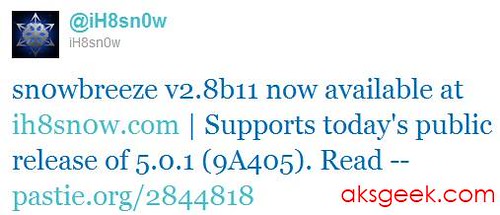
Today, iH8Sn0w has updated Sn0wBreeze to jailbreak iOS 5.0.1.

sn0wbreeze v2.8 [BETA 11]:

* Supports iOS 5.0 (9A334)/5.0.1 (9A405)
* Fixed iBooks sandbox crashing issues (as of 2.8b9).
* Fixed location services issues with iPhone 3GS users running the iPad baseband (as of 2.8b9).
* Re-added iPad baseband install option to iPhone 3GS.
* Tethered devices are booted via iBooty which is extracted to the Desktop after running sn0wbreeze.  

 Tethered?

- iPhone 3GS (old bootrom)...NO
- iPhone 3GS (new bootrom)..YES
- iPhone 4 (GSM)............YES
- iPhone 4 (CDMA)...........YES
- iPod Touch 3G.............YES
- iPod Touch 4..............YES
- iPad 1G...................YES

iPhone 3GS iPad baseband (06.15.00) users:
- Re-flash the iPad baseband via sn0wbreeze
if you restore(d) to a stock 5.0 firmware.


Source:- iH8Sn0w

Thursday, 10 November 2011

Apple releases iOS 5.0.1 for iPhone, iPad and iPod Touch

Apple releases iOS 5.0.1

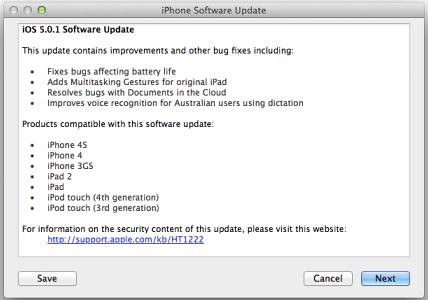
Apple has released iOS 5.0.1 for the iPhone, iPad, and iPod touch.

This update contains improvements and other bug fixes including:

  • Fixes bugs affecting battery life
  • Adds Multitasking Gestures for original iPad
  • Resolves bugs with Documents in the Cloud
  • Improves voice recognition for Australian users using dictation

Products compatible with this software update:

  • iPhone 4S
  • iPhone 4
  • iPhone 3GS
  • iPad 2
  • iPad
  • iPod touch (4th generation)
  • iPod touch (3rd generation)

Saturday, 21 January 2012

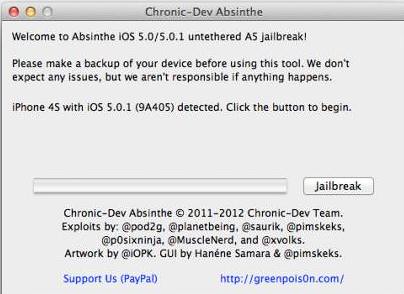
Absinthe A5 jailbreak released for iPhone 4S and iPad 2

Chronic Dev Absinthe

The 'Dream Team' of hackers consisting of Pod2G, P0sixNinja, MuscleNerd, Planetbeing and even Saurik have just released their untethered jailbreak (Chronic-Dev Absinthe) for the iPhone 4S and the iPad 2. Now, you can simply download Absinthe and Jailbreak your iPhone 4S Untethered running the iOS 5.0 (9A334), iOS 5.0.1 (9A405 and 9A406) firmware or iPad 2 (WiFi/GSM/CDMA)  running the iOS 5.0.1 ((9A405) firmware. The initial release is currently for Mac OS X only but Windows is coming soon! Hit the download link after the break to download Absinthe and command line utility Cinjet for Windows.

#Update - If the Absinthe webclip shows “Error establishing a database connection”, please go to Settings, turn on VPN and wait instead.

  • Toggle VPN only AFTER Absinthe says it’s done, or it will not work. 
  • VPN SHOULD error and then reboot soon. If it does not, rerun Absinthe

#Update - The iPhone Dev-Team has released an updated command line utility that can perform a jailbreak of the iPhone 4S and iPad 2 using Windows.

  • Version 0.4.3 adds support for Windows users. It also makes the "-j" jailbreak option much more functional :) See the README.txt for usage.
  • ------------------------------------------------------
    USAGE
    ------------------------------------------------------
      Configuration profiles:
        -l             List current profiles
        -i <file>      Install profile
        -r [<pattern>] Remove all profiles, or profiles matching pattern

      AFC transfers:
        -a <number>    Alternative afc service to use (2 is available after jailbreak)
        -u <file> ...  Upload file(s) via afc (add final "dir=dirname" to specify which afc directory)
        -d [<dir>]     Show list of files in afc directory
        -X <path>      Delete afc directory or file

      ROP assistance:
        -s             Compute slide
        -e             Erase existing crash logs
        -g             Get diagnostics

      Backups and restores:
        -B             Create backup
        -R             Restore from backup
        -L <mbdb_file> List contents of an MBDB file
        -M <file>      Modify the ipsec.plist on device
        -p <file>      Modify the preferences.plist (requires -f too)
        -f <file>      File to use with -p
        -H             Hide media files
        -U             Unhide media files

      Chained operations:
        -j <dir>       Jailbreak device using given payloads directory (ADVANCED use only!)

      Other:
        -w             Watch syslog
        -v <level>     Debug verbosity level
        -h             This help message

Download

Chronic-Dev Absinthe, (2) (Mac)

Cinjet (v 0.4.3) (Windows) | read me.txt

Source:- iPhone Dev Team

Monday, 7 May 2012

Apple releases iOS 5.1.1 update for iPhone, iPod Touch and iPad

iOS 5.1.1

Apple has just released iOS 5.1.1 for the iPhone, iPad and iPod touch. This update contains improvements and bug fixes, including:

  • Improves reliability of using HDR option for photos taken using the Lock Screen shortcut
  • Addresses bugs that could prevent the new iPad from switching between 2G and 3G networks
  • Fixes bugs that affected AirPlay video playback in some circumstances
  • Improved reliability for syncing Safari bookmarks and Reading List
  • Fixes an issue where ‘Unable to purchase’ alert could be displayed after successful purchase

The iOS 5.1.1 is available for download as an OTA for users with iOS 5.0 or later installed on their devices, or it can be downloaded and installed using iTunes.

iOS 5.1.1 is compatible with the iPhone 4S, iPhone 4, iPhone 3GS, new iPad, iPad 2, iPad and third- and fourth-generation iPod touch devices.

Source:- Apple

Thursday, 22 December 2011

UltraSn0w updated to version 1.2.5, now support iOS 5.0.1

UltraSn0w 1.25

The iPhone Dev-Team has released UltraSn0w 1.2.5 which brings iOS 5.0.1 support to the unlock for older basebands.

iPhone Dev Team's iPhone 4, 3G, and 3GS software unlock, now with added PwnApple. Compatible with iPhone 4 baseband 01.59.00 and iPhone 3G/3GS basebands 04.26.08, 05.11.07, 05.12.01, 05.13.04 and 06.15.00! Thanks to @sherif_hashim and @Oranav for contributing baseband crashes.


Monday, 12 March 2012

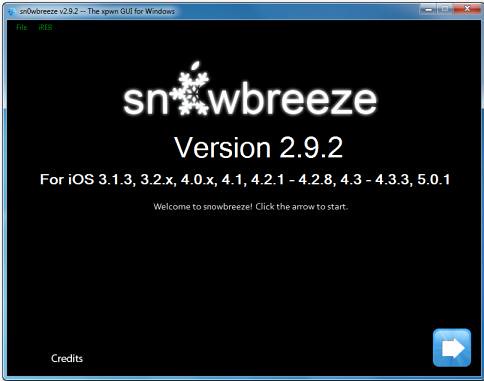
iH8Sn0w updated Sn0wBreeze 2.92

sn0wbreeze updated

iH8Sn0w released Sn0wBreeze 2.92 for non-A5 devices to perform a tethered jailbreak of iOS 5.1.

What is New?

  • Added Tethered Jailbreak support for 3GS/iPod Touch 3/A4 Users on iOS 5.1 (9B176)
  • iPhone 3GS old-bootrom users are untethered on 5.1/9B176 (as usual).
  • Bug Fixes (Specifically with the iPad baseband and iPhone 2G).
  • Re-added the iPhone Dev-Team's iPhone 2G permanent unlock 'BootNeuter'.

Why is there no A5 support?

A low level (DFU/iBoot/LLB) exploit is required to start the restoration of custom IPSWs. The past two jailbreaks (JailbreakMe & absinthe) for the A5 worked within iOS itself. These exploits are not capable of bringing the iDevice into a state where it will accept custom IPSWs. Therefore, an A5 device cannot currently downgrade to an iOS revision that Apple is no longer signing (even with SHSH blobs) and it cannot preserve the baseband when updating to a newer iOS revision.

Download Sn0wBreeze v2.92 (For iOS 3.1.3, 3.2.x, 4.0.x, 4.1, 4.2.1 to 4.2.8, 4.3 to 4.3.3, 5.0.1, 5.1)

Source:-iH8Sn0w blog

Sunday, 22 April 2012

RedSn0w for Mac and Windows Updated - adds Corona A5 jailbreak, Extras

redsn0w 0.9.10b7 -extra

The iPhone Dev-Team has updated RedSn0w (version 0.9.10b7) for Mac and Windows to jailbreak the iPhone 4S and iPad 2 on iOS 5.0.1.

Version 0.9.10b7 of redsn0w adds a collection of useful features:  It finally implements the corona-A5 jailbreak for iPhone4S and iPad2 devices still at 5.0.1.  It can also re-install that jailbreak for those who accidentally uninstalled the untether.  When stitching an IPSW, it can now grab your blobs directly from Cydia.   It now shows a lot more info about your device (for instance, whether your iPhone3G has the vulnerable baseband boot loader, or whether your iPhone3GS has the old exploitable bootrom.   (And the next new feature to be added will be built-in restore support, to provide an alternative to iTunes restores.)

redsn0w 0.9.10b7

Download RedSn0w 0.9.10b7

OS X  | Windows

Via

Monday, 16 January 2012

Corona Untethered Jailbreak for iOS 5.0.1 updated

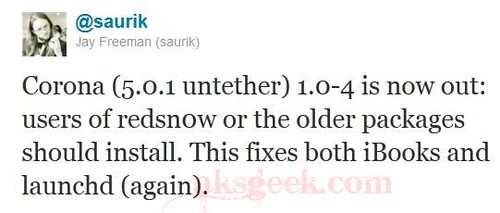
saurik_twitter Corona package

Saurik twitted that an update to the Corona Untethered Jailbreak has been released in Cydia which fixes issues for iBooks and launchd and it’s recommended to the users who previously jailbroke their A4 devices, to install the Corona package from Cydia.

Corona (5.0.1 untether) 1.0-4 is now out: users of redsn0w or the older packages should install. This fixes both iBooks and launchd (again).

Source:- Twitter