Showing posts with label iOS. Show all posts

Thursday, 6 December 2012

Snapseed Available for Free on Android with Google+ integration

Snapseed

After acquiring Nik Software last September, Google today made Snapseed- photo editing app available for Free on Android. Plus new version 1.5 for iOS, also free.

Snapseed includes:

  • Basic adjustments like tune, straighten and crop
  • Creative filters like drama, black & white, and vintage that you can apply individually or in combination
  • Control Point technology to selectively enhance your photo—to brighten just a face, for instance, or deepen just the sky
  • The ability to share your creations via Google+ and other services

Source:- Google blog, PlayStore, App Store

Wednesday, 19 September 2012

Tuesday, 7 August 2012

Saturday, 14 July 2012

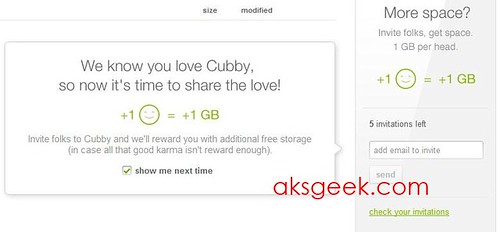
LogMeIn's Cubby Offering up 1GB for referrals

Cubby referrals

LogMeIn few months back launched a cloud service Cubby in beta, offering 5GB of free cloud storage and allowing users to share/sync files on their Windows PCs, Macs, iOS and Android devices. Now to keep users interested or in their words "to celebrate the next phase of the beta", company is offering 1GB of free additional storage to those who refer a friend to Cubby (right now only 5 referrals allowed). If you've already invited your friends then you can see free GB’s in your account.

Source:- Cubby

Thursday, 12 July 2012

Amazing Alex now Available for iOS and Android

amazing alex

Rovio's non-birdy game, Amazing Alex is now available for iOS and Android.

Meet Amazing Alex! This whiz kid has a boundless imagination and a houseful of fun toys that can turn anything into an adventure!

From cleaning up his room to battling cardboard robots in his backyard, Alex creates amazing chain reactions to get the job done with the maximum amount of fun! Now he has some challenges for you -- and he wants to see the most creative solutions YOU can create!

With 100 challenging levels across four fun-filled locations, there's a whole world of creations to explore!

PLAY AND CREATE YOUR OWN SOLUTIONS

Set the objects up to bounce, pop, ricochet, bash, and crash into each other and create an elaborate Rube Goldberg device! With a houseful of toys to play with, there's more than one right answer! Share your most creative solutions with your friends and see what they came up with!

BUILD AND SHARE LEVELS

Got a great idea for a level? Design intriguing new levels using 35 interactive objects and share them -- with friends or with the whole world! With other fans constantly creating and uploading new levels, there are always new challenges to check out!

FEATURES

  • 100 amazing levels to test your creativity
  • Regular free updates with new levels
  • Create your own levels and share them with friends or with the whole world
  • Amazingly social -- share your levels and solutions with friends, or see theirs
  • 35 fully interactive objects and four fun locations
  • Download and play the best fan-created levels from around the world

Source:- GooglePlay, iTunes

Tuesday, 10 July 2012

Rovio’s Amazing Alex set to hit iOS and Android on July 12th

Amazing Alex

Angry Birds developer Rovio today released the official trailer its next project, Amazing Alex which will be available for download from iTunes App Store and Google Play on Thursday, July 12th.

Meet Amazing Alex, star of Rovio's newest game! This whiz kid has a boundless imagination and a houseful of fun toys that can turn anything into a great adventure! From cleaning up his room to playing in his backyard, Alex creates amazing chain reactions to get the job done with the maximum amount of fun.

Tuesday, 26 June 2012

Gmail for iOS updated gets notification support and persistent logins

gmail for iOS

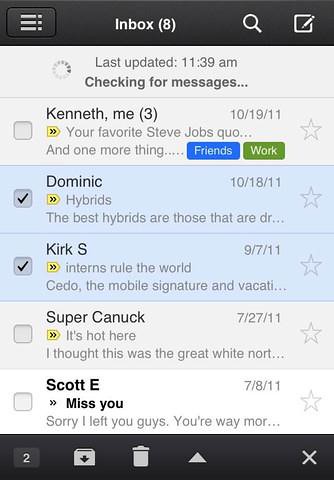
Gmail App for iOS has been updated today with fully integrated Notification Center and supports banners, alerts and lock screen options. Google also adds the ability to send messages from your alternate email addresses and improved the login process to allow you to stay logged into the app for as long as you’d like, which means sessions will no longer expire and you don’t have to  frequently enter account credentials to access your inbox.

Source:- Gmail Blog, iTunes

Friday, 22 June 2012

Easy Phone Sync helps iOS users to transfer data to Samsung Galaxy

Easy Phone Sync

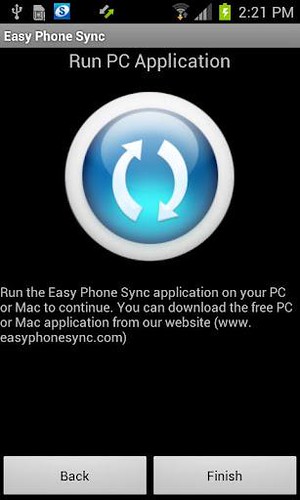
Samsung has partnered with Media Mushroom to offer free Easy Phone Sync application to owners of  Samsung Galaxy smartphones.

Easy Phone Sync allows PC or Mac users of iOS devices such as the iPhone or iPad to easily transfer iTunes music to a Samsung Galaxy phone. It also supports the transfer contact details, messages and photos from an iPhone or iPod. In order to work with this app, users must install the app on their computer as well as on the Galaxy smartphone.

Download Easy Phone Sync

Mac | Windows | Google Play

Friday, 15 June 2012

Tuesday, 12 June 2012

Apple Previews iOS 6

Apple iOS6

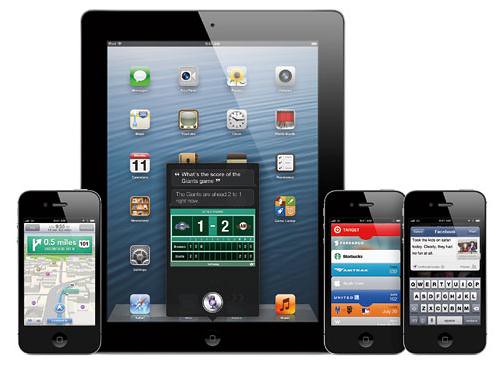
Apple previewed iOS 6, introducing over 200 new features to the world’s most advanced mobile operating system, and released a beta version to iOS Developer Program members. iOS 6 will be available to iPhone, iPad and iPod touch users this fall as a free software update. New iOS 6 features include: an all new Maps app with Apple-designed cartography, turn-by-turn navigation and an amazing new Flyover view; new Siri features, including support for more languages, easy access to sports scores, restaurant recommendations and movie listings; Facebook integration for Contacts and Calendar, with the ability to post directly from Notification Center, Siri and Facebook-enabled apps like Photos, Safari and Maps; Shared Photo Streams via iCloud; and Passbook, the simplest way to get all your passes in one place.

The iOS 6 beta software and SDK are available immediately for iOS Developer Program members at developer.apple.com. iOS 6 will be available as a free software update for iPhone 4S, iPhone 4, iPhone 3GS, the new iPad, iPad 2 and iPod touch (fourth generation) this fall. Some features may not be available on all products.

Friday, 11 May 2012

Pod2g announces untethered jailbreak of iPad 3 on iOS 5.1(Video)

Jailbreak

Pod2g has announced an untethered jailbreak for iPad 3 running iOS 5.1 with a quick demo video (embedded after the break).

Hey. iPad 3,1 running iOS 5.1 untethered. Next on the list: stabilizing the payload, then trying 5.1.1.

If it works on iPad 3 and iPhone 4, I can say it'll work on any device. The ATV3 may be out tho… :/


Source:-Twitter

Monday, 7 May 2012

Apple releases iOS 5.1.1 update for iPhone, iPod Touch and iPad

iOS 5.1.1

Apple has just released iOS 5.1.1 for the iPhone, iPad and iPod touch. This update contains improvements and bug fixes, including:

  • Improves reliability of using HDR option for photos taken using the Lock Screen shortcut
  • Addresses bugs that could prevent the new iPad from switching between 2G and 3G networks
  • Fixes bugs that affected AirPlay video playback in some circumstances
  • Improved reliability for syncing Safari bookmarks and Reading List
  • Fixes an issue where ‘Unable to purchase’ alert could be displayed after successful purchase

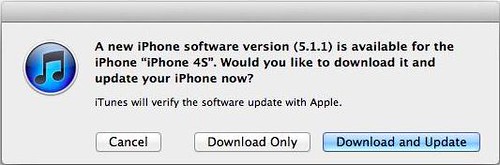
The iOS 5.1.1 is available for download as an OTA for users with iOS 5.0 or later installed on their devices, or it can be downloaded and installed using iTunes.

iOS 5.1.1 is compatible with the iPhone 4S, iPhone 4, iPhone 3GS, new iPad, iPad 2, iPad and third- and fourth-generation iPod touch devices.

Source:- Apple

Tuesday, 1 May 2012

Sunday, 22 April 2012

RedSn0w for Mac and Windows Updated - adds Corona A5 jailbreak, Extras

redsn0w 0.9.10b7 -extra

The iPhone Dev-Team has updated RedSn0w (version 0.9.10b7) for Mac and Windows to jailbreak the iPhone 4S and iPad 2 on iOS 5.0.1.

Version 0.9.10b7 of redsn0w adds a collection of useful features:  It finally implements the corona-A5 jailbreak for iPhone4S and iPad2 devices still at 5.0.1.  It can also re-install that jailbreak for those who accidentally uninstalled the untether.  When stitching an IPSW, it can now grab your blobs directly from Cydia.   It now shows a lot more info about your device (for instance, whether your iPhone3G has the vulnerable baseband boot loader, or whether your iPhone3GS has the old exploitable bootrom.   (And the next new feature to be added will be built-in restore support, to provide an alternative to iTunes restores.)

redsn0w 0.9.10b7

Download RedSn0w 0.9.10b7

OS X  | Windows

Via

Wednesday, 18 April 2012

Read it Later becomes Pocket, now available for Free

Pocket formerly Read it later

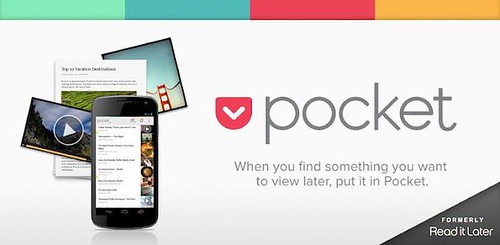
Pocket, formerly known as "Read it Later," allow users to save their web content to view later on their own schedule - is now available, for free (former version cost 99 cents), on all major mobile platforms including Android phones and tablets, iPhone, iPad, iPod Touch and Amazon Kindle Fire.

Pocket is for when people discover an interesting article, video or web page, but don't have time to view it. Once saved to Pocket, the list of content is visible on any device -- phone, tablet or computer. It can be viewed while waiting in line, on the couch or during commutes or travel -- even offline.

Pocket (Read it later) Features:-

  • A Cleaner, Simpler UI. The new user interface of Pocket displays all of a user's content in a beautiful, easy-to-view layout adapted to take full advantage of high definition displays.
  • Video & Image Filters. Most people save sites with videos and images, in addition to articles and text. Pocket automatically filters all content so users can quickly switch between articles, videos and images with just a tap.
  • Enhanced Viewing Experience. Articles, videos and anything saved is displayed in a clean and simplified view with fewer toolbars and a redesigned full-screen mode.
  • Easier to Organize. New bulk editing, favoriting and tagging modes make organizing and browsing saved items easier. Users can find content by keywords, publications or create their own custom tags.
  • Favorites. Users can star favorite content so it is always available when they want to find it.

Monday, 12 March 2012

iH8Sn0w updated Sn0wBreeze 2.92

sn0wbreeze updated

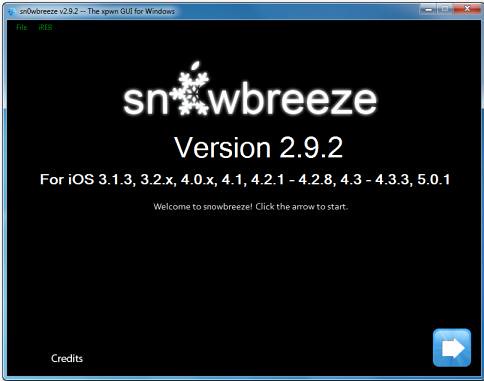
iH8Sn0w released Sn0wBreeze 2.92 for non-A5 devices to perform a tethered jailbreak of iOS 5.1.

What is New?

  • Added Tethered Jailbreak support for 3GS/iPod Touch 3/A4 Users on iOS 5.1 (9B176)
  • iPhone 3GS old-bootrom users are untethered on 5.1/9B176 (as usual).
  • Bug Fixes (Specifically with the iPad baseband and iPhone 2G).
  • Re-added the iPhone Dev-Team's iPhone 2G permanent unlock 'BootNeuter'.

Why is there no A5 support?

A low level (DFU/iBoot/LLB) exploit is required to start the restoration of custom IPSWs. The past two jailbreaks (JailbreakMe & absinthe) for the A5 worked within iOS itself. These exploits are not capable of bringing the iDevice into a state where it will accept custom IPSWs. Therefore, an A5 device cannot currently downgrade to an iOS revision that Apple is no longer signing (even with SHSH blobs) and it cannot preserve the baseband when updating to a newer iOS revision.

Download Sn0wBreeze v2.92 (For iOS 3.1.3, 3.2.x, 4.0.x, 4.1, 4.2.1 to 4.2.8, 4.3 to 4.3.3, 5.0.1, 5.1)

Source:-iH8Sn0w blog

Thursday, 8 March 2012

Apple brings iPhoto for iPad and updates for iMovie, Garageband and iWork

iPhoto

Apple today introduced iPhoto for iPad and iPhone and major updates to iMovie and GarageBand, completing its suite of iLife apps for iOS. iPhoto includes breakthrough Multi-Touch features so you can use simple gestures to sort through hundreds of photos and find your best shots, enhance and retouch your images using fingertip brushes and share stunning photo journals with iCloud. iMovie now gives you the ability to create amazing Hollywood-style trailers as you record HD video on your iPad and iPhone. GarageBand introduces Jam Session, an innovative and fun feature that allows a group of friends to wirelessly connect their iOS devices to play instruments and record live music together. 

Apple today also updated its iWork for iOS apps to take advantage of the stunning Retina display of iPad and to offer 3D charts so you can create and view impressive 3D bar, line, area and pie charts. Pages now includes support for landscape orientation on iPhone and iPod touch, and Keynote gains new builds and transitions including Iris, Shimmer, Wipe, Flame, Swing and Fade Through Color.

Pricing and Availability

iPhoto, iMovie 1.3 and GarageBand 1.2 are available today for $4.99 (US) each from the App Store. Keynote 1.6, Pages 1.6 and Numbers 1.6 are available today for $9.99 (US) each from the App Store. Updates are available for free to existing customers.

iPhoto is a universal app that runs on iPad 2 or later and iPhone 4 or later.

iMovie is a universal app that runs on iPad 2 or later, iPhone 4 or later and iPod touch (4th generation). GarageBand, Pages, Keynote and Numbers are universal apps that run on iPad (all models), iPhone 3GS or later, and iPod touch (3rd generation) or later. Some features require an iCloud account.


Sunday, 22 January 2012

Download Year of the Dragon update for Angry Birds Seasons

Year of Dragon Angry Birds Seasons

Rovio is all set to join Chinese New Year (starting January 23rd) celebrations by updating Angry Birds Seasons with Year of the Dragon update.

Year of Dragon Angry Birds

The Year of the Dragon update has a vibrant new theme bursting with fireworks, lanterns, Chinese knots, and red envelopes. Plus, the Mighty Eagle gets a special Year of the Dragon makeover! The Mighty Dragon will be available on iOS (if you’ve already purchased),  Android, and Symbian^3 for free.

The update is currently available for iOS and Android, with Symbian^3, Mac, and PC coming soon.


Monday, 16 January 2012

Redsn0w updated to b4, include iBooks fix

pwned

The iPhone Dev-Team has released a RedSn0w (0.9.10b4) update fixing an iBooks issue.

The b4 version of redsn0w incorporates the 5.0.1 fix for iBooks, and also for sporadic problems with launchctl.  Thanks to @xvolks for merging the iBooks (sandbox) fix from @comex’s github into the overall corona untether from @pod2g!  As usual, you can choose to install the fix either by re-running redsn0w over your existing jailbreak (de-select Cydia if you do that), or by installing the corona package from Cydia (it’s the same set of files no matter which way you choose).

Download

redsn0w 0.9.10b4 for OS X | redsn0w 0.9.10b4 for Windows

Source:-iPhone Dev-Team blog