Showing posts sorted by date for query Box. Sort by relevance Show all posts

Saturday, 8 December 2012

Sony and Box renew partnership, offering 50GB Free storage through 2013

Sony and Box

Sony today announced that it has extended its partnership with Box, offering lifetime 50GB of Free cloud storage for Xperia smartphone and Sony tablet users, by signing-up or accessing existing Box accounts from their devices before 31st December 2013. However, do note that the offer available for Xperia smartphones including and released after Xperia X10, but not for Xperia X10 mini, X10 mini pro and devices with Android versions prior to 2.1.

Source:- Sony Mobile

Thursday, 11 October 2012

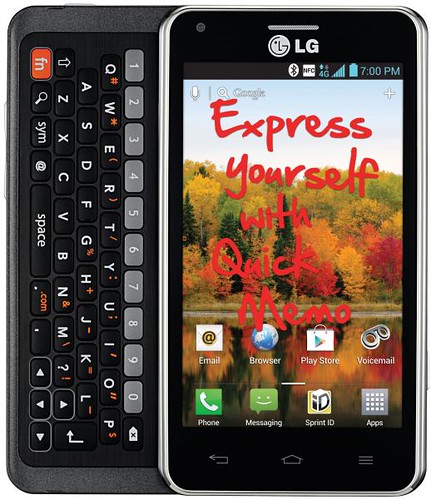
LG Mach coming to Sprint

LG Mach

LG and Sprint announced that the LG Mach will join Sprint's line up of 4G LTE devices along with Samsung Galaxy Tab 2 10.1, LG Optimus G, and Sprint Plug-in-Connect Tri-Mode USB.

The LG Mach packs a 1.2 GHz dual-core processor, 1GB of RAM running Android 4.o Ice Cream Sandwich OS, features 4-inch WVGA display (480x 800), Full QWERTY slide out keyboard, 8GB of internal memory (expandable up to 32GB), 5MP rear-facing camera, a VGA front-facing camera and 1,700mAh battery.

LG Mach requires activation of one of the Sprint Everything Data plans starting at just $79.99 per month with Truly Unlimited data, text and calling to any mobile.

LG Mach Key Features:-

  • Android 4.0 OS (Ice Cream Sandwich)
  • 4-inch WVGA IPS Display
  • Powerful 1.2 GHz Dual-Core Processor
  • LG QuickMemo - create and share personalized memos by taking screen captures and adding handwritten drawings or messages
  • Sprint 4G LTE Network
  • Dual Cameras: 5.0 MP Rear-Facing camera, 0.3 MP Front-Facing camera
  • 1080p Full HD Recording, Uploading and Playback
  • 50 GB free cloud storage from Box (for accounts activated by September 26th, 2013)
  • Eco-Friendly Attributes: made of 56 percent recycled materials, including recycled plastic
  • ULE Platinum and Carbon Fund Certified
  • Bluetooth 4.0
  • Long-Lasting 1,700 mAh Battery
  • 3G/4G LTE Mobile Hotspot capability supporting up to eight Wi-Fi enabled devices simultaneously
  • Wi-Fi 802.11 b/g/n
  • Dimensions: 4.64" (H) x 2.56" (W) x 0.48" (D)
  • Weight: 5.92 ounces

Thursday, 30 August 2012

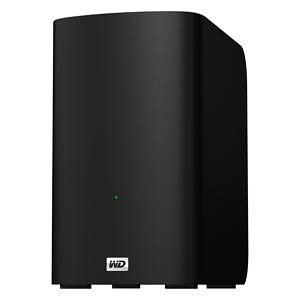
WD introduces My Book VelociRaptor Duo

WD My Book Velociraptor Duo

Western Digital (WD) today introduced its fastest My Book External HDD, My Book VelociRaptor Duo, supports Mac OS X.

My Book VelociRaptor Duo provides ultimate speed and performance with two 1 TB 10,000 RPM WD VelociRaptor drives along with two Thunderbolt ports. The 2 TB dual-drive storage system is ideal for editing high resolution video, 3D rendering, graphic design, and other demanding digital media applications. This boost in performance delivers solid state drive (SSD) -like data transfer rates of up to 400 MB/s for greater work-flow productivity. The dual-drive storage system offers RAID 0 for performance or RAID 1 for protection; and the twin Thunderbolt ports offer daisy-chaining multiple My Book VelociRaptor Duo drives and other high performance peripherals without impacting data transfer speeds or performance. The My Book VelociRaptor Duo also comes complete with a Thunderbolt cable in the box and is user-serviceable.

While RAID 0 maximizes the drive's speed and capacity, RAID 1 support allows users to create a second copy of their digital content on the drive for added protection, security and peace of mind. The drive also provides a JBOD (just a bunch of disks) option for users running a Windows operating system on a Mac.

Additional features found on the My Book VelociRaptor Duo dual-drive storage system include out-of-the-box compatibility with Apple Time Machine and HFS + Journaled for Mac computers; capability for multi-stream workflows; and a 3-year limited warranty.

The My Book VelociRaptor Duo dual-drive storage system is currently available at select U.S. retailers and online, starting at $899.99 MSRP USD.

Source:- Western Digital

Wednesday, 25 July 2012

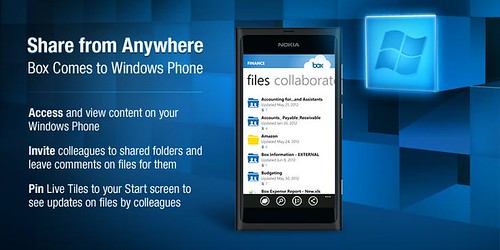
Box for Windows Phone now Available in Marketplace for Free

Box for WindowsPhone

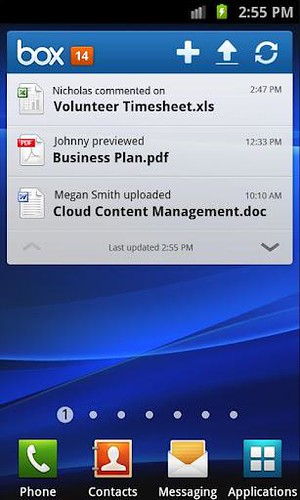
Online storage service provider Box launched its first app for the Windows Phone platform, which is now available for free download from Windows Phone Marketplace. The Box for Windows Phone app has all the features offered to other platforms such as Android and iOS. These includes the ability to view, share, upload; invite others to shared folders and leave comments on files; search files; performing bulk actions on files/folders like move, copy, delete and naming; application-specific passcode lock; pin Live Tiles to your Start screen to see when colleagues leave updates on Box.

In addition to all this, Box translated the app into French, Italian, German, Spanish, Brazilian Portuguese, Simplified Chinese, Traditional Chinese and Japanese.

Source:- Windows Marketplace (Box for Windows Phone)

Friday, 20 July 2012

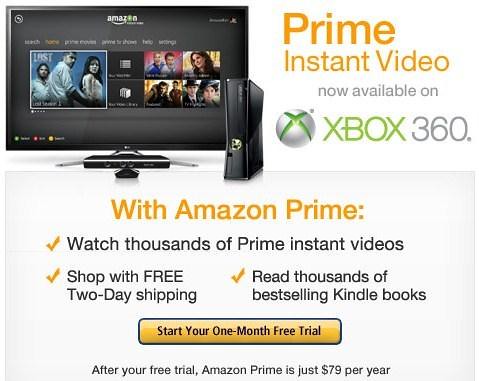
Amazon and Warner Bros. deal brings 'Fringe' and 'The West Wing' to Prime Instant Video

Prime Instant Video

Amazon.com today announced a licensing agreement with Warner Bros. Domestic Television Distribution to add popular TV shows, including Fringe and The West Wing, which will be available exclusively on Prime Instant Video for the summer. This agreement also adds a variety of fan-favorite TV shows including Dark Blue, Alcatraz, and The Whole Truth.

Prime customers can access Prime Instant Video on Kindle Fire or any of the hundreds of compatible Amazon Instant Video devices, including the Roku, Xbox 360 and PlayStation 3 gaming console. And those who are not Prime members can enjoy a free one month trial of Prime and all Kindle Fire customers enjoy a free month of Prime right out of the box.

Source:- Prime Instant Video

Wednesday, 11 July 2012

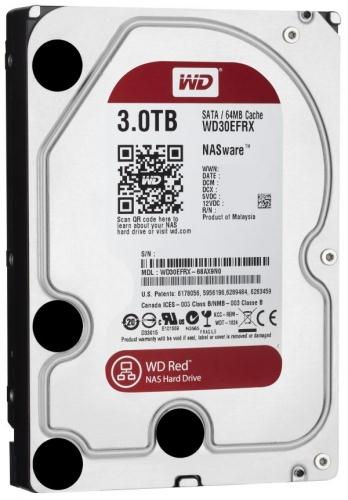
Western Digital Announces WD Red NAS Hard Drives

WD Red NAS HDD 3TB

Western Digital (WD) today announced the debut of  WD Red NAS hard drives, an innovative line of SATA hard drives specifically designed for home and small office NAS (network attached storage) systems with one to five drive bays. Compatibility-tested with top NAS box manufacturers and optimized for power and performance, WD Red hard drives are now shipping in 3.5-inch 1 TB, 2 TB and 3 TB capacities.

The WD Red line features NASware technology, designed to improve reliability and system performance, reduce customer downtime and to simplify the integration process. This new product line addresses the unique environment of NAS and the growing demand for affordable, reliable and compatible storage that reduces customer total cost of ownership. WD Red hard drives also feature 3D Active Balance Plus, an enhanced balance control technology, which significantly improves the overall drive performance and reliability. In an exclusive for WD Red customers, WD is offering free premium 24x7 dedicated support and a three-year limited warranty.

The addition of WD Red expands WD’s “Power of Choice” client hard drive solutions. WD recognizes that customers and their applications are diverse and they should be empowered to choose the drives that best suit their specific storage needs. With distinguishable colors, the “Power of Choice” storage solutions are clear and easy to identify: WD Blue (solid performance and reliability for everyday computing) WD Green (cool, quiet, eco-friendly), WD Black (maximum performance for power computing), and WD Red (home and small office NAS). The four colors enable quick selection of the best WD drive for customers’ application or usage requirements.

WD Red hard drives are available now at select resellers and distributors. Manufacturer's suggested retail price (MSRP) for the WD Red 1 TB drive (model #: WD10EFRX) is $109.00 USD, the 2 TB drive (model #: WD20EFRX) is $139.00 USD and the 3 TB drive (model #: WD30EFRX) is $189.00 USD.

Source:-Western Digital

Monday, 18 June 2012

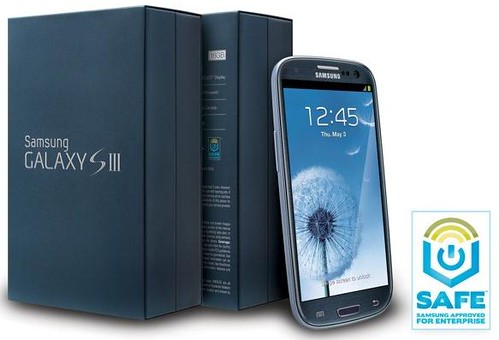
Samsung intros Galaxy S III Enterprise Friendly version in the US

Samsung Galaxy S III SAFE

Samsung Mobile is simplifying enterprise adoption with the introduction of SAFE (Samsung Approved for Enterprise) and the first SAFE-branded smartphone in the United States, the Galaxy S III, which will be available at AT&T, Sprint, T-Mobile, Verizon Wireless and US Cellular by July. To aid prosumers and corporations in accessing the most innovative smartphone on the market, Samsung is also introducing SAFE2SWITCH, a trade-up program that offers competitive pricing for qualifying smartphones for both individuals and enterprise customers.

SAFE – Optimized for the Enterprise

SAFE provides a comprehensive approach to making Android devices secure and manageable by systematically meeting the rapidly evolving needs of IT and the growing number of businesses allowing employees to "bring your own device" (BYOD) to work. Samsung created SAFE as a way to defragment the Android OS across multiple versions from Gingerbread to Ice Cream Sandwich at U.S. carriers. Out of the box, the SAFE-branded Galaxy S III supports a full suite of enterprise-ready features and capabilities with support for 338 IT Policies. This includes on-device AES-256 bit encryption, enhanced support for Microsoft Exchange ActiveSync and support for industry-leading Virtual Private Network (VPN) and Mobile Device Management (MDM) solutions.

Over the last 12 months, Samsung has surpassed its next nearest handset and smartphone competitors to become No. 1 globally and now has its sights set on the enterprise. Working closely with enterprise customers and industry-leading solutions providers, Samsung developed a thorough quality assurance program. This program begins with MDM and VPN solutions providers using Samsung's software development kit to deeply integrate their solution on the SAFE device. Once the development effort is completed, Samsung and the solution provider then thoroughly test and verify the device's support for the MDM and/or VPN software. This collaboration, coupled with the testing process, creates solutions that are optimized for SAFE devices and enterprise use including adoption within regulated industries such as healthcare, financial services and government.  

Galaxy S III – Powerful, Collaborative, Secure

The Galaxy S III offers secure features and capabilities that may be used in a wide range of business situations to improve efficiency and productivity.

  • AllShare Play - Group Cast: Securely share PowerPoint presentations and PDFs with business partners also using Galaxy S III devices
  • Share Shot: Quickly and easily compile and share photos with colleagues and contacts
  • S Beam One Touch Sharing (NFC and Wi-Fi Direct): Quickly exchange contact and meeting information or company documents by simply tapping phones together. S Beam can also be controlled via an MDM solution.
  • Intelligent Display and Motion: Focus on the job at hand with intuitive features like Direct Call and Smart Stay
  • HD Super AMOLED Display: Review detailed plans or blueprints with brilliant 4.8" HD Super AMOLED display on second-generation rugged Corning Gorilla Glass
  • Samsung TecTiles: NFC programmable tags and mobile application transform how businesses, both large and small, engage their customers

SAFE2SWITCH Prosumer / Enterprise Trade-In Program

With the launch of the SAFE-branded Galaxy S III, Samsung is announcing the availability of a trade-up program called SAFE2SWITCH which simplifies the transition to Samsung SAFE devices from Samsung or other manufacturers' smartphones. Both prosumers and corporate customers alike can take advantage of this program which offers very competitive trade-in values in real-time from their existing smartphone or Internet-connected device. For more details, visit www.samsungsafe2switch.com.

[Press release]

Wednesday, 23 May 2012

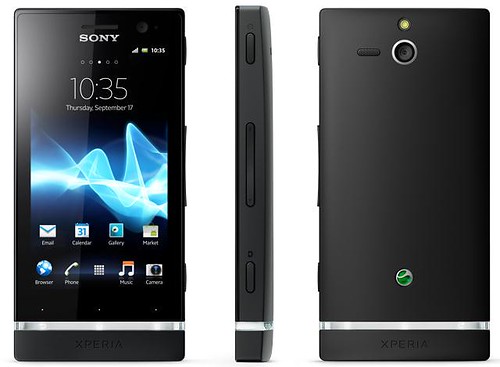
Sony Xperia U is now Available on Three in the UK

Xperia U

The Sony Xperia U is now available online at www.three.co.uk and in all Three stores. The Xperia U features a 3.5-inch Reality Display powered by Mobile BRAVIA Engine, a 1GHz dual-core processor, a 5MP camera on the rear with HD recording running Android 2.3 which upgradable to Android 4.0, HSDPA, Wi-Fi, GPS and 50GB free online storage with Box.

You can purchase Xperia U on pay monthly plans, or on Pay As You Go (for £169.99 or $269).

Wednesday, 16 May 2012

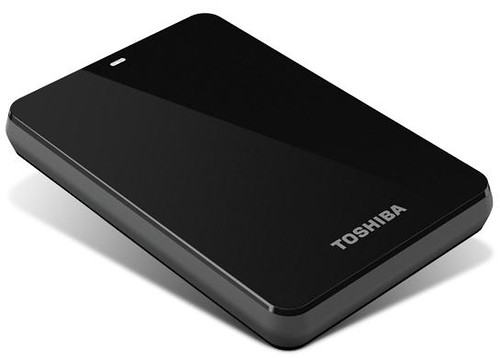
Toshiba Canvio 3.0 Portable Hard Drives up to 1.5TB

Toshiba Canvio 3.0

Toshiba today announced that its Canvio 3.0 and Canvio Basics 3.0 portable hard drives will now offer consumers up to 1.5 terabytes of storage and Mac compatibility, without the need for reformatting, on a select Canvio 3.0 model. All of these offerings come equipped with USB 3.0 technology for higher data transfer speeds and enable consumers quickly and easily store, transfer and back up their valuable data.

Canvio 3.0: Easy to use and complete backup solutions

Toshiba's Canvio 3.0 is a stylish and portable storage device that addresses a variety of storage needs. Featuring up to 1.5TB of storage, the Canvio 3.0 has the capacity to back up consumers' entire computer systems and data transfer speeds are now faster than ever with the inclusion of USB 3.0 technology. Additionally, the 1.5TB solution includes a NTFS driver for Mac computers that allows users to easily swap data between Macs and PCs without having to reformat the drive.

The Canvio 3.0 also comes equipped with software that provides file, folder and full system back-up and recovery. Users can run a full system backup and file/folder backup simultaneously, as well as pre-set their back-up sessions using an easy scheduling feature. It also offers a free 30-day trial for its Cloud-enabled back-up feature.

To ensure maximum data protection, the Canvio 3.0 has a unique internal shock sensor and ramp loading technology to safeguard consumers' valuable data against accidents and drops. Available in a variety of colors, including black, silver, white, red, blue and green, this storage device is the perfect marriage between style and powerful data protection.

Canvio Basics 3.0: Simple add-on storage in a box

The Canvio Basics 3.0 is Toshiba's simplest storage solution. There is no software setup necessary and the device is ready to use right out of the box, allowing users to simply plug it into their PC and start saving their digital files. The Canvio Basics 3.0 offers up to 1.5TB of storage and supports USB 3.0 for rapid transfer speeds. Similar to the Canvio 3.0, the Canvio Basics 3.0 is also equipped with a special internal shock sensor and ramp loading technology to protect consumers' files against accidents and drops.

Pricing and Availability

Pricing for the Canvio 3.0 line will range from $119.99 MSRP to $199.99 MSRP. The 1.5TB solution, which includes the NTFS driver for Mac compatibility, will be available for $199.99 MSRP, while the 1.0TB offering will be available for $149.99 MSRP, the 750GB will be available for $129.99 MSRP and the 500GB will be available for $119.99 MSRP.

Pricing for the Canvio Basics 3.0 line will range from $109.99 MSRP - $180.99 MSRP. The 1.5TB solution will be available for $189.99, the 1.0TB will be available for $139.99 MSRP, the 750GB will be available for $119.99 MSRP and the 500GB will be available for $109.99 MSRP.

Wednesday, 9 May 2012

Logitech Alert 750n Indoor Master System and the Logitech Alert 700n Indoor Add-On Camera

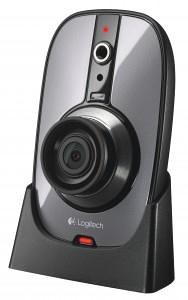
Logitech Alert

Today Logitech expanded its Logitech Alert lineup by introducing the Logitech Alert 750n Indoor Master System, a complete video security system in a box that enables you to be there – even when you’re not. Easy installation, wide-angle night vision, powerful PC software and a free remote viewing account. Logitech also introduced the Logitech Alert 700n Indoor Add-On Camera. This stand-alone night-vision camera is easy to add to your existing Logitech Alert Master system so you can see what’s going on in other rooms or locations.

Thanks to HomePlug networking, installation for both the system and add-on camera is easy, and there’s no need to run wires or bother with tricky network configuration. Simply plug your camera into a wall power outlet, and HomePlug uses your electrical wiring and outlets to connect your camera to the network and transmit video securely.

The Logitech Alert 750n Indoor Master System and the Logitech Alert 700n Indoor Add-On Camera both offer high-quality HD video (960 x 720@ 15fps), a 130-degree wide-angle and powerful night vision that delivers up to twice the viewing area compared to standard cameras. This makes it easier to recognize people and other objects more clearly, day or night. You can see up to 50 feet in complete darkness with high-powered illumination, so you’ll never again find yourself afraid of the dark.

Additionally, the system and add-on camera have motion-triggered recording, which automatically triggers video recording and can be set up to send notifications to your e-mail address and mobile phone, keeping you informed. You can even specify 16 motion-detection zones within the frame.

Pricing and Availability

The Logitech Alert 750n Indoor Master System and Logitech Alert 700n Add-On Camera are expected to be available in the U.S. and Europe beginning in May 2012, for a suggested retail price of $299.99 and $229.99, respectively.

Wednesday, 18 April 2012

Sprint and LG Launch Optimus Elite

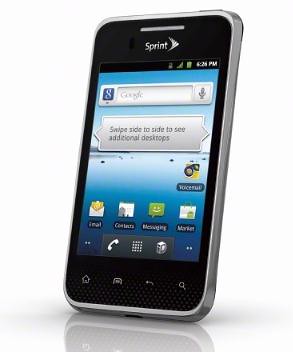
Sprint LG Optimus Elite

Sprint and LG announced the successor to the popular LG Optimus S, LG Optimus Elite, which will be available in Titan Silver and Whitw on Earth Day - Sunday, April 22nd  for just $29.99 with a new two-year contract. The device will become available in additional channels, including Sprint retail, on May 18 and will eventually arrive, on Virgin Mobile too.

LG Optimus Elite boasts eco-friendly attributes and the coveted UL Environment Platinum Certification. The main features of the LG  Optimus Elite include Android 2,3, a 3.5-inch screen, an 800MHz processor, NFC, a 5 megapixel camera and 50GB of free cloud storage and sharing from Box.

LG Optimus Elite Specifications/Features:-

  • 5MP camera and camcorder
  • 3.5 inch touchscreen display with virtual QWERTY keyboard
  • Android Market for access to more than 400,000 applications, widgets and games
  • 50GB of free cloud storage and sharing from Box
  • Near Field Communication (NFC) technology, which allows the device to read information from everyday objects, like stickers and posters embedded with NFC chips and Google Wallet enabling the phone to be used like a wallet to make safe, secure purchases at hundreds of thousands of participating retailers using NFC
  • Sprint ID, a user-friendly means of customizing Android content on mobile phones. Allows users to instantly download ID packs that deliver a predefined experience, including applications, widgets, ringtones and wallpapers, all at once.
  • Mobile Hotspot capability supporting up to five Wi-Fi enabled devices to share the 3G experience simultaneously.
  • Wi-Fi Enabled – 802.11 b/g/n with Mobile Hotspot capability supporting up to five Wi-Fi enabled devices to share the 3G experience simultaneously
  • microSD card slot supporting up to 32GB (microSD card not included with device)
  • GPS Navigation– search for the closest coffee shop, or navigate to a specific address with a 3D map that moves with you
  • Corporate Email (Exchange Active Sync) & Personal email (POP & IMAP) which gives you access to Gmail, Yahoo!  and much more
  • Dimensions: 4.6" (H) x 2.47" (W) x 0.39" (D)
  • Weight: 4.25 ounces
  • Main Display: 3.5” Color TFT, 320 x 480 (HVGA) Pixels
  • Memory: 512MB RAM, 4GB ROM
  • Standard Battery: 1520 mAh, up to 7.3 hours talk time

Now, which one you like to buy on April 22nd - Galaxy Nexus or affordable, eco-friendly Optimus Elite?

Thursday, 12 April 2012

LogMeIn intros Cubby Cloud Sharing service - 5GB Cloud Storage Free

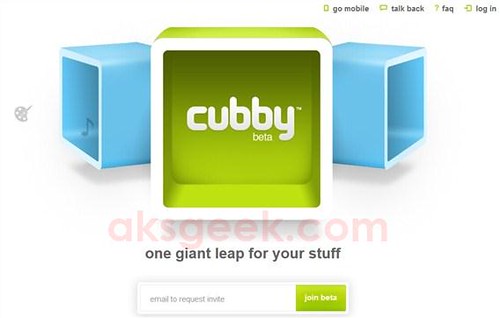
Cubby

Here is you another cloud storage service option. LogMeIn today announced the new cloud data sync and storage services built on LogMeIn's Gravity Data Services - Cubby. Currently in Beta, Cubby allots you 5GB of cloud storage, free unlimited syncing across devices, as well as apps for the iPad, iPhone, Android, Mac and Windows.

Cubby also gives you the option to simply share or sync an unlimited amount of information across their devices for free, and without ever counting against cloud storage limits.

Cubby Features:-

  • Any folder can be a cubby - People can simply use the folders they have - their existing PC or Mac folders – or they can take advantage of a simple, easy-to-use default cubby. There's no need to put files and documents into a single cloud folder/box, and no need to recreate existing folders.
  • Share your stuff across devices for free, cloud optional - People can share their stuff across their devices for free, without being restricted by cloud data storage limitations. Cubbies can be stored to the cloud or simply synced across devices.
  • Decide what content gets shared across which devices - Any cubby and its content can be synced to selected devices. So people can keep their work, personal and family information as separate as they'd like. No need to have those family holiday photos on your work PC or a copy of the latest TPS report from the office on your kid's Macbook.
  • Multiple ways to share and collaborate with others - Cubbies and their content can be shared with others either by inviting them into a cubby, which lets both parties see, work with, and sync content; or they can simply send people read-only links to files and cubbies.
  • Simple access from anywhere, any device - Cubby can be accessed from any web browser, comes standard with Mac and PC desktop apps, and offers a free iPad and iPhone app in the Apple App Store and a free Android app in Google Play.
  • Architected for security - Built on the same architecture used for LogMeIn's connectivity products, Cubby takes advantage of industry best encryption standards to ensure data is protected at all times. As a key additional step, Cubby is designed in a way that gives users the ability to be the sole owner and holder of their encryption keys

Source:- Cubby

Tuesday, 3 April 2012

Xperia S coming to India on April 10th

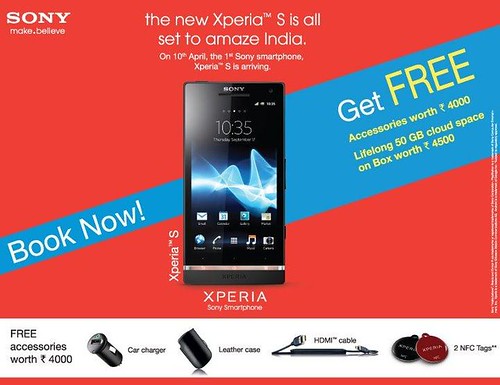
Sony Xperia S coming to India on April 10

Sony Mobile India today has confirmed that the Xperia S will be released in India on April 10th, 2012. There is no word on pricing yet (but we can expect it cost between Rs 32K to 35K) but Users will get free accessories worth Rs 4,000 including a car charger, a leather case, an HDMI cable and two NFC tags plus 50GB cloud storage from Box. According to the company, the free accessory pack is a limited “early bird offer” buy Xperia S till the first stock lasts to avail the offer.

This device sports a 4.3-inch display, a 1.5GHz dual-core Qualcomm processor, a 12.1 MP camera at the back with HD video recording at 1080p, a 1.3 MP front-facing camera with 720p video recording and will run on the Android 2.3 but we can expect Android 4.0 ICS update coming later this year, as promised by Sony.

Source:-Facebook

Saturday, 17 March 2012

Get 25GB of Free Cloud Storage from Minus

Minus

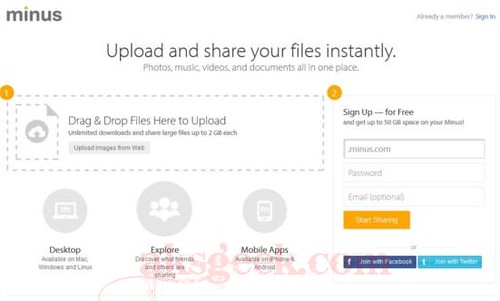
Have you read top 18 free cloud storage service providers? Now you can add Minus to that list, as it lets you drag files from your desktop and folders directly to your browser to start sharing or via desktop and mobile apps. Minus normally offers 10GB of Free cloud storage with file size limit of 2GB for each file now with this promotion you’ll get additional 15GB space making it 25GB.

How to get Free 25GB Cloud Storage from Minus?

1. Visit this page.

2. Enter your email address and press enter/ Click Go button appsumo_2

3. On next page click on "No thanks, just checking things out!" mail_minus_com

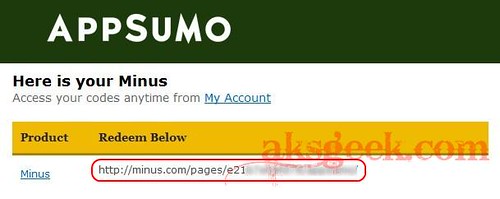
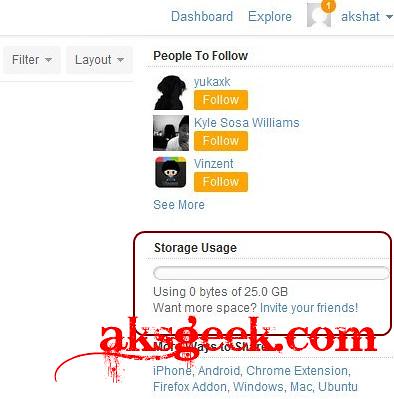
4. Now just check your mail box for AppSumo order confirmation which contain Minus redeem code. Copy paste the link on your browser and sign up for new user account. You’ll see 25GB storage space. minus 25GB_1

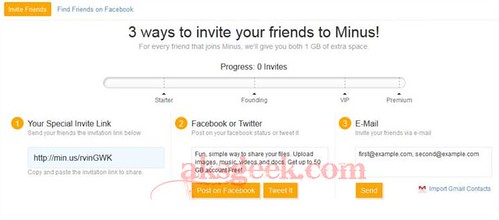
Many of you noticed that "Sign Up — for Free and get up to 50 GB space on your Minus!" on Minus site. But when you signed up, you’ll only get 10GB of free storage and by using their referral service you can increase your storage space. minus affiliate

Source:- Minus

Monday, 27 February 2012

Nokia Lumia 900 coming to non-LTE countries

Nokia Lumia 900 DC-HSPA variant

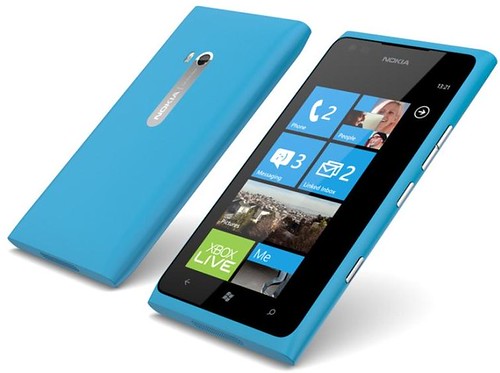
After launching the Nokia Lumia 900 as its first LTE smartphone, Nokia is also making the phone available around the world in a DC-HSPA variant, for high speed data connection (42Mbits download) in countries where LTE is not available. The Nokia Lumia 900 features a 4.3 inch ClearBlack AMOLED display features 8MP camera, 512MB RAM and running Windows Phone 7.5 (Mango). It is also the first Lumia phone to feature a front-facing camera, with large aperture and wide-angle lens for sharp, bright images and video calling out of the box. The Nokia Lumia 900 will be available in white, cyan and black, is priced at EUR 480 and also expected to begin shipping in the second quarter of 2012.

Sony launches Xperia U

Xperia U

At MWC 2012, Sony announced Xperia U along with Xperia P smartphone. The Xperia U comes with 3.5-inch Reality Display powered by Mobile BRAVIA Engine, a 1GHz dual-core processor, a 5MP camera on the rear with HD recording running Android 2.3 which upgradable to Android 4.0 (in Q2 2012).

Xperia U Features:-

  • 3.5” Reality Display powered by Mobile BRAVIA Engine.
  • 1 GHz dual-core processor for super fast performance.
  • 5MP camera with unique fast capture, HD recording and Sony technology to capture 2D and 3D panoramic images.
  • Crisp and loud listening with xLoud and 3D surround sound audio technology.
  • Available in a choice of white or black, with pink and yellow exchangeable caps for the base of the smartphone in the box.
  • Launches on Android platform 2.3 (Gingerbread), upgrade to Android platform 4.0 (Ice Cream Sandwich) during the second quarter of 2012.

Friday, 24 February 2012

Dropbox Android App offers automatic photo upload feature

Dropbox camera upload

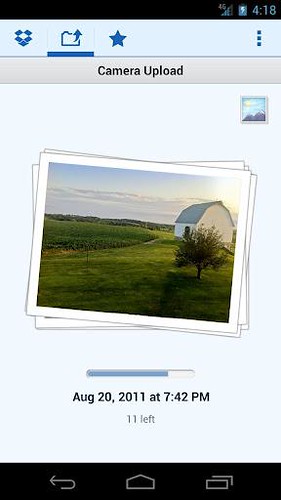
Dropbox unveiled its new app auto-upload feature for Android smartphones which is now available on Android market and promised to release Apple iOS version shortly. User will get 500MB of storage after their first automatic upload and can receive up to a total of 3 GB extra for free.

The Dropbox mobile apps can automatically upload your photos and videos to Dropbox using Wi-Fi or your data plan. They’re all uploaded at original size and full quality, and saved to a private folder in your Dropbox called Camera Uploads where they’re ready to view or share.

Source:- Dropbox blog | Android Market

Box offering 50GB of Free Cloud Storage


Box offering Android users Free 50GB Cloud Storage

Box v1.6

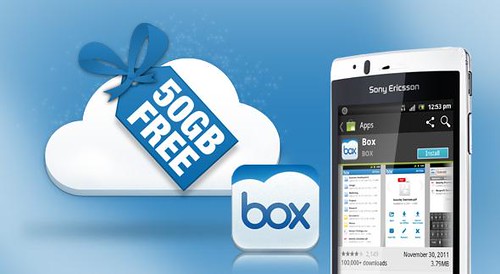
Normally, Box offers 5GB cloud storage to free users but today Box along with releasing an update to its app (v1.6) announced that Android users who log-in between now and March 23 will see their Box accounts permanently upgraded to 50GB. In addition to that Box increases the upload limit which means you can now upload files up to 100MB. Now that's the best free cloud storage option to backup your files.

Source:- Android Market | Box

Read 18 Best Cloud Storage Providers

Thursday, 23 February 2012

18 Best Free Cloud Storage Providers

Cloud Storage

Recently, I've shared with you BeeCloud offering free 512GB of online Cloud Storage, now I’ve decided to share with you most comprehensive list of free online Cloud Storage providers but before starting you should know what is Cloud Storage?
According to Wikipedia, Cloud storage is a model of networked online storage where data is stored on virtualized pools of storage which are generally hosted by third parties. Hosting companies operate large data centers; and people who require their data to be hosted buy or lease storage capacity from them and use it for their storage needs. The data center operators, in the background, virtualize the resources according to the requirements of the customer and expose them as storage pools, which the customers can themselves use to store files or data objects. Physically, the resource may span across multiple servers.
In short, you data is backed up/stored online on different servers then when you need it you can access it from anywhere anytime without carrying your data with you all the time.
Top 10 Free cloud storage service providers offers backup and synchronization--supports more than two platform.
1. Dropbox
Dropbox
Dropbox offer 2GB of free storage and supports Windows, Mac, Linux, iPad, iPhone, Android and BlackBerry
2. SugarSync
SugarSync
SugarSync offer 5GB of free cloud storage and works with Windows, Mac, iPhone, iPad, Android, BlackBerry, Symbian and Windows Mobile.
3. Ubuntu One

Ubuntu One
Ubuntu offer 5GB of free cloud storage services through Ubuntu One and supports Windows, Ubuntu (linux), Android, iPhone and iPad.
4. Zumo Drive
Zumbo Drive
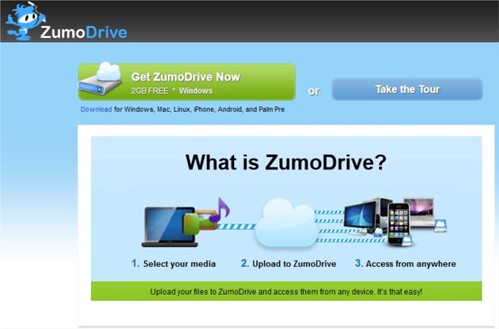
Zumo Drive offer 1GB of Cloud storage plus 1GB of bonus storage when you complete the Dojo means total of 2GB for storing files. It works with Windows, Mac, Linux, iPhone, Android, and Palm Pre.
5. IDrive
IDrive
IDrive is not an Apple product but still its come in handy when it comes for free online storage. IDrive offer free 5GB of storage and retains and allows you to restore the last 30 versions of all files backed up to your account. Your storage is computed only for the most current version; historical versions are stored free. It works on Windows, Mac, iPhone, iPad and Android.
6. SpiderOak
Spideroak
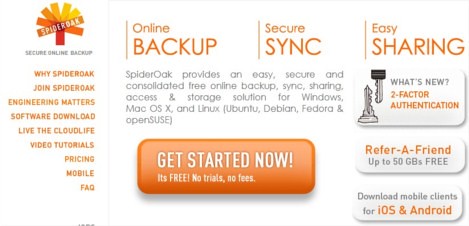
SpiderOak offers 2GB’s free cloud storage and for Windows, Mac OS X, and Linux (Ubuntu, Debian, Fedora & openSUSE), Android, iPhone and iPad.
7. Memopal
Memopal
Memopal offers 3GB of free storage and supports Windows, Mac, Linux, Android, iPhone and BlackBerry
8. CX.com
cx
CX offers free 10GB space with support for Windows, Mac, Linux, Android, iPhone/iPad and Kindle Fire.
9. MozyHome
Mozy
With MozyHome you get free 2GB of secure online backup and it works with Windows and Mac. And you how much is 2GB 250,000 text emails, 340 MP3 files  and 300 photos.
10. MiMedia

MiMedia
MiMedia offers 7GB of free cloud storage which is equivalent of 1,000+ songs, 1,400+ photos, 140+ videos or 7,000+ documents--in the cloud, to stream and share from any web-enabled computer, iPhone or iPad.
To use above services you need to install software on your computer or mobile device to sync and back up your data automatically/manually, then you can access your backed up files from anywhere.
There are other free cloud services providers which may not allow sync from your computer or mobile devices but you can backup or store your data on cloud and access it from anywhere.
1. Box
Box
Box is well settled and reputed cloud storage service provider offers 5GB of free storage.
2. Amazon Cloud Drive
Amazon Cloud Drive
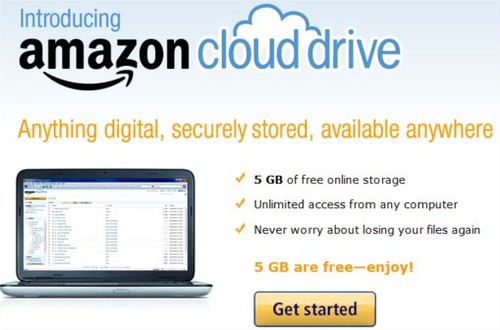
Amazon’s very own cloud storage solution, offers 5GB of free storage. It is noteworthy to mention that songs purchased from Amazon Music store are saved directly to your Amazon Cloud Drive, moreover it doesn’t consume your storage limit. But you need to upload your file through web interface. Not so great option but if you go with brand, trust and reliability it's still the best option to bet on.
3. Adrive

Adrive
Adrive offers 50GB storage capacity with not so good user interface but it still offer most spacious solution.
4. Windows SkyDrive
SkyDrive
May be you all, already know about Microsoft SkyDrive offering 25GB of Sky storage. It nice option if you have lot of files to share. On Windows you can install SkyDrive installer to share you files.
5. 4Shared
4Shared
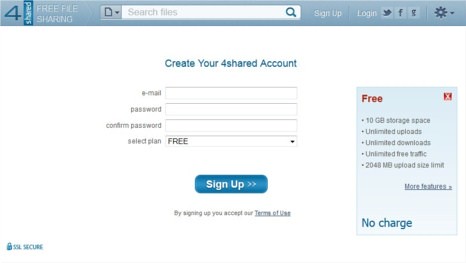
4Shared started as the file sharing site now offering free 10GB of storage with up to 2GB of upload filesize limit. It supports Windows, Mac, Linux and other mobile devices.
6. SafeCopy
safecopy
SafeCopy offer 3GB of free storage works on Windows, Mac, Linux, Android and iPhone/iPad. It is available in 15 languages and uses 448-military grade encryption.
7. PogoPlug
PogoPlug
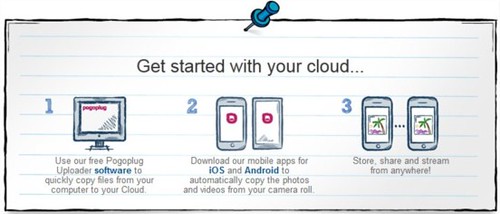
PogoPlug gives you 5GB of storage and supports Windows, Mac Android and iOS devices.
8. Google

Google Services
Yes your own Google, which you're using almost each and every day. Gives you 1GB of Picasa storage plus another gigabytes from Google Docs and remember your own Gmail account 7GB storage.
Other Cloud Storage and backup options
NephoScale -5GB
HiDrive - 5GB
Syncplicity (offers Sync and Backup) - 2GB
BeeCloud - 512GB
Filesanywhere - 1GB
I hope you liked it. Do you know any other free and reliable cloud storage service provider which I've missed? Share with us.

Saturday, 18 February 2012

512GB of Free Online Cloud Storage from BeeCloud

BeeCloud 512GB Free Cloud Storage

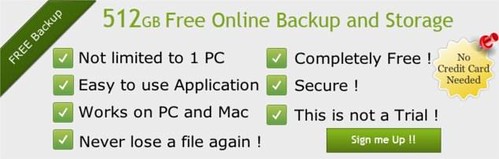
All of you know about many free cloud storage services like Dropbox, Box, Microsoft SkyDrive but all of them offer limited amount of "online data storage" after that you need to upgrade for more space. But here is another service called BeeCloud offering 512GB of online storage with their free account and allows you to access your data from anywhere web, iPhone, iPad, smart phone, PC, or Mac. Wait!! don’t jump on BeeCloud by seeing whooping 512GB storage, there is lot more you should know.
What you can do with Free BeeCloud Backup?

  • Backs up your files as you work.
  • 512GB of storage
  • It keeps up to 30 revisions of each file you upload on to BeeCloud, allowing you to go back to previous versions if you want too.
  • You can view your backup files online from anywhere.
  • You can even play your music, view your Office documents, watch your movies and display your photos right from within your web browser.

What you can’t do?

  • You can’t make any changes to files from the web portal which means you can’t edit, move, delete or rename files online. If you want too you need to upgrade.
  • You can’t upload new files online (because it is a direct copy of the files you have on your computer).

BeeCloud is a Live Drive reseller, uses all of LiveDrive's software and LiveDrive's web interface for uploading/downloading files, thus as a BeeCloud user you may get all security features of LiveDrive but keep in mind BeeCloud is LiveDrive RESELLER not LiveDrive itself and if you're assuming that BeeCloud will be here for so long.Think Again! LiveDrive can terminate BeeCloud at any time (remember Backify?) and in that case you lose everything.

So if you have made up your mind and want to try BeeCloud go ahead and get 512GB of free storage. All you need to do is to signup at their website for Free (no credit card required).

Source:-BeeCloud