Showing posts with label Storage. Show all posts

Monday, 7 January 2013

Dropbox for Windows 8 now available for Download

Dropbox Win8 app

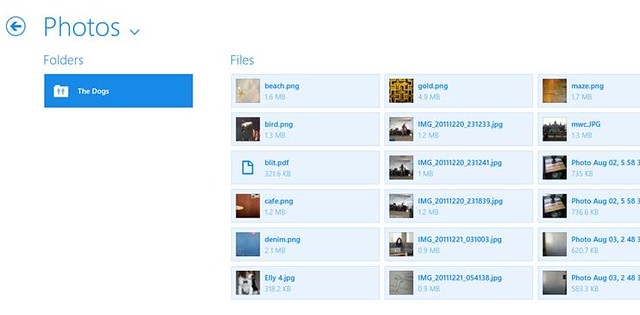
The Dropbox app for Windows 8 is now available in Windows Store. Available for both Windows 8 and Windows RT devices, this app will allow users to share files with other Dropbox users via the cloud, share folders and open or edit files and allows you to find your files with the Search Charm.

Source:- Windows Store

Thursday, 30 August 2012

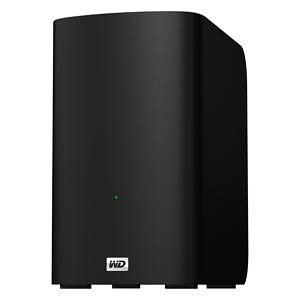
WD introduces My Book VelociRaptor Duo

WD My Book Velociraptor Duo

Western Digital (WD) today introduced its fastest My Book External HDD, My Book VelociRaptor Duo, supports Mac OS X.

My Book VelociRaptor Duo provides ultimate speed and performance with two 1 TB 10,000 RPM WD VelociRaptor drives along with two Thunderbolt ports. The 2 TB dual-drive storage system is ideal for editing high resolution video, 3D rendering, graphic design, and other demanding digital media applications. This boost in performance delivers solid state drive (SSD) -like data transfer rates of up to 400 MB/s for greater work-flow productivity. The dual-drive storage system offers RAID 0 for performance or RAID 1 for protection; and the twin Thunderbolt ports offer daisy-chaining multiple My Book VelociRaptor Duo drives and other high performance peripherals without impacting data transfer speeds or performance. The My Book VelociRaptor Duo also comes complete with a Thunderbolt cable in the box and is user-serviceable.

While RAID 0 maximizes the drive's speed and capacity, RAID 1 support allows users to create a second copy of their digital content on the drive for added protection, security and peace of mind. The drive also provides a JBOD (just a bunch of disks) option for users running a Windows operating system on a Mac.

Additional features found on the My Book VelociRaptor Duo dual-drive storage system include out-of-the-box compatibility with Apple Time Machine and HFS + Journaled for Mac computers; capability for multi-stream workflows; and a 3-year limited warranty.

The My Book VelociRaptor Duo dual-drive storage system is currently available at select U.S. retailers and online, starting at $899.99 MSRP USD.

Source:- Western Digital

Wednesday, 25 July 2012

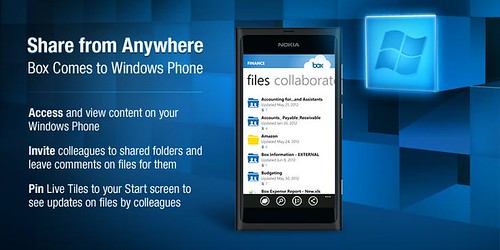
Box for Windows Phone now Available in Marketplace for Free

Box for WindowsPhone

Online storage service provider Box launched its first app for the Windows Phone platform, which is now available for free download from Windows Phone Marketplace. The Box for Windows Phone app has all the features offered to other platforms such as Android and iOS. These includes the ability to view, share, upload; invite others to shared folders and leave comments on files; search files; performing bulk actions on files/folders like move, copy, delete and naming; application-specific passcode lock; pin Live Tiles to your Start screen to see when colleagues leave updates on Box.

In addition to all this, Box translated the app into French, Italian, German, Spanish, Brazilian Portuguese, Simplified Chinese, Traditional Chinese and Japanese.

Source:- Windows Marketplace (Box for Windows Phone)

Tuesday, 17 July 2012

Saturday, 14 July 2012

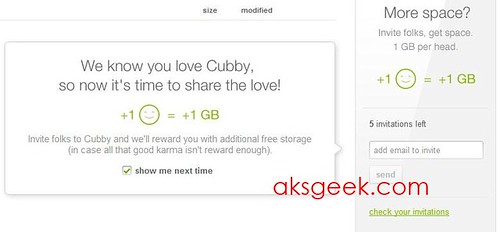
LogMeIn's Cubby Offering up 1GB for referrals

Cubby referrals

LogMeIn few months back launched a cloud service Cubby in beta, offering 5GB of free cloud storage and allowing users to share/sync files on their Windows PCs, Macs, iOS and Android devices. Now to keep users interested or in their words "to celebrate the next phase of the beta", company is offering 1GB of free additional storage to those who refer a friend to Cubby (right now only 5 referrals allowed). If you've already invited your friends then you can see free GB’s in your account.

Source:- Cubby

Microsoft updates SkyDrive App for Windows; unveiled new logo

new SkyDrive Logo

Microsoft on its official blog announced that they have released a newest update to SkyDrive app for Windows (version 16.4.6003.0710) which improves performance, reliability, and compatibility. Microsoft also refreshed the SkyDrive logo which is aimed "to deliver a consistent experience across all of Microsoft’s products."

What’s New:

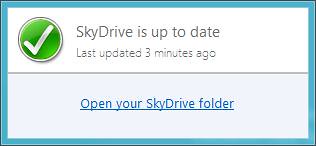
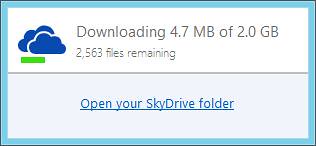
New Status Window - Many people asked for a simple way to check at a glance whether their SkyDrive is in sync. With this update, when you click SkyDrive in the system tray, a small status window appears. It lets you know if SkyDrive is up to date, and gives you the time at which SkyDrive was last updated. If SkyDrive is still syncing, you’ll also see the number of megabytes and files you have remaining to sync. SkyDrive updated

New context menu options - We’ve also added new options in the context menu that you see when you right-click (“View sync problems” and “Report a problem”) to make it easier to identify and report issues.

SkyDrivedownloading

Performance improvements - Most of the changes in this update aren’t really visible. Millions of people depend on SkyDrive to automatically sync files, so as with most updates, this one improves performance, reliability, and compatibility of SkyDrive.

Download SkyDrive

Source:- The Windows Blog

Thursday, 12 July 2012

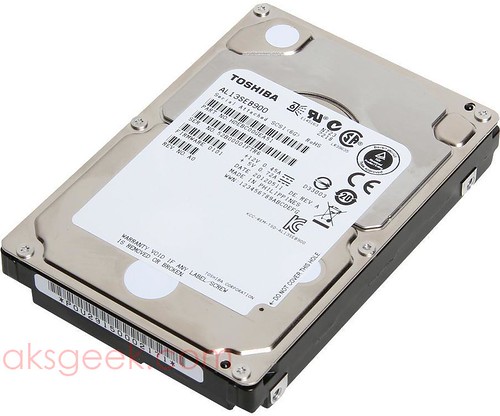
Toshiba announces AL13SE series Hard Drives up to 900GB

toshiba AL13SE series HDD

Toshiba today announced the AL13SE series of 2.5-inch 6Gb/s SAS interface hard disk drives (HDDs) in 300GB, 450GB, 600GB and 900GB storage capacities.

The AL13SE is the first 10,000 RPM class model enterprise drive from Toshiba to achieve 900GB capacity and is also the first of Toshiba's 10,000 RPM drives to employ a dual-stage head positioning actuator that provides additional performance gains, including a 32% increase in sustained transfer rate.

Designed for even the most demanding mission-critical applications, the AL13SE series features an operating reliability rating of 2,000,000 power-on hours, a 25% increase over prior-generation drives. System compatibility is also assured through usage of the industry-standard 512 byte sector size.

In keeping with Toshiba's leadership in power efficiency design, the AL13SE Series uses Supported Enhanced Power Condition State technology to lower RPM idle speed.

The AL13SE series is also available mounted in a 3.5-inch bracket for use in legacy based 3.5-inch servers and storage enclosures, providing the same 10,000 RPM class spin speed, 6 Gb/sec SAS interface, and reduced power consumption benefits available with small form factor drive technology.

Product Specifications

AL13SEB900, AL13SEB600, AL13SEB450, AL13SEB300

  • Capacity: 900GB 600GB 450GB 300GB
  • Average seek time: Read (typ.) 3.7ms
  • Write (typ.) 4.1ms
  • Interface SAS 2.0
  • Interface speed 6 Gb/s
  • Rotation speed 10,500 RPM
  • Buffer memory 64 MB
  • External dimensions (W)x(D)x(H) 69.85mm(2.75")x100.45mm(3.95")x 15.00mm(0.59")
  • Weight 240 g. or less
  • Power Consumption: Idle (ready) 4.7 watts (max)
  • Idle (low rotational speed) 2.7 watts (max)
  • Acoustic (Ready) 30 dB
  • Vibration: Operating 9.8 m/s2 (1.0G) 20 to 300 Hz
  • Non-operating 49 m/s2 (5.0G) 20 to 300 Hz
  • Shock: Operating 980 m/s2 (100G) 1ms
  • Non-operating 3,920 m/s2 (400G) 2ms

No word on pricing and availability yet.

Source:- Toshiba

Wednesday, 11 July 2012

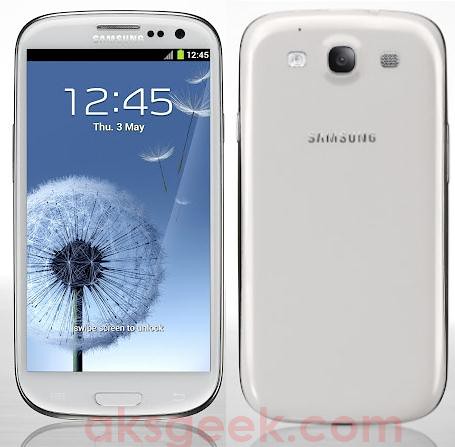
SugarSync Now Shipping on the Samsung Galaxy S III

sugarsync Galaxy S III

SugarSync, a free cloud service that lets you access, sync and share all of your files and folders across all your computers and mobile devices, today announced that it has expanded its existing partnership with Samsung. Starting with Samsung Galaxy S III, SugarSync will now ship on all Samsung mobile devices that feature the AllShare Play service.

SugarSync has been shipping on Samsung's AllShare Play-enabled Smart TVs since January of 2012, giving users the ability to access the SugarSync Cloud from their Samsung Internet-connected Smart TVs.

Samsung's AllShare Play service allows you to search for and play video, photo, and music files freely across AllShare Play-enabled devices such as PCs, TVs, and mobile devices. Samsung has incorporated the SugarSync Cloud into its AllShare Play service, so any AllShare Play user who does not yet have any cloud storage can easily create a cloud account by signing up for a SugarSync account - which provides 5GB of storage for free – from within AllShare Play. This integration also enables existing SugarSync users to access their files, photos, music and movies from their new Samsung devices. Users can now save photos and video from their Samsung phones and tablets to the SugarSync Cloud so they can access, view and play them at any time from other Samsung phones, tablets and Smart TVs.

Western Digital Announces WD Red NAS Hard Drives

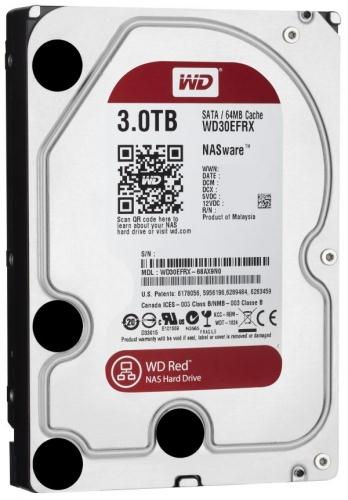
WD Red NAS HDD 3TB

Western Digital (WD) today announced the debut of  WD Red NAS hard drives, an innovative line of SATA hard drives specifically designed for home and small office NAS (network attached storage) systems with one to five drive bays. Compatibility-tested with top NAS box manufacturers and optimized for power and performance, WD Red hard drives are now shipping in 3.5-inch 1 TB, 2 TB and 3 TB capacities.

The WD Red line features NASware technology, designed to improve reliability and system performance, reduce customer downtime and to simplify the integration process. This new product line addresses the unique environment of NAS and the growing demand for affordable, reliable and compatible storage that reduces customer total cost of ownership. WD Red hard drives also feature 3D Active Balance Plus, an enhanced balance control technology, which significantly improves the overall drive performance and reliability. In an exclusive for WD Red customers, WD is offering free premium 24x7 dedicated support and a three-year limited warranty.

The addition of WD Red expands WD’s “Power of Choice” client hard drive solutions. WD recognizes that customers and their applications are diverse and they should be empowered to choose the drives that best suit their specific storage needs. With distinguishable colors, the “Power of Choice” storage solutions are clear and easy to identify: WD Blue (solid performance and reliability for everyday computing) WD Green (cool, quiet, eco-friendly), WD Black (maximum performance for power computing), and WD Red (home and small office NAS). The four colors enable quick selection of the best WD drive for customers’ application or usage requirements.

WD Red hard drives are available now at select resellers and distributors. Manufacturer's suggested retail price (MSRP) for the WD Red 1 TB drive (model #: WD10EFRX) is $109.00 USD, the 2 TB drive (model #: WD20EFRX) is $139.00 USD and the 3 TB drive (model #: WD30EFRX) is $189.00 USD.

Source:-Western Digital

Tuesday, 10 July 2012

Dropbox Pro Accounts gets Doubled Storage, adds new 500GB Plan

Dropbox Pro plans

Dropbox today upgraded its Pro storage plans. The 50GB plan has been doubled to 100GB and 100GB plan has been doubled to 200GB for the same cost (the Pro 100 is $9.99 per month or $99 per year, and the Pro 200 is $19.99 per month or $199 per year). Dropbox also announced the 500GB option and giving its existing Pro users a three month Pro 100 trial.

Source:- Dropbox

Monday, 2 July 2012

Sony announces XQD S Series memory card

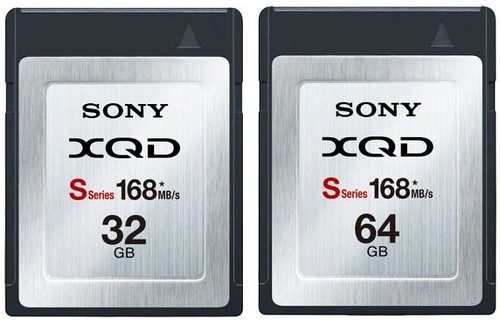
XQD S Series 32-64GB

Sony today announced the new XQD S Series memory card which offers the read/write transfer speeds of 168MB/s (actual speed), outpaces the maximum interface speed limit of Compact Flash cards (167 MB/s).

A high-speed driver for the MRW-E80 XQD card reader is available now for free download at http://www.sony.co.uk/support/en/product/mrw-e80

Also available, free driver software allows XQD memory cards to be used with the latest Thunderbolt-enabled computers through a compatible card reader.

From August, XQD S Series users can also download free new version of File Rescue, Ver 3.2, software by Sony, allowing recovery of accidentally-deleted photos and videos. It’s the world’s first file recovery utility that now supports latest AVCHD and 3D formats as well as RAW and MOV files. File Rescue software is also available for XQD H Series users.

The new XQD S Series memory card is available with 64GB capacity from July 2012. A 32GB card will also be available later in 2012 (September/October).

Source:- Sony

Thursday, 31 May 2012

ADATA launches new Premier Pro microSDHC UHS-I U1 memory cards

ADATA Premier Pro

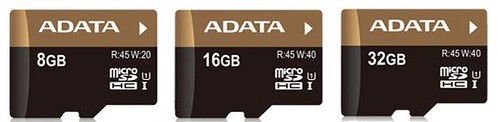
ADATA Technology announced the new Premier Pro microSDHC UHS-I U1 memory cards, newest addition to the Premier Pro line offers ideal specifications for smartphone and tablet users.

These new microSDHC cards follow through in the tradition of this prestigious product family, with support for the latest SD 3.0 standards. Read/write speeds for the larger capacity cards (16 and 32 gigabytes) are 45 MB/second (Read) and 40 MB/second (Write). They also offer up to 1400/150 IOPs random Read/Write speeds, ensuring high performance while running multiple applications or when working with high resolution media files.

The Premier Pro microSDHC UHS-I U1 cards will be bundled together with an SD adaptor, to facilitate transfer of contents to and from users' personal computers and will be available in capacities of 8, 16 and 32 gigabytes.

Wednesday, 16 May 2012

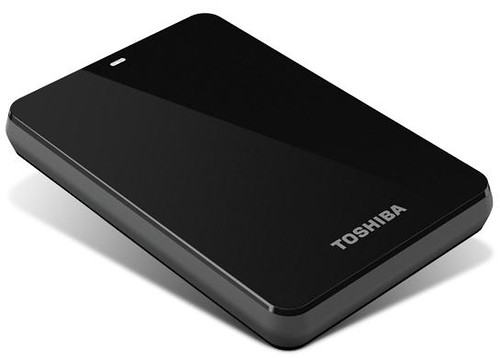
Toshiba Canvio 3.0 Portable Hard Drives up to 1.5TB

Toshiba Canvio 3.0

Toshiba today announced that its Canvio 3.0 and Canvio Basics 3.0 portable hard drives will now offer consumers up to 1.5 terabytes of storage and Mac compatibility, without the need for reformatting, on a select Canvio 3.0 model. All of these offerings come equipped with USB 3.0 technology for higher data transfer speeds and enable consumers quickly and easily store, transfer and back up their valuable data.

Canvio 3.0: Easy to use and complete backup solutions

Toshiba's Canvio 3.0 is a stylish and portable storage device that addresses a variety of storage needs. Featuring up to 1.5TB of storage, the Canvio 3.0 has the capacity to back up consumers' entire computer systems and data transfer speeds are now faster than ever with the inclusion of USB 3.0 technology. Additionally, the 1.5TB solution includes a NTFS driver for Mac computers that allows users to easily swap data between Macs and PCs without having to reformat the drive.

The Canvio 3.0 also comes equipped with software that provides file, folder and full system back-up and recovery. Users can run a full system backup and file/folder backup simultaneously, as well as pre-set their back-up sessions using an easy scheduling feature. It also offers a free 30-day trial for its Cloud-enabled back-up feature.

To ensure maximum data protection, the Canvio 3.0 has a unique internal shock sensor and ramp loading technology to safeguard consumers' valuable data against accidents and drops. Available in a variety of colors, including black, silver, white, red, blue and green, this storage device is the perfect marriage between style and powerful data protection.

Canvio Basics 3.0: Simple add-on storage in a box

The Canvio Basics 3.0 is Toshiba's simplest storage solution. There is no software setup necessary and the device is ready to use right out of the box, allowing users to simply plug it into their PC and start saving their digital files. The Canvio Basics 3.0 offers up to 1.5TB of storage and supports USB 3.0 for rapid transfer speeds. Similar to the Canvio 3.0, the Canvio Basics 3.0 is also equipped with a special internal shock sensor and ramp loading technology to protect consumers' files against accidents and drops.

Pricing and Availability

Pricing for the Canvio 3.0 line will range from $119.99 MSRP to $199.99 MSRP. The 1.5TB solution, which includes the NTFS driver for Mac compatibility, will be available for $199.99 MSRP, while the 1.0TB offering will be available for $149.99 MSRP, the 750GB will be available for $129.99 MSRP and the 500GB will be available for $119.99 MSRP.

Pricing for the Canvio Basics 3.0 line will range from $109.99 MSRP - $180.99 MSRP. The 1.5TB solution will be available for $189.99, the 1.0TB will be available for $139.99 MSRP, the 750GB will be available for $119.99 MSRP and the 500GB will be available for $109.99 MSRP.

LaCie 2big NAS delivers speeds up to 100MB/s

LaCie 2big NAS

Today LaCie announced a new 2-bay network-attached storage solution (NAS) that delivers the ideal combination of speed and security for small businesses – the LaCie 2big NAS, design by Neil Poulton. Powered by a 2GHz processor and improved file system, the 2big NAS delivers speeds up to 100MB/s, ensuring employees can share files from any PC, Mac, or Linux workstation.

FAST COLLABORATION

In a data-dependent world, small offices can't afford delays in workflow. The 2big NAS supports non-stop data accessibility and collaboration thanks to its 2GHz processor and LaCie NAS OS 2 software. It delivers enough storage capacity and bandwidth to back up multiple workstations, share large files and work on projects concurrently.

FORMIDABLE DATA SECURITY

Because data multiplies by the second, office administrators and IT professionals must ensure all digital assets are backed up and secure. The LaCie 2big NAS offers multiple levels of security including RAID 1 for data mirroring. Coupled with its hot-swappable drives, a failed disk can be replaced with no interruption, no data loss and without needing to turn off the device.

The LaCie 2big NAS ensures a complete backup of any Linux, PC or Mac workstation. Choose from the popular Time Machine and Windows 7 Backup software, or the included LaCie backup software. Consistent automatic backup means users can restore lost files instantly.

What's more, LaCie's NAS OS 2 dashboard makes it easy for businesses to back up the 2big NAS automatically, for added data security and peace of mind. Wizards with presets make advanced tasks such as RAID management, users management and NAS-to-NAS backups easy. No IT degree required. With just a few clicks users can back up the 2big NAS onto a direct-attached external hard drive, or schedule a nightly backup onto a NAS in a different location.

REMOTE ACCESSIBILITY

Complementary to fast file sharing and data security is instant access to your data. The 2big NAS allows employees to access important files anywhere where there is an Internet connection. They can even download the free iOS app – LaCie MyNAS – to access files from an iPhone or iPad.

ENERGY SAVINGS

The LaCie 2big NAS saves businesses money by allowing full control of its energy usage. Users can schedule shutdown and restart during optimal business hours to boost efficiency. Plus, the LaCie 2big NAS is now ten times more energy efficient when in deep sleep mode. And, thanks to the wake-on-LAN protocol, users can access the 2big NAS from deep sleep without being next to the system.

AVAILABILITY

The LaCie 2big NAS is available in 0TB (diskless) and 6TB capacities starting at £187 ($299) with a three year warranty.

Wednesday, 9 May 2012

ADATA Announces SP900 and SP800 Series SSD Availability in the US and Canada

ADATA SSD SP900 and SP800

ADATA Technology announced the new solid state drive (SSD) - the Premier Pro SP900 and Premier SP800.

Premier Pro SP900

Boasting impressive performance numbers, the Premier Pro SP900 also offers a competitive price advantage. Maximum sequential read and write speeds are 550/520 MB per second, with maximum random 4k write speeds of 85,000 IOPS. Capacities of 64, 128 and 256 GB make the SP900 an outstanding option for upgrading notebooks that are compatible with the SATA 6Gb per second specification.

Premier SP800

The Premier SP800 is a SATA II compliant SSD that also makes efficient use of the Flash storage capacity, allowing for capacities of 32GB and 64GB. Max sequential read and write speeds are 280/260MB per second, and max random 4k write speeds are up to 44,000 IOPS. It enters the market as a high value entry-level solid state drive for those who are just now making the transition from mechanical drives.

Currently, Newegg is offering Premier Pro SP900 64GB, 128GB and 256GB at a discounted price of $79.99, $124.99 and $259.99 respectively.

Source:- ADATA (1), (2), Newegg


Tuesday, 1 May 2012

LG launches LG Cloud beta

LG Cloud

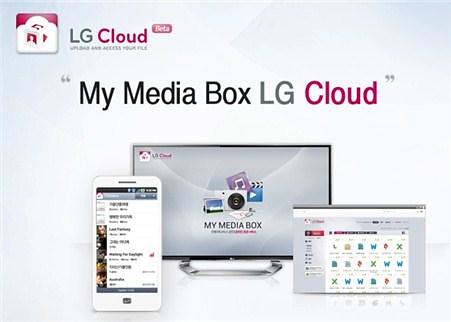
LG today launched the beta of LG Cloud service providing seamless connectivity and streaming access to all digital content across various electronic devices.

To use the service, users need to download the LG Cloud app from Google Play or LG SmartWorld app store from their Android smartphones, LG SmartWorld store from their LG Smart TVs or the LG Cloud website from their PCs or laptops. LG's Cloud service automatically synchronizes smartphone content with the cloud server and the user's PC and TV. Photos and videos taken with the smartphone can be viewed and streamed to the PC or TV almost instantaneously. Videos edited on a PC can be uploaded to LG Cloud for viewing seconds later on a smartphone. Unlike other cloud services, there's very little waiting or lag time since the content is streamed to the TV, PC or smartphone, not downloaded first.

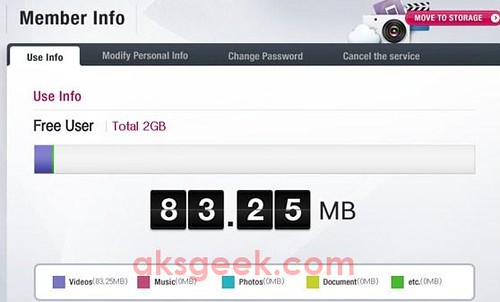
LG Cloud 2GB free storage

Anyone who create a free account will get 2GB of space, while in their FAQ, LG said,

LG cloud FAQ

LG Cloud provides 5GB free storage space per member. In addition, a member who has purchased LG Smart TV or LG Smart Phone may receive 50GB free storage for 6 months. In the future, a larger space will be provided as a pay service.

May be, they are in beta that's why they are providing 2GB of free storage but nonetheless you can add LG Cloud service to your free cloud storage options.

Source:- LG Cloud

Saturday, 28 April 2012

Google Drive integrated into ChromeOS Dev Channel

Google Drive icon

Google built Google Drive support in the latest developer release of Chrome OS version 20.0.1116.0 which also contain functional, security and stability improvements. As expected, Google Drive is now deeply integrated into the ChromeOS file manager. For more information hit the source link below.

Source:- Google Chrome Releases Blog

Wednesday, 25 April 2012

Google Officially launches Google Drive with 5GB Free Storage

Google Drive

Google's cloud storage service Google Drive is now official. The service is deeply integrated into Google Docs, will offer 5GB of free cloud storage for documents, videos, photos, PDFs and other stuff. You can also choose to upgrade to 25GB for $2.49/month, 100GB for $4.99/month or even 1TB for $49.99/month and upgrading to a paid account, will expand your Gmail account storage to 25GB.

With Google Drive, you can:

  • Create and collaborate. Google Docs is built right into Google Drive, so you can work with others in real time on documents, spreadsheets and presentations. Once you choose to share content with others, you can add and reply to comments on anything (PDF, image, video file, etc.) and receive notifications when other people comment on shared items.
  • Store everything safely and access it anywhere (especially while on the go). All your stuff is just... there. You can access your stuff from anywhere—on the web, in your home, at the office, while running errands and from all of your devices. You can install Drive on your Mac or PC and can download the Drive app to your Android phone or tablet. We’re also working hard on a Drive app for your iOS devices. And regardless of platform, blind users can access Drive with a screen reader.
  • Search everything. Search by keyword and filter by file type, owner and more. Drive can even recognize text in scanned documents using Optical Character Recognition (OCR) technology. Let’s say you upload a scanned image of an old newspaper clipping. You can search for a word from the text of the actual article. We also use image recognition so that if you drag and drop photos from your Grand Canyon trip into Drive, you can later search for [grand canyon] and photos of its gorges should pop up. This technology is still in its early stages, and we expect it to get better over time.

Google Drive is available now for PC, Mac, and Android, and will come soon to the iPhone and iPad.

Source:- Google Blog

Tuesday, 24 April 2012

Dropbox Simplifies Sharing with a Link

dropbox sharing with link

Dropbox announced a new feature that will let you share documents, photos, and videos by simply creating and sending a link to anyone whether they are Dropbox users or not.

Now, if you want to share a file in Dropbox, you just click on the file, then click on “Get Link”, and Dropbox will automatically generate a custom URL. You can share that URL to anyone and whoever clicks on it will be able to view the file (not edit) in their browser. It's an easy and simple way for Dropbox users to share files with people who don’t have Dropbox accounts.

But just in case a friend wants to save that picture or PDF for later, they can choose to either download it or save it straight to their Dropbox.

SkyDrive App (preview) for Windows and Mac now available Download

Microsoft SkyDrive

Microsoft has released a preview version of its SkyDrive desktop app for Windows (8, 7 and Vista) and Mac OS X Lion users.

SkyDrive for Windows and Mac allow users to drag-and-drop files (up to 2 GB in size) to and from SkyDrive folders. There is also a new fetching files option that allows SkyDrive desktop users to access, browser, and stream files from a remote PC running the latest preview of SkyDrive desktop.

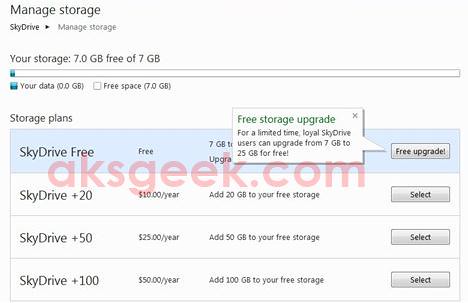
Microsoft has also revealed pricing for its just-launched Skydrive app, which cost $10, $25, or $50 a year for an additional 20GB, 50GB or 100GB. Reduced the 25GB of free storage that Microsoft once offered to new users, to just 7GB (still more than what Dropbox offers). However existing users who has uploaded files to SkyDrive as of April 22nd can opt in to keep 25GB of free storage.

Hurry up! manage your storage and retain 25GB free cloud space. Skydrive 7GB to 25GB

Download SkyDrive App (Preview)

Windows | Mac

Source:- MSDN Blog