Showing posts sorted by relevance for query Box. Sort by date Show all posts

Friday, 24 February 2012

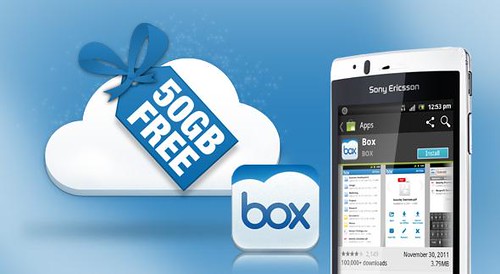
Box offering Android users Free 50GB Cloud Storage

Box v1.6

Normally, Box offers 5GB cloud storage to free users but today Box along with releasing an update to its app (v1.6) announced that Android users who log-in between now and March 23 will see their Box accounts permanently upgraded to 50GB. In addition to that Box increases the upload limit which means you can now upload files up to 100MB. Now that's the best free cloud storage option to backup your files.

Source:- Android Market | Box

Read 18 Best Cloud Storage Providers

Wednesday, 25 July 2012

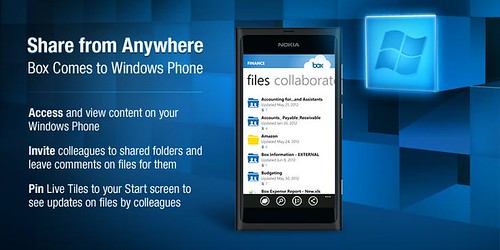
Box for Windows Phone now Available in Marketplace for Free

Box for WindowsPhone

Online storage service provider Box launched its first app for the Windows Phone platform, which is now available for free download from Windows Phone Marketplace. The Box for Windows Phone app has all the features offered to other platforms such as Android and iOS. These includes the ability to view, share, upload; invite others to shared folders and leave comments on files; search files; performing bulk actions on files/folders like move, copy, delete and naming; application-specific passcode lock; pin Live Tiles to your Start screen to see when colleagues leave updates on Box.

In addition to all this, Box translated the app into French, Italian, German, Spanish, Brazilian Portuguese, Simplified Chinese, Traditional Chinese and Japanese.

Source:- Windows Marketplace (Box for Windows Phone)

Thursday, 5 January 2012

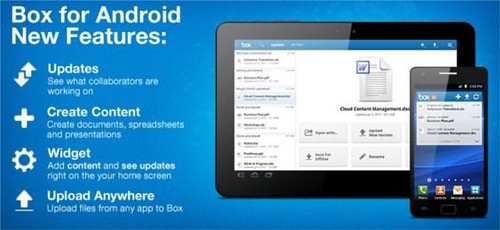
Download Box for Android v1.5

Box for Android

Box team has updated Box for Android app to version 1.5 by adding new features to it like-- you can now keep an eye on updates to your files right from a home screen widget, send files to Box from anywhere you can open files (like email attachments), and create new Office documents with compatible apps like QuickOffice Pro.

Box For Android (Android Market)


Tuesday, 6 December 2011

Box and HP Collaborated to Offer some Cloud Storage to Business Customer

HP and Box
Hewlett Packard (HP) and Box.net teamed up to offer cloud-based collaboration (for storing and managing content on cloud) to select buyers but only if they buy via the Smart Buy program. Users that purchase a HP Compaq 6200 and 6005 Pro Series PCs will receive a free Box account with 10 GB of storage and the option to upgrade to additional capacities at a reduced annual rates and those who go for HP Elite 8200 Series PC will receive a Box account with unlimited storage and sync at no cost for one year.

Do You Know? Box.net and LG Offering 50 GB Free Lifetime Storage on All Android-powered LG Devices
Source:- HP

Thursday, 1 December 2011

50 GB Free Lifetime Storage on All Android-powered LG Devices

LG 50GB free storage

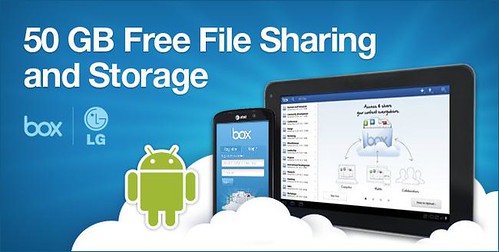
LG has teamed up with cloud storage provider Box.net and as a result offers not 5GB or 10GB, but 50GB of free cloud storage.

LG users who sign up for an account with Box through their LG Android mobile devices between November 30, 2011 and March 31, 2012 will enjoy the benefits of free, secure cloud storage and sharing for the lifetime of the account.

The Box for Android 50GB promotion is applicable to Android OS 2.1 or above with display resolution 320x480 or higher. The promotion is available in the U.S. only.

P.S. Sony Ericsson mistakenly posted a promo offering Xperia owners 50GB free storage via the Box for Android mobile app. This offer is not active but definitely on the card.

Saturday, 8 December 2012

Sony and Box renew partnership, offering 50GB Free storage through 2013

Sony and Box

Sony today announced that it has extended its partnership with Box, offering lifetime 50GB of Free cloud storage for Xperia smartphone and Sony tablet users, by signing-up or accessing existing Box accounts from their devices before 31st December 2013. However, do note that the offer available for Xperia smartphones including and released after Xperia X10, but not for Xperia X10 mini, X10 mini pro and devices with Android versions prior to 2.1.

Source:- Sony Mobile

Thursday, 23 February 2012

18 Best Free Cloud Storage Providers

Cloud Storage

Recently, I've shared with you BeeCloud offering free 512GB of online Cloud Storage, now I’ve decided to share with you most comprehensive list of free online Cloud Storage providers but before starting you should know what is Cloud Storage?
According to Wikipedia, Cloud storage is a model of networked online storage where data is stored on virtualized pools of storage which are generally hosted by third parties. Hosting companies operate large data centers; and people who require their data to be hosted buy or lease storage capacity from them and use it for their storage needs. The data center operators, in the background, virtualize the resources according to the requirements of the customer and expose them as storage pools, which the customers can themselves use to store files or data objects. Physically, the resource may span across multiple servers.
In short, you data is backed up/stored online on different servers then when you need it you can access it from anywhere anytime without carrying your data with you all the time.
Top 10 Free cloud storage service providers offers backup and synchronization--supports more than two platform.
1. Dropbox
Dropbox
Dropbox offer 2GB of free storage and supports Windows, Mac, Linux, iPad, iPhone, Android and BlackBerry
2. SugarSync
SugarSync
SugarSync offer 5GB of free cloud storage and works with Windows, Mac, iPhone, iPad, Android, BlackBerry, Symbian and Windows Mobile.
3. Ubuntu One

Ubuntu One
Ubuntu offer 5GB of free cloud storage services through Ubuntu One and supports Windows, Ubuntu (linux), Android, iPhone and iPad.
4. Zumo Drive
Zumbo Drive
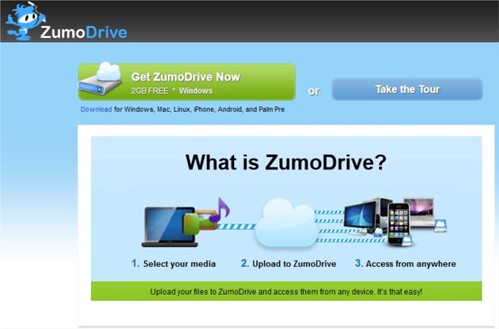
Zumo Drive offer 1GB of Cloud storage plus 1GB of bonus storage when you complete the Dojo means total of 2GB for storing files. It works with Windows, Mac, Linux, iPhone, Android, and Palm Pre.
5. IDrive
IDrive
IDrive is not an Apple product but still its come in handy when it comes for free online storage. IDrive offer free 5GB of storage and retains and allows you to restore the last 30 versions of all files backed up to your account. Your storage is computed only for the most current version; historical versions are stored free. It works on Windows, Mac, iPhone, iPad and Android.
6. SpiderOak
Spideroak
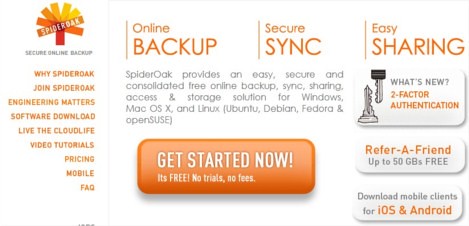
SpiderOak offers 2GB’s free cloud storage and for Windows, Mac OS X, and Linux (Ubuntu, Debian, Fedora & openSUSE), Android, iPhone and iPad.
7. Memopal
Memopal
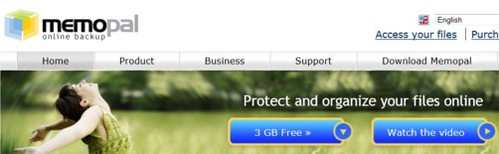
Memopal offers 3GB of free storage and supports Windows, Mac, Linux, Android, iPhone and BlackBerry
8. CX.com

cx
CX offers free 10GB space with support for Windows, Mac, Linux, Android, iPhone/iPad and Kindle Fire.
9. MozyHome
Mozy
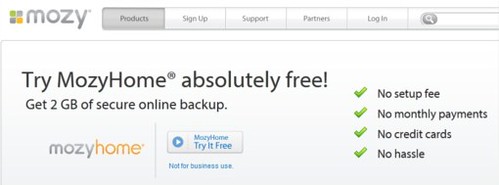
With MozyHome you get free 2GB of secure online backup and it works with Windows and Mac. And you how much is 2GB 250,000 text emails, 340 MP3 files  and 300 photos.
10. MiMedia

MiMedia
MiMedia offers 7GB of free cloud storage which is equivalent of 1,000+ songs, 1,400+ photos, 140+ videos or 7,000+ documents--in the cloud, to stream and share from any web-enabled computer, iPhone or iPad.
To use above services you need to install software on your computer or mobile device to sync and back up your data automatically/manually, then you can access your backed up files from anywhere.
There are other free cloud services providers which may not allow sync from your computer or mobile devices but you can backup or store your data on cloud and access it from anywhere.
1. Box

Box
Box is well settled and reputed cloud storage service provider offers 5GB of free storage.
2. Amazon Cloud Drive
Amazon Cloud Drive
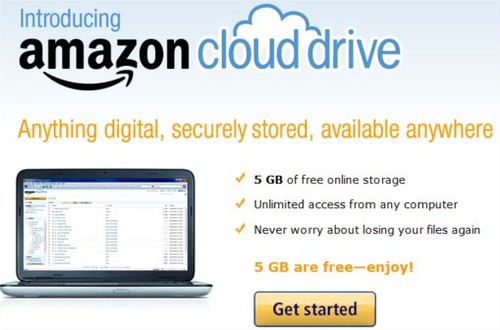
Amazon’s very own cloud storage solution, offers 5GB of free storage. It is noteworthy to mention that songs purchased from Amazon Music store are saved directly to your Amazon Cloud Drive, moreover it doesn’t consume your storage limit. But you need to upload your file through web interface. Not so great option but if you go with brand, trust and reliability it's still the best option to bet on.
3. Adrive

Adrive
Adrive offers 50GB storage capacity with not so good user interface but it still offer most spacious solution.
4. Windows SkyDrive
SkyDrive
May be you all, already know about Microsoft SkyDrive offering 25GB of Sky storage. It nice option if you have lot of files to share. On Windows you can install SkyDrive installer to share you files.
5. 4Shared
4Shared
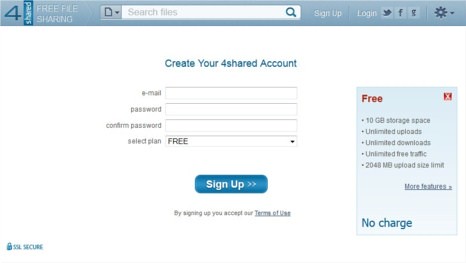
4Shared started as the file sharing site now offering free 10GB of storage with up to 2GB of upload filesize limit. It supports Windows, Mac, Linux and other mobile devices.
6. SafeCopy
safecopy
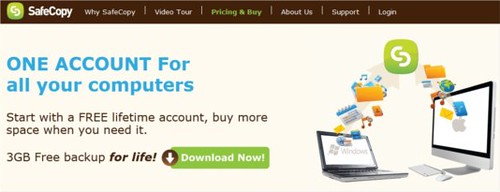
SafeCopy offer 3GB of free storage works on Windows, Mac, Linux, Android and iPhone/iPad. It is available in 15 languages and uses 448-military grade encryption.
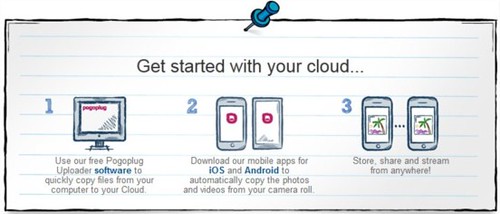
7. PogoPlug
PogoPlug
PogoPlug gives you 5GB of storage and supports Windows, Mac Android and iOS devices.
8. Google

Google Services
Yes your own Google, which you're using almost each and every day. Gives you 1GB of Picasa storage plus another gigabytes from Google Docs and remember your own Gmail account 7GB storage.
Other Cloud Storage and backup options
NephoScale -5GB
HiDrive - 5GB
Syncplicity (offers Sync and Backup) - 2GB
BeeCloud - 512GB
Filesanywhere - 1GB
I hope you liked it. Do you know any other free and reliable cloud storage service provider which I've missed? Share with us.

Wednesday, 16 May 2012

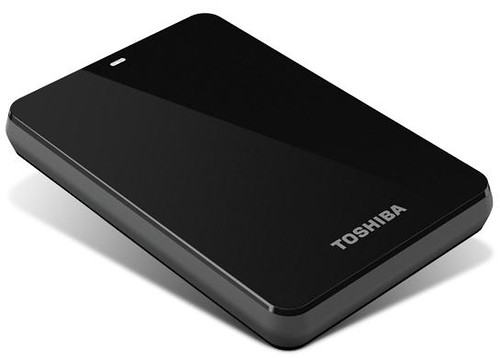
Toshiba Canvio 3.0 Portable Hard Drives up to 1.5TB

Toshiba Canvio 3.0

Toshiba today announced that its Canvio 3.0 and Canvio Basics 3.0 portable hard drives will now offer consumers up to 1.5 terabytes of storage and Mac compatibility, without the need for reformatting, on a select Canvio 3.0 model. All of these offerings come equipped with USB 3.0 technology for higher data transfer speeds and enable consumers quickly and easily store, transfer and back up their valuable data.

Canvio 3.0: Easy to use and complete backup solutions

Toshiba's Canvio 3.0 is a stylish and portable storage device that addresses a variety of storage needs. Featuring up to 1.5TB of storage, the Canvio 3.0 has the capacity to back up consumers' entire computer systems and data transfer speeds are now faster than ever with the inclusion of USB 3.0 technology. Additionally, the 1.5TB solution includes a NTFS driver for Mac computers that allows users to easily swap data between Macs and PCs without having to reformat the drive.
The Canvio 3.0 also comes equipped with software that provides file, folder and full system back-up and recovery. Users can run a full system backup and file/folder backup simultaneously, as well as pre-set their back-up sessions using an easy scheduling feature. It also offers a free 30-day trial for its Cloud-enabled back-up feature.

To ensure maximum data protection, the Canvio 3.0 has a unique internal shock sensor and ramp loading technology to safeguard consumers' valuable data against accidents and drops. Available in a variety of colors, including black, silver, white, red, blue and green, this storage device is the perfect marriage between style and powerful data protection.

Canvio Basics 3.0: Simple add-on storage in a box

The Canvio Basics 3.0 is Toshiba's simplest storage solution. There is no software setup necessary and the device is ready to use right out of the box, allowing users to simply plug it into their PC and start saving their digital files. The Canvio Basics 3.0 offers up to 1.5TB of storage and supports USB 3.0 for rapid transfer speeds. Similar to the Canvio 3.0, the Canvio Basics 3.0 is also equipped with a special internal shock sensor and ramp loading technology to protect consumers' files against accidents and drops.

Pricing and Availability

Pricing for the Canvio 3.0 line will range from $119.99 MSRP to $199.99 MSRP. The 1.5TB solution, which includes the NTFS driver for Mac compatibility, will be available for $199.99 MSRP, while the 1.0TB offering will be available for $149.99 MSRP, the 750GB will be available for $129.99 MSRP and the 500GB will be available for $119.99 MSRP.

Pricing for the Canvio Basics 3.0 line will range from $109.99 MSRP - $180.99 MSRP. The 1.5TB solution will be available for $189.99, the 1.0TB will be available for $139.99 MSRP, the 750GB will be available for $119.99 MSRP and the 500GB will be available for $109.99 MSRP.

Friday, 15 April 2011

Verizon Unveils the Next Generation of FiOS TV With Enhanced Interactivity and Personalization

FiOS TV

Verizon announced the next generation of its award-winning, all-fiber-optic FiOS TV service. The company used customer feedback gained from its product development labs, field trials and social media forums to create many of the more than 25 upgrades to FiOS TV's advanced Interactive Media Guide. The enhancements include greater personalization and customization, easier navigation, deeper search, bigger storage options and optimization for new 3D technology.

FiOS TV customers in the Buffalo, Syracuse and Albany, N.Y., areas, along with those in the Harrisburg, Pa., region, are the first to get the powerful new upgrades, effective immediately. All other FiOS markets are scheduled to receive the upgrade during the coming months.

Highlights include:

  • 3D content software, which automatically detects when a customer tunes to a 3D program or channel and instantly changes the necessary settings for watching those programs on a 3D television set.
  • DVR enhancements, which give FiOS TV customers more control with the following:
  • DVR chaptering, giving viewers DVD-like capabilities to jump ahead or resume viewing at a particular moment of recorded programming by using on-screen thumbnails in 10-minute increments, providing more visual navigation.
  • Multi-hub DVR, which turns any DVR or HD set-top box in the home into a "hub," allowing customers to record and manage DVR settings from any room in the home, provided one of the DVRs is a multi-room DVR.
  • eSATA external storage device compatibility, available with most FiOS TV DVRs, allowing for increased overall storage capacity. eSATA hard drives can be purchased at most consumer electronics stores and will automatically record customer selections once plugged into the DVR.
  • New "play all" and "delete all" options, allowing customers to play episodes back-to-back and automatically delete all episodes of a show with the push of a button.
  • Personalization features, which let FiOS TV customers enjoy entertainment on their own terms, including:
  • New parental control options that make monitoring children's viewing even easier, with the ability to block out portions of programming by rating during key hours of the day, like homework time, and schedule certain times for Parental Controls to be automatically turned on and off for greater flexibility.
  • Guide customization, enabling a variety of settings, with a mini guide on the bottom of the screen, a half guide on the right side of the screen, and a full guide with a look at more hours of scheduled programming.
  • Improved search capabilities, which provide a smarter search function that predicts what the customer is looking for and automatically provides potential matches. FiOS TV customers also can filter and sort by channel, and more easily locate favorite programs.

Verizon's FiOS TV Interactive Media Guide can be accessed with the FiOS TV remote control or by using Verizon's FiOS Mobile application, which turns an iPhone, iPod Touch, iPad or Android device into a remote control for a FiOS HD set-top box, making parental controls, customized interactive applications and program recording options easy to access.

The next-generation FiOS TV is built upon a long series of innovations, including: Flex View and FiOS TV Online, which extend FiOS TV beyond the home to the Internet and a range of mobile devices; free interactive applications including Facebook, Twitter, YouTube, Yelp, HSN Shop By Remote, TMZ and others; Media Manager, which allows customers to access personal photos, music and videos from their computers on their TVs; and In-Home Agent, which frees customers to use simple online tools to diagnose and resolve a range of service issues.

For the latest news, updates and information about FiOS TV, visit http://www.verizon.com/athomeblog.


Wednesday, 18 April 2012

Sprint and LG Launch Optimus Elite

Sprint LG Optimus Elite

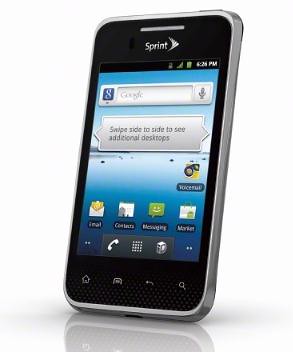
Sprint and LG announced the successor to the popular LG Optimus S, LG Optimus Elite, which will be available in Titan Silver and Whitw on Earth Day - Sunday, April 22nd  for just $29.99 with a new two-year contract. The device will become available in additional channels, including Sprint retail, on May 18 and will eventually arrive, on Virgin Mobile too.

LG Optimus Elite boasts eco-friendly attributes and the coveted UL Environment Platinum Certification. The main features of the LG  Optimus Elite include Android 2,3, a 3.5-inch screen, an 800MHz processor, NFC, a 5 megapixel camera and 50GB of free cloud storage and sharing from Box.

LG Optimus Elite Specifications/Features:-

  • 5MP camera and camcorder
  • 3.5 inch touchscreen display with virtual QWERTY keyboard
  • Android Market for access to more than 400,000 applications, widgets and games
  • 50GB of free cloud storage and sharing from Box
  • Near Field Communication (NFC) technology, which allows the device to read information from everyday objects, like stickers and posters embedded with NFC chips and Google Wallet enabling the phone to be used like a wallet to make safe, secure purchases at hundreds of thousands of participating retailers using NFC
  • Sprint ID, a user-friendly means of customizing Android content on mobile phones. Allows users to instantly download ID packs that deliver a predefined experience, including applications, widgets, ringtones and wallpapers, all at once.
  • Mobile Hotspot capability supporting up to five Wi-Fi enabled devices to share the 3G experience simultaneously.
  • Wi-Fi Enabled – 802.11 b/g/n with Mobile Hotspot capability supporting up to five Wi-Fi enabled devices to share the 3G experience simultaneously
  • microSD card slot supporting up to 32GB (microSD card not included with device)
  • GPS Navigation– search for the closest coffee shop, or navigate to a specific address with a 3D map that moves with you
  • Corporate Email (Exchange Active Sync) & Personal email (POP & IMAP) which gives you access to Gmail, Yahoo!  and much more
  • Dimensions: 4.6" (H) x 2.47" (W) x 0.39" (D)
  • Weight: 4.25 ounces
  • Main Display: 3.5” Color TFT, 320 x 480 (HVGA) Pixels
  • Memory: 512MB RAM, 4GB ROM
  • Standard Battery: 1520 mAh, up to 7.3 hours talk time

Now, which one you like to buy on April 22nd - Galaxy Nexus or affordable, eco-friendly Optimus Elite?

Thursday, 10 November 2011

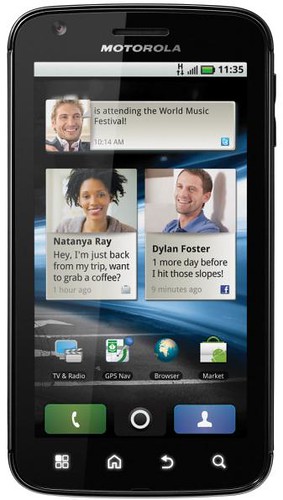
Motorola Debuts Old Devices in Ecuador-ATRIX, DEFY, MOTOKEY MINI and SCREEN MINI

MOTOROLA ATRIX

Motorola reentries Ecuador with an innovative product portfolio created for all kinds of users. Among the products that the company will present in the country: Motorola ATRIX, Motorola DEFY, Motorola MOTOKEY MINI and Motorola SCREEN MINI.

Motorola ATRIX

Motorola ATRIX has been designed to essentially become a user’s primary digital hub to create, edit and interact with documents, media and content. This is facilitated by Motorola’s webtop application and incredible new accessory docks included in the box in Ecuador: Motorola HD Multimedia Dock, remote control and HDMI cable.

While in the webtop application, users can view their Android applications in a larger window, browse their favorite websites with a full Firefox desktop browser, send instant messages, check email, access files and make phone calls all at the same time. Plus, the Entertainment Center feature lets users show photos, play music and watch videos from HD TVs in their living rooms. Calls even continue uninterrupted if Motorola ATRIX is removed from a dock.

Motorola offers three docks for the Motorola ATRIX:

  • HD Multimedia Dock: With three USB ports and an HDMI port, the Motorola HD Multimedia Dock, included in the box in Ecuador, can be used for desktop tasks by attaching an HDMI-compatible monitor, keyboard, mouse and speakers. Or the dock can be connected to an HDMI-compatible television and home theater audio system to enjoy video, and interact with the contents and enjoy videos, music, games and much more from the living room of your home.
  • Motorola Lapdock: An incredibly thin design weighing just 2.4 pounds, the Lapdock provides an 11.6-inch screen, full keyboard, stereo speakers, and a 36Wh three-cell battery that delivers up to eight hours of running time. Users simply dock their Motorola ATRIX into the back of the Lapdock to experience true mobility at work, home or on the go in a form factor that’s lighter and smaller than most of today’s laptops. The Motorola Lapdock will be available as a separate purchase.
  • Motorola Cardock: A dock specially designed to support the Google Maps and Google Navigation together with Voice Search, Internet Radio and Podcasts. The Cardock customizable keys allow users to personalize with their favorite apps. The turning on and audio cable allow to connect with the cars systems to fulfill a premium quality. It will be available as a separate purchase.

Motorola DEFY: a Smartphone Built to Withstand Anything Life Throws your Way

MOTOROLA DEFY

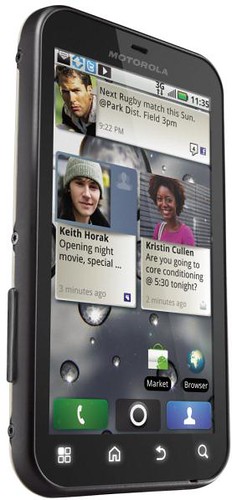
The company is also presenting Motorola DEFY with MOTOBLUR, a thin and easily transportable smartphone with Android 2.2. It comes equipped with advanced web browsing and high-resolution touch screen of 3.7 " that display photos, videos and Web sites full screen. Also, this product was designed to resist the most extreme conditions, becoming in the first smartphone in the market that’s resistant to water, dust, impact and scratches on its screen.

It also features a large, resilient Corning Gorilla Glass display that has outstanding protection against scratch damage. And Crystal Talk PLUS vanquishes noisy environments with two microphones which intelligently filter out background noise and amplify voices so users don't need to shout.

Motorola MOTOKEY Mini

With its candy bar format and exclusive white finish, Motorola MOTOKEY Mini is strong on messaging. Its QWERTY keyboard and Easy E-Mail Setup feature make messaging and emails a cinch. For social network aficionados, Motorola MOTOKEY Mini offers rapid access to Twitter, Facebook, Orkut and Myspace, all pre-loaded on the handset.

Motorola MOTOKEY Mini multimedia experience is completed by the device’s 2-inch display; music player and FM radio with RDS; sound recorder; 2-megapixel digital camera with video recording,playback and image editor; and microSD slot, with a 2GB card and expandable to 32GB.

Motorola MOTOKEY Mini also comes with Threaded View, which groups and shows message records on the same screen. Another feature of Motorola MOTOKEY Mini is FM Recording, enabling the user to record a song playing on the radio. The new handset also offers data transmission via carriers’ Edge networks. Motorola MOTOKEY Mini kit comes with a micro-USB card and 3.5mm headset to complete the user experience.

Motorola SCREEN MINI

Motorola SCREEN MINI enables users to live life for the moment without worrying about their phone, whether hanging out on the beach, relaxing poolside, or amidst the muddiest and rowdiest festival scenes.

With a durable 2.8-inch touch screen, Motorola SCREEN MINI lets users access and integrate their social networking accounts, like those from Facebook, Twitter and YouTube, so they can connect with friends and stay on top of status updates all day long. Motorola SCREEN MINI also features a secondary notification screen, highlighting important information that matters the most, like incoming messages from friends and family and information on the music track they’re playing.

In addition, Motorola SCREEN MINI features the exclusive Outdoor Mode Active, enhancing sports practices experience. This feature provides users easy and instant access to Motorola SCREEN MINI´s MP3 Music Player, FM radio and camera while on the go.

Motorola SCREEN MINI offers an FM radio for streaming the latest hits, games and cool apps, such as MOTO ID powered by Soundhound. The 2-megapixel video camera lets users document their wild adventures, and the Web browser keeps them entertained and informed while on-the-go.

Thursday, 22 September 2011

Google Introduces Multiple sign-in and preferences on Gmail for Mobile

gmail for mobile

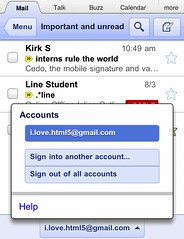
Google added the new features to the Gmail for Mobile which includes- multiple sign-in support, mobile-specific signature and vacation auto-responder.

Google already supporting multiple sign-in feature on desktop and now Gmail mobile user can enjoy this feature too by sign-in into multiple accounts simultaneously.

To sign into an additional account, click on the account switcher at the bottom of the threadlist, then click “Sign into an another account.” You can quickly switch between accounts by selecting the desired account from the Accounts menu.

As part of added multiple sign-in support, Google have updated URLs so that each account can have a separate bookmark. For those who have previously bookmarked Gmail for Mobile, please update your bookmark. If you haven’t, now is a great time to head to mail.google.com on your smartphone or tablet browser and add a bookmark to your home screen.

Gmail for Mobile autoresponder

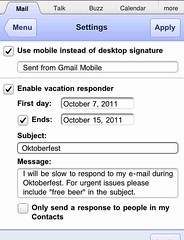
Google also gives a pretty good reason why you need "Mobile-Specific signature" feature. “We know that autocorrect and other mobile spell-checks can be frustrating as you are typing on the go” says Mobile Software Engineer Dominic Leung. “Let your friends know that you are responding via your mobile phone so that they understand why you might have sent a message that you are meeting for ‘monitors’ and not ‘mojitos’.”

To create a mobile signature, from the menu view, press the new settings icon, choose your signature, and then check the box to activate it. If you ever want to disable the mobile signature, just uncheck the box.

You can now set your auto-reply using the mobile interface which works pretty much same as on the desktop interface.

Source:- Gmail Blog

Tuesday, 19 July 2011

Get Google Plus Invitation at AKSGEEK

Google-Plus

I’m giving away Google+ invitation to our readers. All you need to do is to follow the step below to get Google Invites!

1. Visit our Facebook page and like it.

2. Drop your comments (below this post) and make sure you enter/use your valid Gmail id. Don’t enter your email id in comment box, it may lead to spam, so enter your email id in the box provided or you can logged in via Gmail to comment.

Those who follow above listed step will get Google+ invitation. You can also connect with me Google+ and twitter.

You’re just 2 steps away from Google+ invitation. What are you waiting for? Go Ahead!

Update:- Make sure you use your facebook profile name or mention your profile link, which makes it easier to identify whether you  followed the first step or not.

Thursday, 30 August 2012

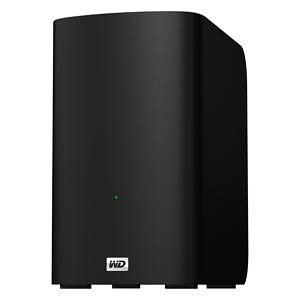
WD introduces My Book VelociRaptor Duo

WD My Book Velociraptor Duo

Western Digital (WD) today introduced its fastest My Book External HDD, My Book VelociRaptor Duo, supports Mac OS X.

My Book VelociRaptor Duo provides ultimate speed and performance with two 1 TB 10,000 RPM WD VelociRaptor drives along with two Thunderbolt ports. The 2 TB dual-drive storage system is ideal for editing high resolution video, 3D rendering, graphic design, and other demanding digital media applications. This boost in performance delivers solid state drive (SSD) -like data transfer rates of up to 400 MB/s for greater work-flow productivity. The dual-drive storage system offers RAID 0 for performance or RAID 1 for protection; and the twin Thunderbolt ports offer daisy-chaining multiple My Book VelociRaptor Duo drives and other high performance peripherals without impacting data transfer speeds or performance. The My Book VelociRaptor Duo also comes complete with a Thunderbolt cable in the box and is user-serviceable.

While RAID 0 maximizes the drive's speed and capacity, RAID 1 support allows users to create a second copy of their digital content on the drive for added protection, security and peace of mind. The drive also provides a JBOD (just a bunch of disks) option for users running a Windows operating system on a Mac.

Additional features found on the My Book VelociRaptor Duo dual-drive storage system include out-of-the-box compatibility with Apple Time Machine and HFS + Journaled for Mac computers; capability for multi-stream workflows; and a 3-year limited warranty.

The My Book VelociRaptor Duo dual-drive storage system is currently available at select U.S. retailers and online, starting at $899.99 MSRP USD.

Source:- Western Digital

Thursday, 31 March 2011

Disable Location Aware Browsing in IE9, Firefox, Chrome and Opera

browsers

Currently all the browsers support location aware browsing or geo-location browsing which tells the website where you’re located. This features is useful in most of the cases to provide you the information which is relevant to you. But if you don’t want this or little conscious about your privacy then you can disable this on Internet Explorer 9 (IE9), Firefox 4 or previous version, Chrome and Opera 11.

How to Disable Geo-Location/Location Aware Browsing in

1. Internet Explorer 9 ?

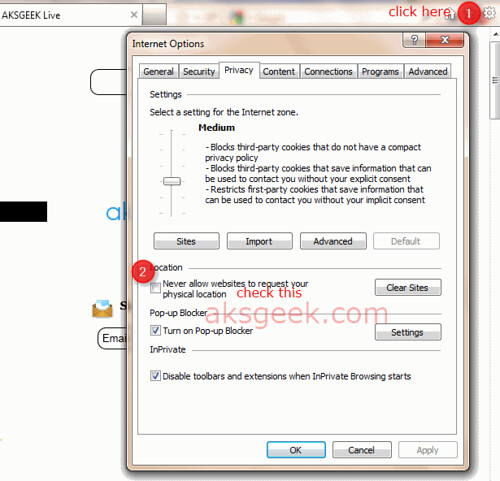
IE9 Internet Options
  • Open IE9 –> go to Internet Options –> Privacy Tab.
  • Check the box “Never Allow Website to request your physical location” and click Ok

OR 

Go to Control Panel –> Network and Sharing –> Internet Options –> Privacy tab and check the box next to "Never allow web sites to request your physical location" and click OK .

2. Firefox 4 or previous version?

Firefox geoenabled
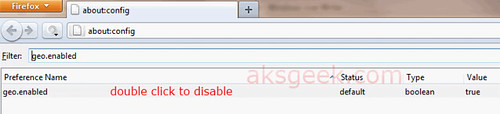
  • In Firefox address bar type about:config and hit enter.
  • Confirm the security warning and type geo.enabled in the filter field.
  • Double click on the geo.enabled to disable Location-Aware Browsing.

3.  Google Chrome 11?

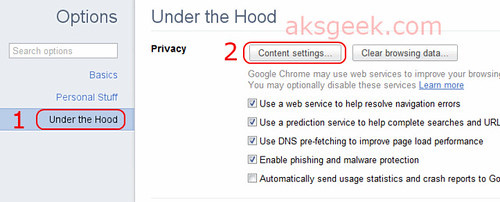
Google Chrome-options
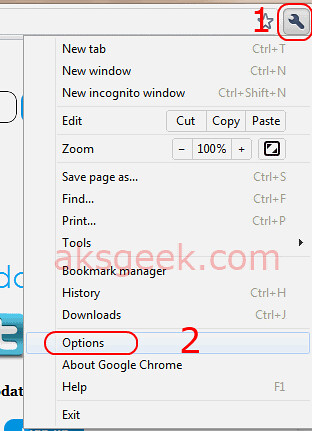
  • Click the Wrench icon and select Options. Google Chrome-under the hood
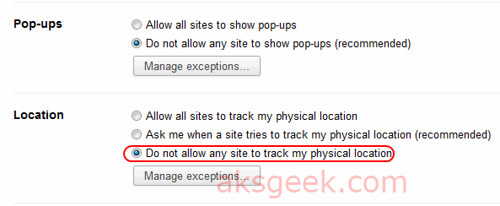
  • Now select the 'Under the hood tab' and click the button 'Content Settings' Google Chrome-Locations
  • In this window scroll down and see location –>  Now select 'Do not allow any site to locate my physical location' and  Close

(screenshots of chrome 11 beta)

4. Opera 11? 

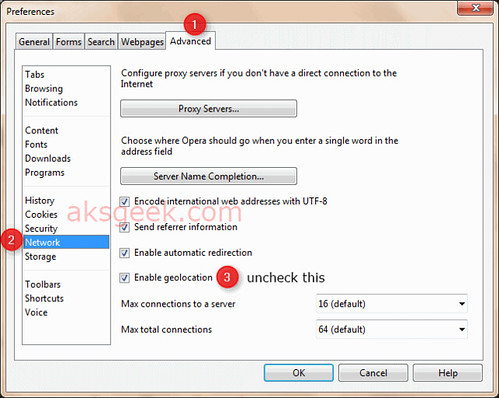
Opera Advance tab
  • Go to Menu –> Settings-> preferences or you can click ctrl+F12
  • Now go to Advanced tab –> Network and uncheck ''Enable geolocation".

That’s it!

Enjoy!


Wednesday, 1 September 2010

Google Adds Priority Inbox Feature To Gmail

Gmail Priority Inbox

The Gmail email service has been updated with a new feature called Priority Inbox (beta) which will allow users to prioritize the emails received by them everyday.

"As you use Gmail, it will get better at categorizing messages for you," Aberdeen wrote. "You can help it get better by clicking the (plus or minus) buttons at the top of the in-box to correctly mark a conversation as important or not important."

How it works

Gmail's servers look at several types of information to identify the email that's important to you, including who you email and chat with most, how often you email with these people, and which keywords appear frequently in the emails you read.

Train Priority Inbox

If Priority Inbox makes a mistake, you can use the ‘+’, ‘ - ’  buttons to correctly mark a conversation as important or not important, and Priority Inbox will quickly learn what you care about most.

  • Customize Priority Inbox: You can change what type of email you see in each section (like switching the "Important and Unread" section to just "Important"). Just click on the section headers or visit the Priority Inbox tab under Settings to customize.
  • Use filters to guarantee importance: If you want to be absolutely sure that some messages are always marked as important (like email from your boss), you can set up a filter and choose "Always mark it as important."
  • Search by importance: If you want to see all the messages that have been marked as important, both read and unread, do a Gmail search for "is:important."
  • Switching back to your old inbox: If Priority Inbox isn't for you, you can easily switch back to your normal inbox by clicking "Inbox" on the left or hide Priority Inbox altogether from Gmail Settings.


Priority Inbox is scheduled to be rolled out to all Gmail users over the next week or so. Users just have to look for the "New! Priority Inbox" link in the top right corner of their Gmail account.

It’s a good move from Gmail and great news for Gmail users. Is it great for you?

Via Gmail Blog

Thursday, 7 July 2011

Facebook launched Video Calling powered by Skype

facebook skype

Facebook unveiled the video calling powered by Skype.

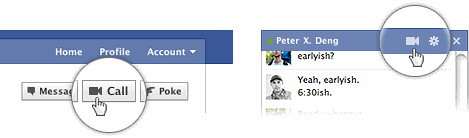
According to Facebook blog " few months ago, we started working with Skype to bring video calling to Facebook. We built it right into chat, so all your conversations start from the same place. To call your friend, just click the video call button at the top of your chat window."

facebook video calling

To get started connecting face to face using Facebook video calling, powered by Skype, it's quick and easy. Just ensure your Facebook Chat status is set to "online" and you are ready to go! You can initiate a Facebook video call right from the Chat box or you can click on your friend's Profile and if they are online, a "Call" button will appear at the top right of their Profile page. If your friend does not answer, you can leave them a video message. Your recorded video message will be waiting in your friend's Inbox the next time they check their Messages.

Source:- Facebook Video calling

Updated

Friday, 20 July 2012

Amazon and Warner Bros. deal brings 'Fringe' and 'The West Wing' to Prime Instant Video

Prime Instant Video

Amazon.com today announced a licensing agreement with Warner Bros. Domestic Television Distribution to add popular TV shows, including Fringe and The West Wing, which will be available exclusively on Prime Instant Video for the summer. This agreement also adds a variety of fan-favorite TV shows including Dark Blue, Alcatraz, and The Whole Truth.

Prime customers can access Prime Instant Video on Kindle Fire or any of the hundreds of compatible Amazon Instant Video devices, including the Roku, Xbox 360 and PlayStation 3 gaming console. And those who are not Prime members can enjoy a free one month trial of Prime and all Kindle Fire customers enjoy a free month of Prime right out of the box.

Source:- Prime Instant Video

Wednesday, 7 December 2011

Verizon and Motorola intros DROID XYBOARD 10.1 and 8.2 Tablets

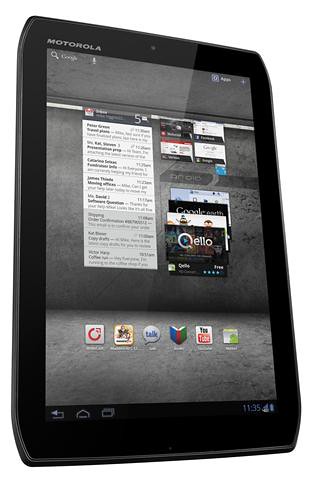
DROID XYBOARD 8.2

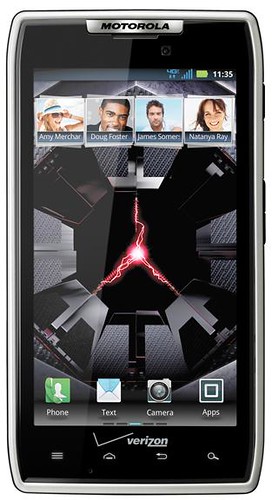
Motorola Mobility and Verizon Wireless today introduced two new additions to the DROID family-- the DROID XYBOARD 10.1 and DROID XYBOARD 8.2 tablet. Additionally, Verizon Wireless will debut the trendsetting DROID RAZR by Motorola in a flashy new white color, a unique gift for the winter holidays. All three products will be upgraded to Android 4.0 Ice Cream Sandwich.

The new DROID XYBOARD tablets both boast the blazing speeds of Verizon Wireless' 4G LTE network and the power of dual-core 1.2 GHz processors, 1 GB of RAM and MotoCast for remote access to non DRM-protected music, pictures, videos and documents stored on work or home computers' hard drives. Both are equipped with scratch-resistant displays that use Corning Gorilla Glass to stay brilliant and a coating of water-repellent nanoparticles makes them resistant to accidental spills and splashes.

Lighter than a paperback book and thinner than an AAA battery, the DROID XYBOARD tablets feature Android 3.2 Honeycomb, brilliant high-definition displays with wide viewing angles, magnesium-reinforced bodies with aluminum housing and super portable form-factors. Both tablets offer robust Business Ready features, including enterprise-grade security and apps such as Quickoffice HD for document editing and creation, Citrix GoToMeeting for productivity and collaboration and Google Talk for video conferencing.

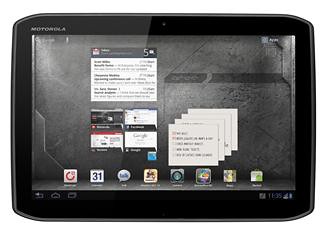
DROID XYBOARD 10.1

The DROID XYBOARD 10.1 is optimized for productivity with stylus support for easy notetaking and markup using a precision tip stylus, included in the box. The XYBOARD 8.2 is perfect for portable entertainment with 2.1 adaptive virtual surround sound and a high-definition display for enjoying Netflix movies in up to HD quality, concert-like music and serious gaming. Powered by the Verizon Wireless 4G LTE network, DROID XYBOARD 10.1 and 8.2 customers can soar through the Web at blazing speeds of 5 to 12 megabits per second (Mbps) and upload speeds of 2 to 5 Mbps within 4G LTE Mobile Broadband coverage areas.

Additional features for DROID XYBOARD tablets:

  • 10.1-inch and 8.2-inch high-definition In-Plane Switching (IPS) display for DROID XYBOARD 10.1 and DROID XYBOARD 8.2 respectively
  • Mobile Hotspot Capability – share 4G LTE connection with up to eight Wi-Fi-enabled devices
  • 5-megapixel rear-facing HD cameras with digital zoom, autofocus and LED flash, optimized for capturing the moment
  • 1.3-megapixel HD front-facing cameras perfect for video chatting with friends and family
  • Dijit app allows DROID XYBOARD tablets to double as a universal remote control with an electronic programming guide for TVs, Blu-ray Disc players, digital video records (DVR), and most other consumer electronics
  • Support for Google Mobile Services including Gmail, YouTube, Google Talk, Google Search, Google Maps and access to millions of books from Google Books
  • Supports a wide array of separately purchased accessories including an HD station for connecting to speakers and a larger screen, an HD dock to send content via HDMI out to HDTVs and home theater speaker systems and a stylish portfolio with Bluetooth-enabled keyboard and mouse
  • Wi-Fi Connectivity (802.11 a/b/g/n)

Pricing:

  • Both DROID XYBOARD tablets will be available in Verizon Wireless Communications Stores and online this month.
  • The DROID XYBOARD 10.1 will be available in three models: 16 GB for $529.99, 32 GB for $629.99 and 64 GB for $729.99 all with a new two-year customer agreement.
  • The DROID XYBOARD 8.2 will be available in two models: 16 GB for $429.99 and 32 GB for $529.99 both with a new two-year customer agreement.
  • Customers that purchase a DROID XYBOARD tablet will need to subscribe to a Verizon Wireless Mobile Broadband data plan starting at $30 monthly access for 2 GB of data. DROID RAZR WHITE
  • DROID RAZR in white will be available in Verizon Wireless Communications Stores and online this month for $299.99 with a new two-year customer agreement. Customers that purchase a DROID RAZR will need to subscribe to a Verizon Wireless Nationwide Talk plan beginning at $39.99 monthly access and a smartphone data package starting at $30 monthly access for 2 GB of data.

Special promotion:

  • Customers will receive $100 off a DROID XYBOARD tablet and $50 off select Motorola accessories for a limited time when a customer purchases a DROID RAZR by Motorola with a new two-year customer agreement.

Tuesday, 10 January 2012

Qualcomm announced Snapdragon S4 MPQ8064 processor for smart TVs

Snapdragon S4 MPQ8064

Qualcomm today announced a new Snapdragon processor for smart TVs and set-top boxes. Qualcomm’s Snapdragon S4 MPQ8064 processor features a 1.5GHz quad-core CPU-based on Qualcomm's Krait micro-architecture-Adreno 320 graphics and advanced audio/video capabilities. Read the full press release after the break.

Qualcomm Expands Snapdragon Family with Introduction of Processors for Smart TVs and Digital Media Adapters

New Snapdragon Processors to Power Next Wave of Enhanced Smart TV and Set-Top Box Experiences

LAS VEGAS – January 10, 2012 – Qualcomm Incorporated (NASDAQ: QCOM) today announced that the Company's Snapdragon™ processors are powering smart TVs at the International Consumer Electronics Show (CES) in Las Vegas. The Snapdragon smart TV experience will bring full web browsing capabilities to television, including integrated best-in-class Wi-Fi™ connectivity, high performance graphics and the latest Android apps and console-quality gaming experiences. Demonstrations of the Snapdragon smart TV experience will be held during the opening keynote address of Dr. Paul E. Jacobs, chairman and CEO of Qualcomm, on January 10 at 8:30 a.m. PST at The Venetian. Jacobs' keynote will be part of the Technology and Evolving Countries (TEC) Program, focused on the role mobile technology plays in global innovation and economic growth in consumer electronics.

Snapdragon processors will power the next wave of enhanced smart TV experiences - including leading audio/video capabilities, pure web browsing and more robust apps - delivering on Qualcomm's commitment of keeping consumers continuously connected to their favorite devices, content and apps. The Snapdragon S4 MPQ8064 processor features a 1.5GHz quad-core CPU-based on Qualcomm's Krait micro-architecture-Adreno™ 320 graphics and advanced audio/video capabilities, delivering mobile users the highest performing mobile experience while consuming less power.

The first Snapdragon powered smart TV, which is being launched by Lenovo, combines Qualcomm's mobile expertise and Lenovo's computing/CE expertise to enable the world's first smart TV running on the Android 4.0 operating system. Qualcomm's Wi-Fi connectivity provides seamless delivery of real-time Internet video, multi-player online gaming and local content to the television and other screens in the home. Thousands of apps from Android Market and Lenovo Store, including console games, are ready for access with a simple touch. With full Internet access, consumers can access their favorite songs and videos, share files between the TV and their tablet, smartphone or PC and control the TV via tablet or smart phone.

"Consumers demand a seamless experience across all screens, including smartphones, tablets, PCs and televisions," said Raj Talluri, vice president of product management for Qualcomm. "Having Snapdragon processors power smart TVs and digital media adapters is a natural extension of our leadership in mobile and computing technologies into the connected home."

"Lenovo's newly announced K91 Smart TV is a milestone for the connected home and digital technology," said Xiong Wen, general manager and executive director, Smart TV, Lenovo. "It's the first Smart TV in the world to run on Qualcomm's Snapdragon processors, as well as the first to run on Android 4.0 for full access to the Android marketplace. Lenovo is taking the digital home to new levels and making consuming content and connecting via videoconferencing, social media and more, easier than ever."

Currently, there are more than 300 Snapdragon-based devices commercially available and more than 350 in development. The S4 line is currently being integrated into more than 70 devices from 20 leading OEMs. Experience the Snapdragon powered Smart TV and test-drive the latest Snapdragon-powered devices by visiting Qualcomm's CES booth at South Hall 3, Upper Level #30313, January 10-13 in Las Vegas or visit www.qualcomm.com/snapdragon for more information.