Showing posts sorted by relevance for query Storage. Sort by date Show all posts

Thursday, 23 February 2012

18 Best Free Cloud Storage Providers

Cloud Storage

Recently, I've shared with you BeeCloud offering free 512GB of online Cloud Storage, now I’ve decided to share with you most comprehensive list of free online Cloud Storage providers but before starting you should know what is Cloud Storage?
According to Wikipedia, Cloud storage is a model of networked online storage where data is stored on virtualized pools of storage which are generally hosted by third parties. Hosting companies operate large data centers; and people who require their data to be hosted buy or lease storage capacity from them and use it for their storage needs. The data center operators, in the background, virtualize the resources according to the requirements of the customer and expose them as storage pools, which the customers can themselves use to store files or data objects. Physically, the resource may span across multiple servers.
In short, you data is backed up/stored online on different servers then when you need it you can access it from anywhere anytime without carrying your data with you all the time.
Top 10 Free cloud storage service providers offers backup and synchronization--supports more than two platform.
1. Dropbox

Dropbox
Dropbox offer 2GB of free storage and supports Windows, Mac, Linux, iPad, iPhone, Android and BlackBerry
2. SugarSync

SugarSync
SugarSync offer 5GB of free cloud storage and works with Windows, Mac, iPhone, iPad, Android, BlackBerry, Symbian and Windows Mobile.
3. Ubuntu One

Ubuntu One
Ubuntu offer 5GB of free cloud storage services through Ubuntu One and supports Windows, Ubuntu (linux), Android, iPhone and iPad.
4. Zumo Drive
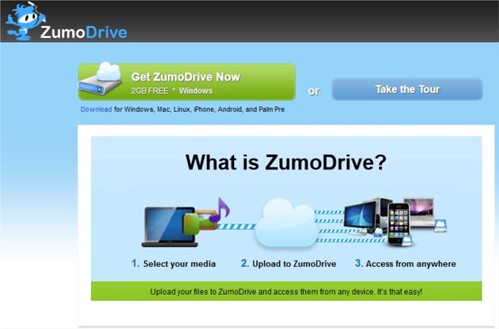
Zumbo Drive
Zumo Drive offer 1GB of Cloud storage plus 1GB of bonus storage when you complete the Dojo means total of 2GB for storing files. It works with Windows, Mac, Linux, iPhone, Android, and Palm Pre.
5. IDrive
IDrive
IDrive is not an Apple product but still its come in handy when it comes for free online storage. IDrive offer free 5GB of storage and retains and allows you to restore the last 30 versions of all files backed up to your account. Your storage is computed only for the most current version; historical versions are stored free. It works on Windows, Mac, iPhone, iPad and Android.
6. SpiderOak
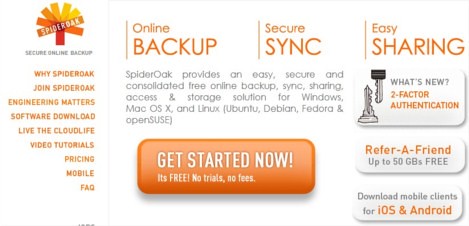
Spideroak
SpiderOak offers 2GB’s free cloud storage and for Windows, Mac OS X, and Linux (Ubuntu, Debian, Fedora & openSUSE), Android, iPhone and iPad.
7. Memopal

Memopal
Memopal offers 3GB of free storage and supports Windows, Mac, Linux, Android, iPhone and BlackBerry
8. CX.com

cx
CX offers free 10GB space with support for Windows, Mac, Linux, Android, iPhone/iPad and Kindle Fire.
9. MozyHome
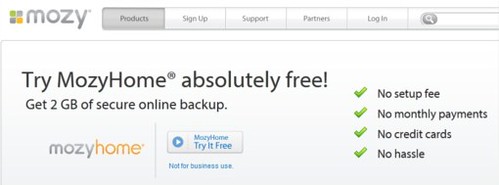
Mozy
With MozyHome you get free 2GB of secure online backup and it works with Windows and Mac. And you how much is 2GB 250,000 text emails, 340 MP3 files  and 300 photos.
10. MiMedia

MiMedia
MiMedia offers 7GB of free cloud storage which is equivalent of 1,000+ songs, 1,400+ photos, 140+ videos or 7,000+ documents--in the cloud, to stream and share from any web-enabled computer, iPhone or iPad.
To use above services you need to install software on your computer or mobile device to sync and back up your data automatically/manually, then you can access your backed up files from anywhere.
There are other free cloud services providers which may not allow sync from your computer or mobile devices but you can backup or store your data on cloud and access it from anywhere.
1. Box

Box
Box is well settled and reputed cloud storage service provider offers 5GB of free storage.
2. Amazon Cloud Drive

Amazon Cloud Drive
Amazon’s very own cloud storage solution, offers 5GB of free storage. It is noteworthy to mention that songs purchased from Amazon Music store are saved directly to your Amazon Cloud Drive, moreover it doesn’t consume your storage limit. But you need to upload your file through web interface. Not so great option but if you go with brand, trust and reliability it's still the best option to bet on.
3. Adrive

Adrive
Adrive offers 50GB storage capacity with not so good user interface but it still offer most spacious solution.
4. Windows SkyDrive
SkyDrive
May be you all, already know about Microsoft SkyDrive offering 25GB of Sky storage. It nice option if you have lot of files to share. On Windows you can install SkyDrive installer to share you files.
5. 4Shared
4Shared
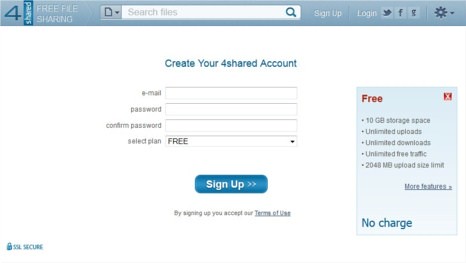
4Shared started as the file sharing site now offering free 10GB of storage with up to 2GB of upload filesize limit. It supports Windows, Mac, Linux and other mobile devices.
6. SafeCopy

safecopy
SafeCopy offer 3GB of free storage works on Windows, Mac, Linux, Android and iPhone/iPad. It is available in 15 languages and uses 448-military grade encryption.
7. PogoPlug
PogoPlug
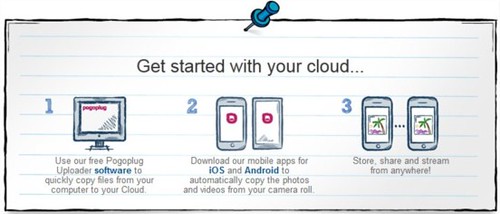
PogoPlug gives you 5GB of storage and supports Windows, Mac Android and iOS devices.
8. Google

Google Services
Yes your own Google, which you're using almost each and every day. Gives you 1GB of Picasa storage plus another gigabytes from Google Docs and remember your own Gmail account 7GB storage.
Other Cloud Storage and backup options
NephoScale -5GB
HiDrive - 5GB
Syncplicity (offers Sync and Backup) - 2GB
BeeCloud - 512GB
Filesanywhere - 1GB
I hope you liked it. Do you know any other free and reliable cloud storage service provider which I've missed? Share with us.

Tuesday, 7 June 2011

Apple announces iCloud

Apple iCloud

Apple today introduced iCloud, a breakthrough set of free new cloud services that work seamlessly with applications on your iPhone, iPad, iPod touch, Mac or PC to automatically and wirelessly store your content in iCloud and automatically and wirelessly push it to all your devices. When anything changes on one of your devices, all of your devices are wirelessly updated almost instantly.

The free iCloud services include:

  • The former MobileMe services—Contacts, Calendar and Mail—all completely re-architected and rewritten to work seamlessly with iCloud. Users can share calendars with friends and family, and the ad-free push Mail account is hosted at me.com. Your inbox and mailboxes are kept up-to-date across all your iOS devices and computers.
  • The App Store and iBookstore? now download purchased iOS apps and books to all your devices, not just the device they were purchased on. In addition, the App Store and iBookstore now let you see your purchase history, and simply tapping the iCloud icon will download any apps and books to any iOS device (up to 10 devices) at no additional cost.
  • iCloud Backup automatically and securely backs up your iOS devices to iCloud daily over Wi-Fi when you charge your iPhone, iPad or iPod touch. Backed up content includes purchased music, apps and books, Camera Roll (photos and videos), device settings and app data. If you replace your iOS device, just enter your Apple ID and password during setup and iCloud restores your new device.
  • iCloud Storage seamlessly stores all documents created using iCloud Storage APIs, and automatically pushes them to all your devices. When you change a document on any device, iCloud automatically pushes the changes to all your devices. Apple’s Pages, Numbers and Keynote apps already take advantage of iCloud Storage. Users get up to 5GB of free storage for their mail, documents and backup—which is more amazing since the storage for music, apps and books purchased from Apple, and the storage required by Photo Stream doesn’t count towards this 5GB total. Users will be able to buy even more storage, with details announced when iCloud ships this fall.
  • iCloud’s innovative Photo Stream service automatically uploads the photos you take or import on any of your devices and wirelessly pushes them to all your devices and computers. So you can use your iPhone to take a dozen photos of your friends during the afternoon baseball game, and they will be ready to share with the entire group on your iPad (or even Apple TV) when you return home. Photo Stream is built into the photo apps on all iOS devices, iPhoto on Macs, and saved to the Pictures folder on a PC. To save space, the last 1,000 photos are stored on each device so they can be viewed or moved to an album to save forever. Macs and PCs will store all photos from the Photo Stream, since they have more storage. iCloud will store each photo in the cloud for 30 days, which is plenty of time to connect your devices to iCloud and automatically download the latest photos from Photo Stream via Wi-Fi.
  • iTunes in the Cloud lets you download your previously purchased iTunes music to all your iOS devices at no additional cost, and new music purchases can be downloaded automatically to all your devices. In addition, music not purchased from iTunes can gain the same benefits by using iTunes Match, a service that replaces your music with a 256 kbps AAC DRM-free version if we can match it to the over 18 million songs in the iTunes Store, it makes the matched music available in minutes (instead of weeks to upload your entire music library), and uploads only the small percentage of unmatched music. iTunes Match will be available this fall for a $24.99 annual fee. Apple today is releasing a free beta version of iTunes in the Cloud, without iTunes Match, for iPhone, iPad and iPod touch users running iOS 4.3. iTunes in the Cloud will support all iPhones that iOS 5 supports this fall.

Apple is ready to ramp iCloud in its three data centers, including the third recently completed in Maiden, NC. Apple has invested over $500 million in its Maiden data center to support the expected customer demand for the free iCloud services.


The iCloud beta and Cloud Storage APIs are available immediately to iOS and Mac Developer Program members at developer.apple.com. iCloud will be available this fall concurrent with iOS 5.

Users can sign up for iCloud for free on an iPhone, iPad or iPod touch running iOS 5 or a Mac running Mac OS X Lion with a valid Apple ID. iCloud includes 5GB of free cloud storage for Mail, Document Storage and Backup. Purchased music, apps, books and Photo Stream do not count against the storage limit.

iTunes Match will be available for $24.99 per year (US only).

iTunes in the Cloud is available today in the US and requires iTunes 10.3 and iOS 4.3.3. Automatic download of apps and books is available today. Using iCloud with a PC requires Windows Vista or Windows 7; Outlook 2010 or 2007 is recommended for accessing contacts and calendars.

Wednesday, 12 April 2017

Getting started with Amazon Web Services (AWS)–Create an EC2 Instance

As you are already aware of Amazon Web Services (AWS) that offer on-demand cloud computing solution with a pay-per-use approach. As Amazon offer 12 months free trial to check out their services, we exactly going to do that and also recommend you sign up for AWS Free tier. If you already did then let’s get started and learn together on how to create an EC2 instance in AWS.


First, take a quick look at Amazon Free Tier benefits:

Amazon EC2 (Compute)
  • 750 hours per month of Linux, RHEL, or SLES t2.micro instance usage
  • 750 hours per month of Windows t2.micro instance usage
Amazon S3
(Storage)
  • 5GB of standard storage (20,000 Get Requests, 2,000 Put Requests)
Amazon RDS
(Database)
  • 750 Hours per month of database usage
  • 20 GB of DB Storage: any combination of General Purpose (SSD) or Magnetic
  • 20 GB for Backups (with RDS Magnetic storage; I/Os' on General Purpose [SSD] are not separately billed)
  • 10,000,000 I/Os'
Amazon QuickSight
(Analytics)
  • 1 GB of SPICE capacity 1 user perpetual free tier
  • 10GB of SPICE capacity the first 2 months for free for a total of 4 users
Offers that won’t expire after 12 months
  • AWS Lambda, DynamoDB, AWS Database Migration Service etc..

A. Log in to your AWS-console;
aws console

B. Go to Services on top left corner and select EC2, to enter in EC2 dashboard;


ec2_launch instance

C. Now click on “Launch Instance”


To successfully launch an EC2 instance you have to follow 7 steps:


1. Choose Amazon Machine Image (AMI)

aws choose ami
  • You can choose any AMI from amazon marketplace as per your requirement but in this tutorial, I will focus only on free tier eligible products and services. Therefore, I am selecting Amazon Linux AMI (64-bit)
2. Choose an Instance type
 aws instance type
  • Select General purpose t2.micro (free tier eligible) instance and click on “next Configure Instance Details”
3. Configure Instance Details
 configure instance aws
  • You may leave the setting to default but I want you to look into the settings:
    • Subnet: you may choose any one default subnet available or may create a new subnet;
    • Auto-assign Public IP: keep it as default (use subnet setting (enable). If needed, you may enable elastic IP to connect it to your domain;
    • Enable termination protection: check this to protect against accidental termination;
  • Click on “Add Storage” button.
4. Add Storage
 add storage aws
  • You may go ahead with the default setting by clicking on “Add Tags” button or you may increase storage size up to 30GB for Volume type General Purpose SSD or Magnetic storage. (increase storage as per your requirement, make sure don’t decrease it from 8GB)
5. Add Tags 
 add tags ec2 aws
  • Skip this step and continue with clicking on “Configure Security Group”
6. Configure Security Group
 security group ec2
configure security group ec2
  • In Assign a security group: Select “create a new security group” (if you don’t have any) or “choose from existing one”;
  • Provide Security Group name or leave it as default ( launch-wizard-1) – I recommend you to add name which may later help you in identifying the security group;
  • Add description – enter description which makes this security group explanatory for you;
  • In SSH select source My IP (recommended option), so it will allow only your IP to connect to SSH or you can assign custom IP address or just select “Anywhere” (least secure option);
  • Add HTTP to connect to server port to make your instance accessible;
  • For the last step click on “Review Instance Launch”.
7. Review Instance Launch
 review ec2 instance
  • You may go through the summary of your instance. In case you want to make any changes, just do it.
  • Once you go through all the details available on Review instance launch, click on “Launch” button, new window pop-up - “Select an existing key pair or create a new pair window”.
  • Now create a new key pair (never proceed without a key pair, otherwise you won’t be able to connect your instance) and enter key pair name;
ec2 key pair
  • Download the key pair and keep it in a secure location as you will NOT be able to download the file again after it's created.
  • Finally, click Launch Instances.
ec2 instance launched 

You have successfully launched an EC2 instance on AWS, now go to your EC2 dashboard and view running instance. This guide may be used for creating a different EC2 instance with different machine image.
On next post, we will move further any see how we can connect to our instance and install WordPress.

Friday, 8 July 2011

Amazon Cloud Player hits iPad, adds Unlimited Storage

Amazon Cloud Player

Amazon, announced three enhancements to Amazon Cloud Drive and Cloud Player: storage plans that include unlimited space for music, free storage for all Amazon MP3 purchases and Cloud Player for Web, now on iPad.

Unlimited Space for Music

Now, for a limited time, Amazon customers who purchase a Cloud Drive storage plan will receive unlimited space for their MP3 and AAC (.m4a) music files. This offer is available for even the lowest price plan: $20/year for 20 GB of file storage plus unlimited space for music.

Store all Amazon MP3 Purchases for Free

Customers can now store all of their Amazon MP3 purchases for free in Cloud Drive, including future MP3 purchases as well as all purchases made before the launch of Cloud Drive and Cloud Player. MP3s purchased from Amazon MP3 and stored in Amazon Cloud Drive will not count against a customer's storage quota.

Cloud Player for Web on iPad

Also new, Cloud Player for Web on iPad. Cloud Player, combined with unlimited space for music in Cloud Drive, enables customers to play music stored in the cloud on any Android phone, Android tablet, Mac, PC, and now on their iPad. Cloud Player for Web has been optimized to offer customers streaming playback of their Cloud Drive music using the Safari browser for iPad. To access Cloud Player for iPad, customers simply open their Safari browser and visit Cloud Player to start listening to their music.

Storage for Music and More

All customers automatically start with 5 GB of free Cloud Drive storage to begin uploading their digital music library, and for a limited time, those who purchase any Cloud Drive storage plan will receive unlimited space for music at no additional cost. In addition to unlimited space for music, Cloud Drive allows customers to upload and store all kinds of digital files, including photos, videos and documents which are stored securely and available via web browser on any computer. Customers who qualified for 20 GB of free storage from earlier promotions will receive the unlimited space for music at no additional cost.

Source:- Amazon


Wednesday, 7 December 2011

Intel, Micron intros World's First 128Gb NAND Device

intel micron-20nm_die-context

Intel and Micron Technology, today announced a new benchmark in NAND flash technology - the world's first 20 nanometer (nm), 128 gigabit (Gb), multilevel-cell (MLC) device. The companies also announced mass production of their 64Gb 20nm NAND, which further extends the companies' leadership in NAND process technology.

Developed through Intel and Micron's joint-development venture, IM Flash Technologies (IMFT), the new 20nm monolithic 128Gb device is the first in the industry to enable a terabit (Tb) of data storage in a fingertip-size package by using just eight die. It also provides twice the storage capacity and performance of the companies' existing 20nm 64Gb NAND device. The 128Gb device meets the high-speed ONFI 3.0 specification to achieve speeds of 333 megatransfers per second (MT/s), providing customers with a more cost-effective solid-state storage solution for today's slim, sleek product designs, including tablets, smartphones and high-capacity solid-state drives (SSDs.)

The companies also revealed that the key to their success with 20nm process technology is due to an innovative new cell structure that enables more aggressive cell scaling than conventional architectures. Their 20nm NAND uses a planar cell structure - the first in the industry - to overcome the inherent difficulties that accompany advanced process technology, enabling performance and reliability on par with the previous generation. The planar cell structure successfully breaks the scaling constraints of the standard NAND floating gate cell by integrating the first Hi-K/metal gate stack on NAND production.

The demand for high-capacity NAND flash devices is driven by three interconnected market trends: data storage growth, the shift to the cloud and the proliferation of portable devices. As digital content continues to grow, users expect that data to be available across a multitude of devices, all synchronized via the cloud. To effectively stream data, servers require high-performance, high-capacity storage that NAND delivers, and storage in mobile devices has consistently grown with increased access to data. High-definition video is one example of an application that requires high-capacity storage, since attempting to stream this type of data can create a poor user experience. These developments create great opportunities for high-performance, small-footprint storage, both in the mobile devices that consume the content and the storage servers that deliver it.

Intel and Micron noted that the December production ramp of their 20nm 64Gb NAND flash product will enable a rapid transition to the 128Gb device in 2012. Samples of the 128Gb device will be available in January, closely followed by mass production in the first half of 2012. Achievement of this milestone will further enable greater densities and overall fab output, while also helping the companies' development teams cultivate the expertise required to design complex storage solutions and refine future technologies.


Intel


Tuesday, 12 June 2012

Apple intros new MacBook Pro with Retina Display

new MacBook Pro

Apple today unveiled an all new 15-inch MacBook Pro featuring a stunning Retina display, all flash storage and quad-core processors in a radically thin and light design. Measuring a mere 0.71 inches and weighing only 4.46 pounds, the completely redesigned MacBook Pro sets a new standard in performance and portability for pro users.

The new MacBook Pro Retina display is the world’s highest resolution notebook display with over 5 million pixels, 3 million more than an HD television. At 220 pixels-per-inch, the Retina display’s pixel density is so high the human eye cannot distinguish individual pixels from a normal viewing distance, so text and graphics look incredibly sharp. The Retina display uses IPS technology for a 178-degree wide viewing angle, and has 75 percent less reflection and 29 percent higher contrast than the previous generation.

Featuring a precision engineered aluminum unibody design and an all flash storage architecture, the all new MacBook Pro is the lightest MacBook Pro ever and nearly as thin as a MacBook Air. Flash storage that is up to four times faster than traditional notebook hard drives enables the all new MacBook Pro to play four simultaneous streams of uncompressed 1080p HD video from internal storage.* The flash storage architecture also delivers improved reliability, instant-on responsiveness and 30 days of standby time. macbook pro-01

The MacBook Pro with Retina display features the latest Intel Core i7 quad-core processors up to 2.7 GHz with Turbo Boost speeds up to 3.7 GHz, NVIDIA GeForce GT 650M discrete graphics, up to 16GB of faster 1600 MHz RAM and flash storage up to 768GB. Two Thunderbolt and two USB 3.0 ports allow pro users to connect to multiple displays and high performance devices, and a new HDMI port offers quick connectivity to HDTVs.

The MacBook Pro battery delivers up to 7 hours of wireless productivity, and uses advanced chemistry and Adaptive Charging technology to provide up to 1,000 recharges.The MacBook Pro also features a FaceTime HD camera, glass Multi-Touch trackpad, full-size backlit keyboard, dual microphones, enhanced speakers, 3-stream 802.11n Wi-Fi and a thinner MagSafe 2 power port.

OS X Lion, iPhoto, iMovie, iTunes and other Apple apps including Aperture and Final Cut Pro X have been updated to take full advantage of the new MacBook Pro with Retina display. The updated Aperture 3.3 also includes revolutionary new image adjustment features and now supports a unified photo library so photographers can move seamlessly between iPhoto and Aperture.

The all new MacBook Pro ships with OS X Lion. Starting today, customers who purchase a Mac are eligible for a free copy of OS X Mountain Lion when it becomes available. Mountain Lion introduces innovative features including the all new Messages app, Notification Center, system-wide Sharing, AirPlay Mirroring, Game Center and the enhanced security of Gatekeeper. With iCloud built into the foundation of OS X, Mountain Lion makes it easier than ever to keep your content up to date across all your devices.

Pricing & Availability

The 15-inch MacBook Pro with Retina display is available through the Apple Online Store, Apple’s retail stores and Apple Authorized Resellers. The 15-inch MacBook Pro is available with a 2.3 GHz quad-core Intel Core i7 processor with Turbo Boost speeds up to 3.3 GHz, 8GB of memory and 256GB of flash storage starting at $2,199 (US); and with a 2.6 GHz quad-core Intel Core i7 processor with Turbo Boost speeds up to 3.6 GHz, 8GB of memory and 512GB of flash storage starting at $2,799 (US). Configure-to-order options include faster quad-core processors up to 2.7 GHz, up to 16GB of memory and flash storage up to 768GB.

Source:- Apple

Wednesday, 11 January 2012

Samsung Notebook Series 5 ULTRA Unleashed

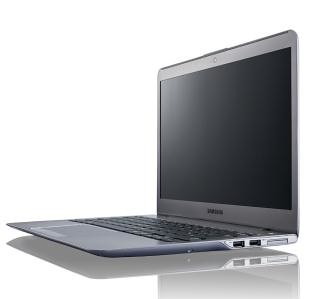
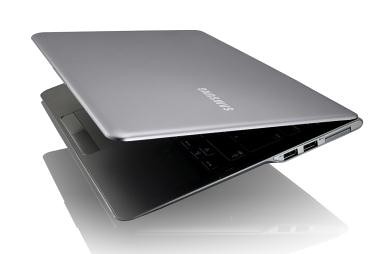
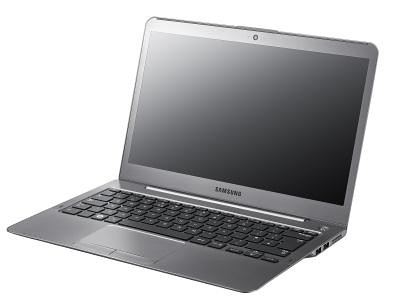
Samsung Notebook Series 5 ULTRA 3

Samsung introduced the new Samsung Notebook Series 5 ULTRA, powered by a 2nd generation Intel Core i5 processor; combined with ExpressCache system by Diskeeper and a powerful AMD Radeon HD graphics card, it delivers incredible experiences packed in a thin and light form factor. 

Unleashing Hidden Features

Samsung Notebook Series 5 ULTRA

Available in 13-inch and 14-inch, the Series 5 ULTRA reveals its performance through an Intel Core i5-2467M processor, up to 8GB memory, ExpressCache system by Diskeeper and AMD Radeon HD graphics card. As a result, the Series 5 ULTRA is able to fast boot in just 20 seconds, wake up in 2 seconds, whilst web browsing is twice as fast as the previous generation notebook PCs. 

Performance alone is insufficient without enough space to store your data. Due to the development of digital image devices and various media platforms, files are getting larger every day, increasing the need for bigger user storage. Despite the recent trend of cloud storage, local storage is still preferred among users on a daily basis. Not to compromise these needs the Series 5 ULTRA 14" offers up to 1TB ultra storage capacity ensuring that users never need to carry a peripheral storage device with them.  

The Samsung Series 5 ULTRA delivers up to 6.4 hours of battery life on a single charge, to make sure users enjoy the ultra features throughout the day. The Samsung Battery Life Plus is a true anti-aging battery technology which keeps 80 percent of the cell’s original capacity in a life cycle lasting up to 1,500 charging cycles / three years. This ensures that the battery can last up to five times longer than other notebooks.

ULTRA of your Choice

Samsung Notebook Series 5 ULTRA 1

The Series 5 ULTRA 13-inch is just 14~17.6mm thin and 1.38kg light. The Intel Core i5 processor, up to 8GB memory, up to 500GB storage and 16GB iSSD with ExpressCache ensures that mobility is not compromised. Consumers can also choose from a 128GB SSD or 258GB SSD as their preferred storage. To offer maximum connection to other devices, the 13 inch model also carries full-size HDMI port along with one USB 3.0, two USB 2.0, 4-in-1 multi SD card slot, Ethernet and webcam. 

The 14-inch model equipped with Intel Core i5 processor, up to 8GB memory and 16GB iSSD with ExpressCache system offers exceptional performance. For larger storage and heightened visual experience, the Series 5 ULTRA 14" embraces up to 1TB storage as well as an AMD Radeon HD 7550M 1GB graphics card. An integrated Optical Disc Drive is also installed for maximum convenience. In terms of connectivity, the 14” model offers full-size HDMI, VGA, two USB 3.0, one USB 2.0, 4-in-1 multi SD card slot, Ethernet and webcam. All the above features are packed into a 20.9mm thin and 1.84kg light chassis. 

Both models carry Samsung’s superior LCD technology with 300nit HD LED SuperBright screen, Image Enhancer technology and anti-reflective screen. 


Wednesday, 16 May 2012

Toshiba Canvio 3.0 Portable Hard Drives up to 1.5TB

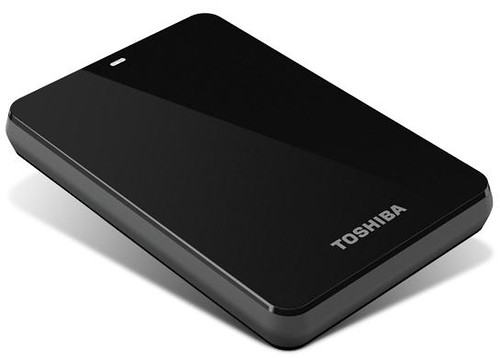
Toshiba Canvio 3.0

Toshiba today announced that its Canvio 3.0 and Canvio Basics 3.0 portable hard drives will now offer consumers up to 1.5 terabytes of storage and Mac compatibility, without the need for reformatting, on a select Canvio 3.0 model. All of these offerings come equipped with USB 3.0 technology for higher data transfer speeds and enable consumers quickly and easily store, transfer and back up their valuable data.

Canvio 3.0: Easy to use and complete backup solutions

Toshiba's Canvio 3.0 is a stylish and portable storage device that addresses a variety of storage needs. Featuring up to 1.5TB of storage, the Canvio 3.0 has the capacity to back up consumers' entire computer systems and data transfer speeds are now faster than ever with the inclusion of USB 3.0 technology. Additionally, the 1.5TB solution includes a NTFS driver for Mac computers that allows users to easily swap data between Macs and PCs without having to reformat the drive.

The Canvio 3.0 also comes equipped with software that provides file, folder and full system back-up and recovery. Users can run a full system backup and file/folder backup simultaneously, as well as pre-set their back-up sessions using an easy scheduling feature. It also offers a free 30-day trial for its Cloud-enabled back-up feature.

To ensure maximum data protection, the Canvio 3.0 has a unique internal shock sensor and ramp loading technology to safeguard consumers' valuable data against accidents and drops. Available in a variety of colors, including black, silver, white, red, blue and green, this storage device is the perfect marriage between style and powerful data protection.

Canvio Basics 3.0: Simple add-on storage in a box

The Canvio Basics 3.0 is Toshiba's simplest storage solution. There is no software setup necessary and the device is ready to use right out of the box, allowing users to simply plug it into their PC and start saving their digital files. The Canvio Basics 3.0 offers up to 1.5TB of storage and supports USB 3.0 for rapid transfer speeds. Similar to the Canvio 3.0, the Canvio Basics 3.0 is also equipped with a special internal shock sensor and ramp loading technology to protect consumers' files against accidents and drops.

Pricing and Availability

Pricing for the Canvio 3.0 line will range from $119.99 MSRP to $199.99 MSRP. The 1.5TB solution, which includes the NTFS driver for Mac compatibility, will be available for $199.99 MSRP, while the 1.0TB offering will be available for $149.99 MSRP, the 750GB will be available for $129.99 MSRP and the 500GB will be available for $119.99 MSRP.

Pricing for the Canvio Basics 3.0 line will range from $109.99 MSRP - $180.99 MSRP. The 1.5TB solution will be available for $189.99, the 1.0TB will be available for $139.99 MSRP, the 750GB will be available for $119.99 MSRP and the 500GB will be available for $109.99 MSRP.

Saturday, 18 February 2012

512GB of Free Online Cloud Storage from BeeCloud

BeeCloud 512GB Free Cloud Storage

All of you know about many free cloud storage services like Dropbox, Box, Microsoft SkyDrive but all of them offer limited amount of "online data storage" after that you need to upgrade for more space. But here is another service called BeeCloud offering 512GB of online storage with their free account and allows you to access your data from anywhere web, iPhone, iPad, smart phone, PC, or Mac. Wait!! don’t jump on BeeCloud by seeing whooping 512GB storage, there is lot more you should know.

What you can do with Free BeeCloud Backup?

  • Backs up your files as you work.
  • 512GB of storage
  • It keeps up to 30 revisions of each file you upload on to BeeCloud, allowing you to go back to previous versions if you want too.
  • You can view your backup files online from anywhere.
  • You can even play your music, view your Office documents, watch your movies and display your photos right from within your web browser.

What you can’t do?

  • You can’t make any changes to files from the web portal which means you can’t edit, move, delete or rename files online. If you want too you need to upgrade.
  • You can’t upload new files online (because it is a direct copy of the files you have on your computer).

BeeCloud is a Live Drive reseller, uses all of LiveDrive's software and LiveDrive's web interface for uploading/downloading files, thus as a BeeCloud user you may get all security features of LiveDrive but keep in mind BeeCloud is LiveDrive RESELLER not LiveDrive itself and if you're assuming that BeeCloud will be here for so long.Think Again! LiveDrive can terminate BeeCloud at any time (remember Backify?) and in that case you lose everything.

So if you have made up your mind and want to try BeeCloud go ahead and get 512GB of free storage. All you need to do is to signup at their website for Free (no credit card required).

Source:-BeeCloud

Thursday, 5 January 2012

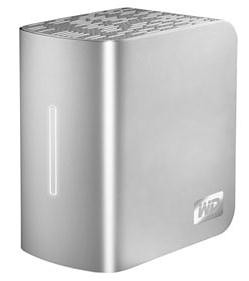
Western Digital intros My Book Live Duo Personal Cloud Storage with dual drives

my book live duo

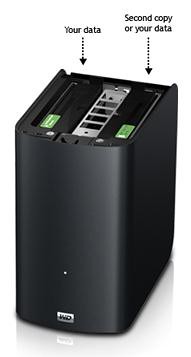
Western Digital (WD) today introduced My Book Live Duo, a personal cloud storage system that combines the benefits of shared storage and remote access with double-safe backup or increased capacity of a dual-drive system with RAID (Redundant Array of Independent Disks) technology.

Double-Safe Backup

Compatible with Mac and PC operating systems, My Book Live Duo continuously maintains a second copy of all your files for real-time data backup in mirrored mode (RAID 1). Half the capacity is used to store users' data and half is used for a second copy. In the unlikely event that one drive fails, data is protected because it's duplicated on the other drive. For automatic backup Windows users can use the included WD SmartWare software and Mac users can utilize all the features of Apple Time Machine backup software to protect their data.

Maximum Performance and Storage Capacity

In spanning mode the two-drive system combines both drives into one large volume acting as one drive for maximum storage capacity, while its built-in 800 MHz CPU delivers the power and performance needed for today's most demanding applications. Designed around the most recent advances in Ethernet chip technology, My Book Live Duo personal cloud delivers best-in-class read speeds faster than traditional USB 2.0 drives. My Book Live Duo is currently available in 4 TB and 6 TB capacities.

WD's Personal Cloud
As with WD's My Book Live personal cloud storage solution, My Book Live Duo connects to the home network to create shared storage that users can access within the home or anywhere in the world through secure remote access. Remote access to My Book Live and My Book Live Duo is available on any computer through www.WD2go.com and with WD mobile apps for iPad, iPhone, iPod touch or Android smartphones and tablets.

Home Entertainment Hub

Additionally, the My Book Live Duo system's built-in media server streams movies, photos and music to any DLNA-certified multimedia device such as a WD TV Live streaming media player, Blu-ray Disc player, PlayStation 3, as well as Xbox 360s and smart TVs. Users can also stream movies, photos and music to their tablet or smartphone directly from My Book Live Duo through the WD 2go mobile application.

Compatibility

My Book Live Duo is compatible with Windows XP, Windows Vista, Windows 7, Mac OS X Leopard, Snow Leopard, or Lion, as well as DLNA/UPnP enabled devices.

Price and Availability

My Book Live Duo personal cloud storage is available at select U.S. retailers and online at wdstore.com. MSRP is $399.99 USD for 4 TB and $499.99 USD for 6 TB.

Source:- Western Digital


Sunday, 3 October 2010

Seagate Unveils Industry's First 12TB Four-Bay Network Storage Server

Seagate-BlackArmor NAS

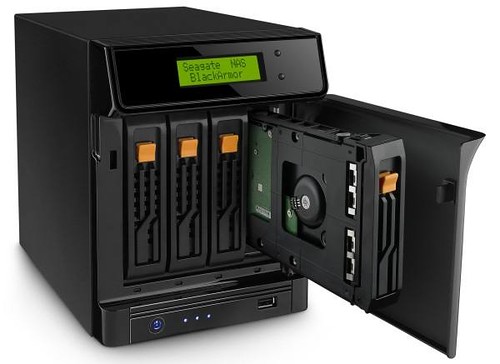
Seagate introduced the industry's highest-capacity, 4-bay and 2-bay, desktop network attached storage solutions to help data-intensive small business address evolving storage needs. The BlackArmor NAS 440 network storage server and BlackArmor NAS 220 network storage server, extend the capacity range of Seagate's BlackArmor family of storage solutions, enabling businesses to now scale from 1TB to 12TB to help keep pace with the growing stores of high-definition multi-media files and business critical data. Initially, both solutions will come pre-populated with 3TB drives in each bay¹ and will be offered exclusively for 30-days through Seagate.com and select online retailers. For the first 30 days, CDW will provide the 12TB BlackArmor NAS 440 for a manufacturer's suggested retail price (MSRP) of $1,899.99, and NewEgg will sell the BlackArmor NAS 220 6TB for a manufacturer's suggested retail price (MSRP) of $649.99.

Both the BlackArmor NAS 440 and BlackArmor NAS 220 network storage servers are designed to help businesses with up to 50 employees and little or no IT support, centralize and secure data with maximum uptime by delivering:

Software management tools that are compatible across the family to provide a consistent user experience and future growth path with minimal training or the need for additional support.
Support for Microsoft® Active Directory 2000, 2003, 2008 for populating users and groups.
Unparalleled security with powerful hardware-based encryption.

Remote access with the included, web-based Seagate Global Access™ service and FTP functionality.

Quick start features, ability to easily view or map shared volumes to a computer, or back up the PC from which you are working from, using the BlackArmor Discovery tool software, which automatically displays all BlackArmor NAS products connected to the network.

Full-system backup and recovery helps protect everything on your PC's hard drive including the operating system, programs and settings. In the event of a system crash or failure, your computer can be restored to a previous point in time with SafetyDrill+ software.

Event email notification to alert the user about status and changes to the server.

Additional USB ports to connect extra USB storage devices, easily share a USB printer or connect an uninterrupted power supply (UPS) to safeguard from power failure.

The BlackArmor NAS 440 server is configured with RAID 5 and ships with 10 backup software licenses out-of-the-box, while the BlackArmor NAS 220 server ships with RAID 1 configuration for automatic data mirroring and 5 backup software licenses. Additional licenses for both products can be purchased in 2 and 5 -set increments on Seagate.com.

[Press Release]

Wednesday, 9 March 2011

PlayStation Network Brings Online Storage for games saves Exclusively to PlayStation Plus Subscribers

PlayStation 3

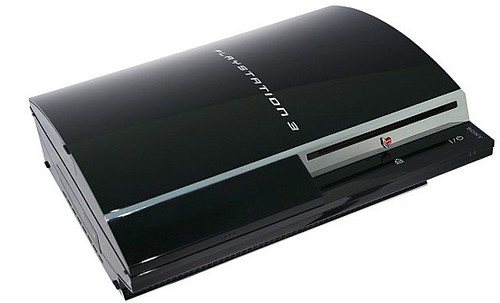
Sony, today announced that online storage for game saves will be available exclusively to PlayStationPlus subscribers, allowing gamers to back up their save data to the cloud. Online storage for game saves will be available with system software update (v3.60) for the PlayStation3 (PS3) system, coming on March 10, 2011 and will be automatically enabled for PlayStation Plus subscribers once users install the update.

With the new feature, PlayStation Plus subscribers can store up to 150MB of PS3 game save data and a maximum of 1000 data files per PlayStationNetwork account. "Copy-prohibited save data" is also supported, and all previously backed-up save data may be restored once per 24-hour period. When the new feature launches, most PS3 titles will be compatible with online storage for game saves, and moving forward new titles will have the capability to offer the storage option.

Online storage for game saves ensures that data stored by PlayStation Plus subscribers is more secure than ever and is an integral feature for gamers who wish to access their data on other PS3 systems. Users can check their available/total space at any time via the XMB (XrossMediaBar). Users who wish to utilize the feature immediately following the system software update (v3.60), can do so with these instructions:

To back-up:
1. Select [Game] > [Save Data Utility].
2. Focus on the save data you wish to back up.
3. Open up the option menu using "triangle" and select [Copy].
4. Select [Online Storage] as the destination of back up.

To copy:
1. Select [Game] > [Save Data Utility] > [Online Storage].
2. Focus on the save data you wish to copy.
3. Open up an option menu using "triangle" and select [Copy].

PlayStation Plus is available for a yearly fee of $49.99, and for a limited time, gamers will also receive 3 free bonus months when signing up for a one-year subscription. Gamers can also subscribe to the 3-month option for $17.99.


Thursday, 17 March 2011

WD Introduces My Book Studio Edition II 6 TB External Hard Drive

WD MyBook_Studio

Western Digital, today introduced its My Book Studio Edition II dual-drive storage system with a massive 6 terabytes (TB) of storage to meet the capacity needs of today's creative pros and Mac enthusiasts who create, store, edit and archive large HD video and photo files. The new capacity provides users 33 percent more storage than the previous capacity, while maintaining the same footprint.

Combining its extended 6 TB storage capacity and compatibility with Apple Time Machine, the new My Book Studio Edition II drive becomes an instant storage solution for a variety of professions including art and design, photography, legal and medical, and a host of other small businesses.

The system offers a quad interface providing maximum performance and flexibility including eSATA and FireWire 800 when maximum performance is essential, and FireWire 400 and USB 2.0 when system flexibility is most important.

Extra-fast Performance and RAID Supported Configurations

Fast eSATA or FireWire 800 interfaces, combined with RAID-supported configurations, will yield the speed and responsiveness users need for a variety of tasks including fast, smooth video editing; rendering complex 3D objects or special effects, and saving/transferring enormous blocks of data in a fraction of the time it once took.

Formatted for Mac computers, these new storage systems feature:

  • Massive 6 TB capacity;
  • Extra-fast performance with four interfaces (FireWire 800/400, eSATA, USB 2.0);
  • Cool, eco-friendly operation with WD's drives with WD GreenPower Technology that consume approximately one-third less power than standard dual-drive external storage systems and efficient convection cooling architecture and power-saving mode and designed without a fan to run quietly;
  • Automatic and continuous backup software;
  • User serviceability, enabling the user to open the enclosure and replace the drive inside;
  • Capacity gauge to see at a glance how much space is available on the system; and,
  • 5-year limited warranty.

My Book Studio Edition II dual-drive storage systems are available at WD's online store . MSRP for the My Book Studio Edition II 6 TB drive is $549.99 USD.

Tuesday, 12 June 2012

Apple Updates MacBook Air and MacBook Pro with Latest Intel Processors and NVIDIA Graphics

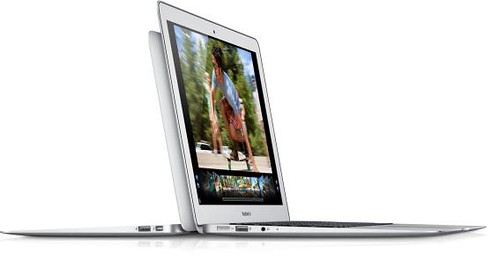
MacBook Air

Apple updated MacBook Air with the latest Intel Core processors, faster graphics and flash storage that is up to twice as fast as the previous generation. MacBook Air is the ultimate everyday notebook, and with new lower prices it is more affordable than ever. The current generation 13-inch and 15-inch MacBook Pro have also been updated with the latest Intel Core processors and powerful discrete graphics from NVIDIA. Apple’s popular AirPort Express has been redesigned to include features previously available only in AirPort Extreme.

Available in 11-inch and 13-inch designs, the new MacBook Air features the latest Core i5 and Core i7 dual-core processors and is perfect for browsing the web, making movies and managing photos. The new integrated Intel HD Graphics 4000 is up to 60 percent faster and gives the MacBook Air plenty of power to tackle games and videos. MacBook Air features flash storage up to four times faster than traditional hard drives for instant-on performance and fast access to your apps and data. Now with 4GB of faster memory, configurable up to 8GB, you can run memory-intensive apps with ease. MacBook Air also features a new FaceTime HD camera that delivers high-definition 720p.

The 13-inch MacBook Pro features the latest Intel Core i5 or Core i7 dual-core processors up to 2.9 GHz with Turbo Boost speeds up to 3.6 GHz. The 15-inch MacBook Pro features the latest Intel Core i7 quad-core processors up to 2.7 GHz with Turbo Boost speeds up to 3.7 GHz and NVIDIA GeForce GT 650M discrete graphics. Both the 13-inch and 15-inch MacBook Pro can be configured with a 1TB hard drive or SSDs up to 512GB that are up to twice as fast as the previous generation.

MacBook Air and MacBook Pro both feature a high-speed Thunderbolt port and two USB 3.0 ports to easily connect to external displays and a wide variety of high performance peripherals. The 13-inch MacBook Air, and 13-inch and 15-inch MacBook Pro deliver up to 7 hours of wireless battery life, and the 11-inch MacBook Air delivers up to 5 hours. Mac notebook batteries use advanced chemistry and Adaptive Charging technology to provide up to 1,000 recharges.

The MacBook Air and MacBook Pro ship with OS X Lion. Starting today, customers who purchase a Mac are eligible for a free copy of OS X Mountain Lion when it becomes available. Mountain Lion introduces innovative features including the all new Messages app, Notification Center, system-wide Sharing, AirPlay Mirroring, Game Center and the enhanced security of Gatekeeper. With iCloud built into the foundation of OS X, Mountain Lion makes it easier than ever to keep your content up to date across all your devices.

Priced at just $99, the new AirPort Express features a completely redesigned compact enclosure and new wireless and connectivity capabilities. Simultaneous dual-band 802.11n Wi-Fi allows users to easily create a network that delivers optimal performance and range. The AirPort Express also features an audio-out port to connect external powered speakers or an A/V receiver and use AirPlay to wirelessly stream from iTunes on your Mac or iOS device. A USB 2.0 port allows you to share a printer wirelessly over your network, and an additional ethernet port lets you connect to other computers and network devices. Setup is built right into OS X and iOS and can be done in just a few simple steps, and with AirPort Utility 6.0 for OS X Lion and iOS you can access a visual map of your network for viewing and reconfiguring devices. macbook pro-01

Pricing and Availability

The 11-inch MacBook Air comes with a 1.7 GHz processor, 4GB of memory and is available with 64GB of flash storage starting at $999 (US), and 128GB of flash storage starting at $1,099 (US). The 13-inch MacBook Air comes with a 1.8 GHz processor, 4GB of memory and is available with 128GB of flash storage starting at $1199 (US), and 256GB of flash storage starting at $1,499 (US). Configure-to-order options include a 2.0 GHz Intel Core i7 processor, up to 8GB of 1600 MHz DDR3 onboard memory and up to 512GB flash storage.

The 13-inch MacBook Pro is available with a 2.5 GHz dual-core Intel Core i5 processor, 4GB of memory and 500GB hard drive starting at $1,199 (US), and with a 2.9 GHz dual-core Intel Core i7 processor, 8GB of memory and 750GB hard drive starting at $1,499 (US).

The 15-inch MacBook Pro is available with a 2.3 GHz quad-core Intel Core i7 processor, 4GB of memory, Intel HD Graphics 4000 and NVIDIA GeForce GT 650M, and 500GB hard drive starting at $1,799 (US); and with a 2.6 GHz quad-core Intel Core i7 processor, 8GB of memory, Intel HD Graphics 4000 and NVIDIA GeForce GT 650M, and 750GB hard drive starting at $2,199 (US). Configure-to-order options include faster quad-core processors up to 2.7 GHz, additional hard drive capacity up to 1TB, up to 8GB of memory and solid state storage up to 512GB.

Monday, 9 January 2012

Victorinox Swiss Army unveils Pocket-sized Terabyte storage device at CES 2012-Victorinox SSD and Slim USB 3.0

Victorinox SSD

At CES 2012, Victorinox Swiss Army (VSA) today announced the launch of two new portable storage additions-the Victorinox SSD and Victorinox Slim 3.0.

The Victorinox SSD (Solid State Drive) and Victorinox Slim 3.0 USBs offer unprecedented data storage capacity with security measures fit for protecting the most confidential of personal and professional documents. Each pocket-sized device packs anywhere from 16GB to one terabyte of storage capacity, is equipped to withstand a range of environmental and daily use factors, and remains true to the Swiss Army legacy of flawlessly designed products that endure.

Some key features and benefits of the Victorinox SSD include:

  • World's smallest high-capacity SSD drive on the market to-date
  • Variety of storage capacities: 64GB, 128GB, 256GB, and 1 terabyte
  • World's only SSD device with only one connector that fits into USB2/3 and eSATA 2/3 connectors
  • World's only SSD device with a Bi-Stable graphic display (E-Paper software) for labeling contents
  • Handles automatic backup and synchronization issues in un-hacked AES 256 security (combination hardware and software)
  • Each SSD comes equipped with two knife bodies, between which the drive can easily be interchanged—one is flight-friendly and the other includes traditional Swiss Army Knife implements (blade, scissors, nail file/screw driver combo)

The Victorinox Slim 3.0 also combines portable data storage with stylish design. Faster in read/write speeds than a 2.0 USB flash drive can offer, the 3.0 is available in four storage capacities—16GB, 32GB, 64GB, and 128GB, and four timeless colors—black, Victorinox red, forest green and navy blue. Also available is the classic ruby with Swiss Army Knife implements (blade, scissors, nail file/screw driver combo)

At the show, VSA is also unveiling a new limited-edition collection that makes the technology of three existing solutions visible to the eye. Each product will have a transparent knife handle, exposing the internal hardware, and will be complemented by clear cube packaging that gives the appearance of the device floating in suspension. VSA only produced between 1,000 and 4,000 pieces of each limited edition product, which will be available in April 2012:

  • Victorinox Secure-Featuring a removable USB flash drive with integrated biometric fingerprint reader and loaded with proprietary Secure software, the device comes in 64GB and 128GB capacities, and comes equipped with two knife bodies. The drive can easily be interchanged between the flight-friendly body without implements and the non-flight model which includes scissors, blade, nail file with a screwdriver tip, and a combo LED/laser pointer
  • Victorinox Presentation Master-Also available in 64GB and 128GB capacities with flight-friendly and non-flight knife bodies, this removable USB flash drive features a Bluetooth remote control, laser pointer, biometric fingerprint reader, and is loaded with the Secure software
  • Victorinox Flash-Available in a 128GB capacity, equipped with flight and non-flight knife bodies, the Flash combines all the functionality of a Swiss Army Knife with a USB flash drive

Saturday, 17 March 2012

Get 25GB of Free Cloud Storage from Minus

Minus

Have you read top 18 free cloud storage service providers? Now you can add Minus to that list, as it lets you drag files from your desktop and folders directly to your browser to start sharing or via desktop and mobile apps. Minus normally offers 10GB of Free cloud storage with file size limit of 2GB for each file now with this promotion you’ll get additional 15GB space making it 25GB.

How to get Free 25GB Cloud Storage from Minus?

1. Visit this page.

2. Enter your email address and press enter/ Click Go button appsumo_2

3. On next page click on "No thanks, just checking things out!" mail_minus_com

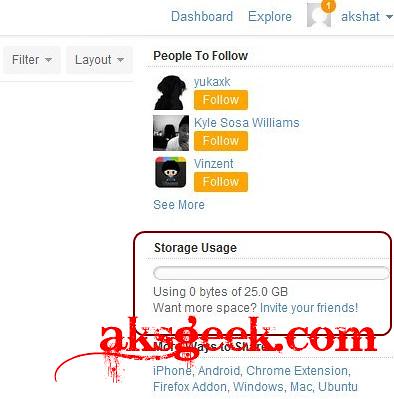
4. Now just check your mail box for AppSumo order confirmation which contain Minus redeem code. Copy paste the link on your browser and sign up for new user account. You’ll see 25GB storage space. minus 25GB_1

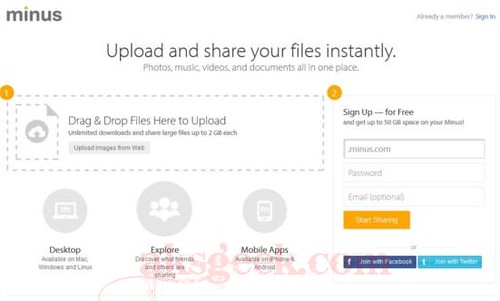
Many of you noticed that "Sign Up — for Free and get up to 50 GB space on your Minus!" on Minus site. But when you signed up, you’ll only get 10GB of free storage and by using their referral service you can increase your storage space. minus affiliate

Source:- Minus