Showing posts with label google. Show all posts

Saturday, 8 December 2012

No More Free Google Apps for new Business users

Google Apps

Google has announced a change to its Google App for Business – killing the free version, offering only premium version for companies of all sizes for $50 per user, per year. If you are using Google apps for free, you can keep using it for free, but registering a new, free account is now out of question.

Hello from Google,

Here's some important news about Google Apps—but don't worry, there's no need for you to take any action. We just want you to know that we're making a change to the packages we offer.

Starting today, we're no longer accepting new sign-ups for the free version of Google Apps (the version you're currently using). Because you're already a customer, this change has no impact on your service, and you can continue to use Google Apps for free.

Should you ever want to upgrade to Google Apps for Business, you'll enjoy benefits such as 24/7 customer support, a 25 GB inbox, business controls, our 99.9% uptime guarantee, unlimited users and more for just $5 per user, per month.

You can learn more about this change in our Help Center or on the Enterprise Blog.

Thank you for using Google Apps.

Clay Bavor
Director, Google Apps
Monday, 29 October 2012

Chrome Remote Desktop out of beta

Chrome Remote Desktop

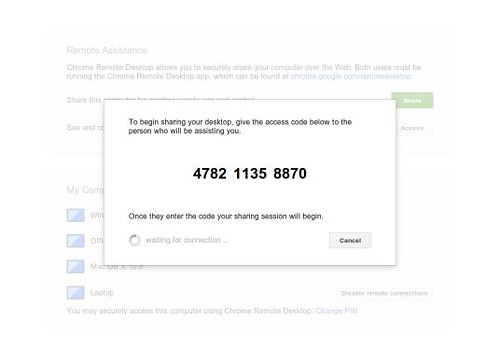
Google today announced that its taking Chrome Remote Desktop extension out of beta (allows user to remotely access another computer through Chrome browser or a Chromebook) by adding some additional features includes - a real time audio feed (on Windows only), and copy-and-paste between your local and remote computers

Chrome Remote Desktop is fully cross-platform.  Provide remote assistance to Windows, Mac and Linux users, or access your Windows (Vista and above) and Mac (OS X 10.6 and above) desktops at any time, all from the Chrome browser on virtually any device, including Chromebooks.

Source:- Chrome Blog, Chrome Remote Desktop

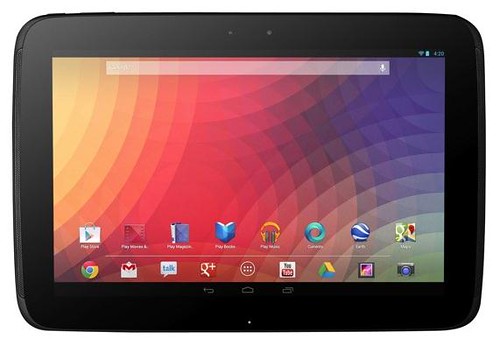
Google and Samsung unveils Nexus 10

Nexus 10

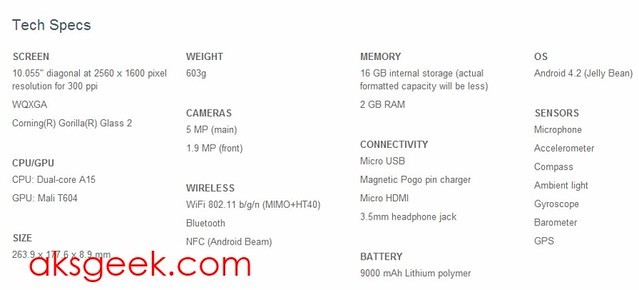
Google has revealed the Samsung made - Nexus 10, which will be available in a 16GB model for $399 and a 32GB model for $499. The Nexus 10 features a 2560-by-1600 (300ppi) pixel screen which Google claims to be "the highest resolution tablet on the planet", run Android 4.2, 2GB of RAM, a 5 MP rear camera, 1.9 MP front camera, Dual-core A15 CPU, Mali T604 GPU, Wi-Fi, Bluetooth 4.0, NFC (Android beam) radios, and 9,000mAh battery.

Nexus 10 Specifications:- Nexus 10 Specs


Source:- Google Play

Google announces 32GB Nexus 7 with HSPA+ mobile data

Nexus 7 32GB with HSPA+

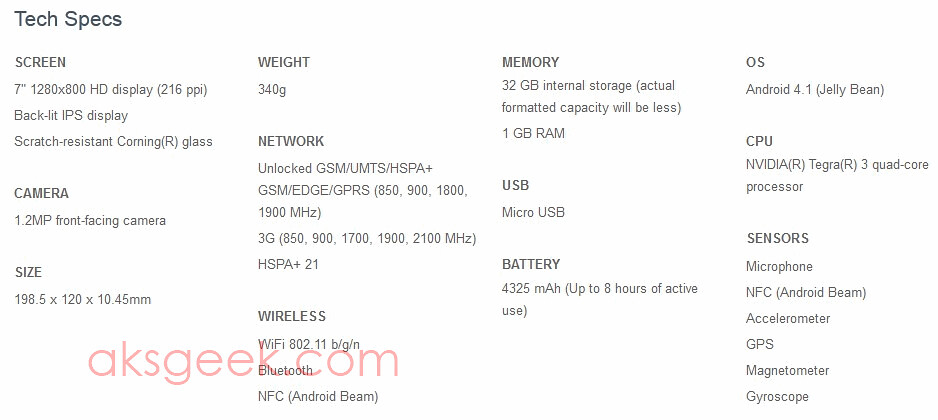
Google today unveiled the newest version of Nexus 7 tablet that is now thinner, lighter, and more portable than ever before, runs Android 4.2 includes unlocked 32GB model with HSPA+ mobile data cost you $299.

  • Nexus 7: 16GB for $199 and 32GB for $249; available in U.S., U.K., Australia, France, Germany, Spain, Canada and Japan, and also through our retail partners Gamestop, Office Depot, Office Max, Staples, Walmart.
  • Nexus 7 with 32GB and mobile data: $299 and unlocked, on sale November 13th in the Google Play store in the U.S., U.K., Australia, France, Germany, Spain and Canada.

Nexus 7 with 32GB WiFi+Mobile data Specs:-Nexus 7 with HSPA+

Source:- Google Play

Google Announces Nexus 4, Available November 13

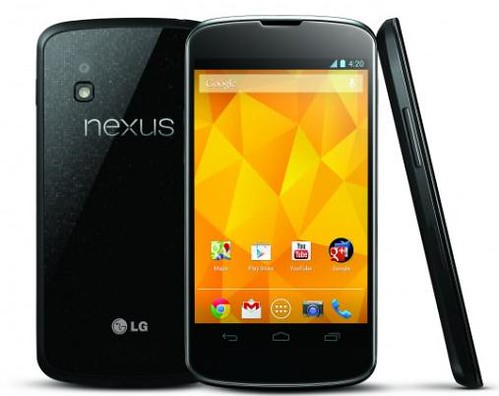
LG Nexus 4

Google and LG today announced the LG Nexus 4, features a 4.7-inch True HD IPS Plus display (1,280 x 768), a Qualcomm Snapdragon S4 Pro processor, 2GB of RAM, an 8 megapixel rear camera, and 1.3-megapixel HD front camera. This handset runs the latest version of Jelly Bean, Android 4.2 which includes the latest version of Google Now, Photo Sphere, gesture typing,  wireless display support and others.

The LG Nexus 4 will be available in an 8GB version for $299 and a 16GB version for $349 on November 13th, unlocked and without a contract via Google Play store in U.S., U.K., Australia, France, Germany, Spain and Canada. The 16GB version will also be available through T-Mobile for $199, with a 2-year contract.

Key specifications of LG Nexus 4

  • Chipset: Qualcomm Snapdragon S4 Pro processor with 1.5GHz Quad-Core Krait CPUs
  • Operating System: Android 4.2, Jelly Bean
  • Network: 3G (WCDMA), HSPA+
  • Display: 4.7-inch WXGA True HD IPS Plus (1280 x 768 pixels)
  • Memory: 8GB / 16GB
  • RAM: 2GB
  • Camera: 8.0MP rear / 1.3MP HD front
  • Battery: 2,100mAh Li-Polymer (embedded) / Talk time: 15.3 hours / Standby: 390 hours
  • Size: 133.9 x 68.7 x 9.1mm
  • Weight: 139g
  • Other: Wireless charging, NFC

Thursday, 18 October 2012

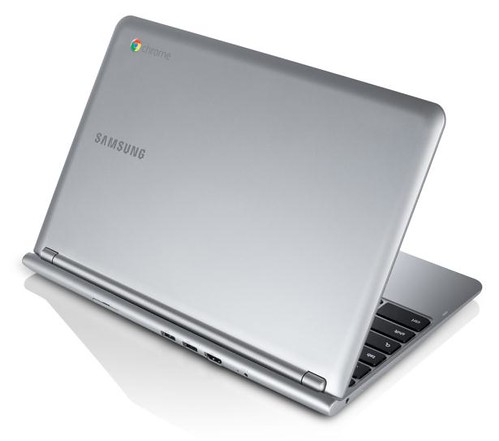
Google Launches $249 Samsung Chromebook

$249 Samsung Chromebook

Google just launched the $249 11.6-inch ARM-based Samsung Chromebook. It's one of the lightest laptops on the market weighs only 2.5 pounds, 0.8-inches thick, more than 6 hours of battery life, supports 1080p video playback and comes with 100GB of free Google Drive storage for two years.

Other specs includes - Samsung Exynos 5 Dual Processor, 2GB of RAM, VGA cam, Built-in dual band Wi-Fi 802.11 a/b/g/n, HDMI port, Bluetooth, one USB 3.0 and USB 2.0 port each.

The new Samsung Chromebook is available for pre-order online from Amazon, Best Buy, PC World and other retailers. Next week it will be available for sale from these same online retailers as well as the Google Play store. You can also buy them at over 500 Best Buy stores across the U.S and over 30 PC World and Currys stores in the U.K.

Source:- Google Blog, Chromebook

Thursday, 11 October 2012

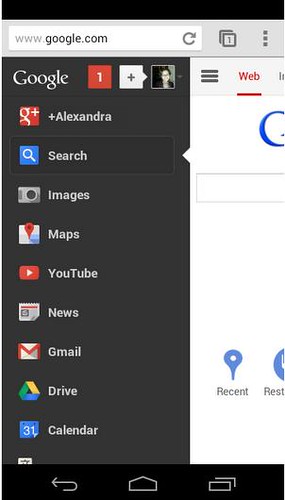
Google Refreshes Mobile Homepage

google mobile homepage

Google has rolled out a new look for its mobile homepage, unveiling new “menu button” in toolbar. Now, when you tap the new menu button in the upper left you’ll see a sidebar with other popular Google products includes You, Search, Images, Maps, YouTube, News, Gmail, Documents, Calendar, Translate, Books, Blogger, Reader, Finance, Photos and All  Products. The toolbar provides links to the “Web” and “Images”, as well as Google+ notifications and the share button for those who have Google+.

Source:- Google

Saturday, 22 September 2012

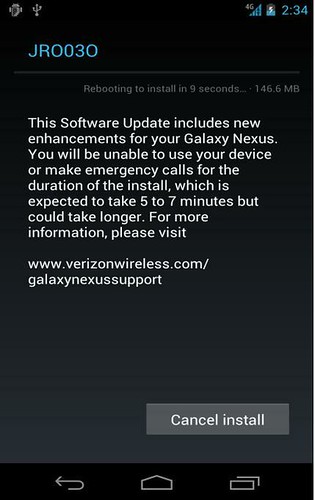
Verizon Galaxy Nexus getting Android 4.1 Jelly Bean update

Galaxy nexus Android 4.1 update

Verizon Wireless today announced Android 4.1 Jelly Bean software upgrade (version JRO03O), for Galaxy Nexus by Samsung. The Jelly Bean upgrade will be pushed out in phases over Wi-Fi only and it adds features such as Google Now, improved voice search and dictation, more useful notifications, a better keyboard, and many others.

You can check if the software is available for their device by going to Settings > About Phone > System Updates. If the upgrade is available, a notification will be displayed and you will need to connect to a Wi-Fi network to complete the download (size: 146.6MB).

Source:- Verizon Wireless

Tuesday, 31 July 2012

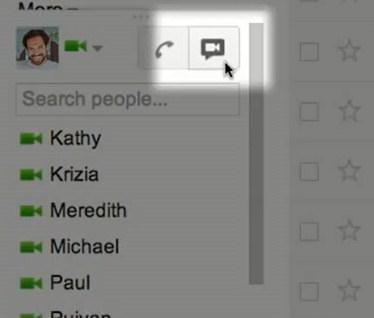
Google+ Hangouts comes to Gmail, replacing Gmail video chat

Google plus video chat

Google today began rolling out Google+ Hangouts functionality to Gmail, replacing (upgrading) old Gmail video chat. The biggest difference between two is that unlike old video chat, which was based on peer-to-peer technology, the upgraded service will offer higher reliability and enhanced quality by utilizing the power of Google's network.

Google plus Hangouts to Gmail

According to Google, this upgrade will benefit all the Gmail users but if you and the person you're chatting with also use Google+, you’ll get even more from the Hangouts experience. And the coolest part is you'll be able to video chat with up to nine people at once, watch YouTube videos together, collaborate on Google documents and share your screen.

Source:- Official Gmail blog

Monday, 23 July 2012

Google rolls out Android 4.1 Jelly Bean to Nexus S

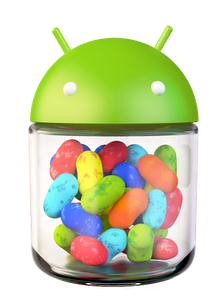
Jelly Bean Android 4.1

Google announced that it has started rolling Android 4.1 Jelly Bean update to Nexus S phones on a number of carriers including T-Mobile, H3G, O2, Rogers and Vodafone in most countries, with more to follow.

We've started rolling out Android 4.1, Jelly Bean, to Nexus S phones on a number of carriers including T-Mobile, H3G, O2, Rogers as well as Vodafone in most countries, with more to come. Enjoy!

Source:- Google Plus

Friday, 20 July 2012

Google Acquires Email App Maker Sparrow

Sparrow Google

Sparrow, maker of popular email apps for iOS and Mac OS X today announced that it has been acquired by Google. The company CEO Dom Leca has confirmed in a blog post that Sparrow will be joining the Gmail team to "accomplish a bigger vision – one that we think we can better achieve with Google". However, the team "will continue to make Sparrow available and provide support for our users."

Source:- Sparrow

Thursday, 19 July 2012

Books on Google Play arrives in France

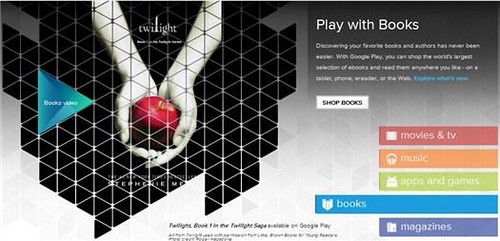
GooglePlay books

Google announced that they are adding books to Google Play for people in France, making it the fifth European country joining Germany, Spain, Italy and the UK.

French users can read their books in Google Play's cloud anytime, anywhere, on almost any device. Books can be purchased and instantly available on Android phones and tablets, a PC or Mac. iPhone and iPad users can read books in the Google Play Books app.

Google in a blog post said

Books on Google Play is all about choice: we’re offering many titles and many ways to access and read them, so that your library is literally at your fingertips no matter where you are. You can choose from great titles from hundreds of award-winning and diverse publishing houses at launch, not to mention the telethousands of international publishers Google works with around the world.

Zoho Office Suite Integrated into Google Drive

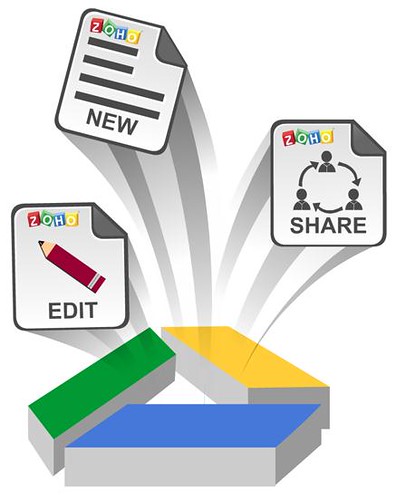
Zoho Office Suite

Zoho productivity applications - Zoho Writer word processor, Zoho Sheet spreadsheet and Zoho Show presentation for Google Drive are available today for Free. You can get all of them from Chrome Web Store link below.

Zoho Office Apps in Google Drive

Users can add Zoho applications to Google Drive using the “Manage apps” option in the Settings menu in Google Drive. Once added, Zoho Writer, Zoho Sheet and Zoho Show will appear as options under the “Create” option, to create new documents, spreadsheets and presentations. When users right-click on individual files to open them within Google Drive, the Zoho applications will appear under the “Open with” option.

When a user saves Zoho documents, spreadsheets or presentations in Google Drive, the files are stored in Google Drive and automatically synchronized with that user’s other desktop, laptop, smartphone or tablet devices - assuming those devices are also connected to Google Drive.

Files uploaded from a desktop, as well as native Google files, can be opened using the Zoho Office applications. While editing existing documents, a copy of a document is created and saved in Zoho Office formats - .zdoc for documents, .zsheet for spreadsheets and .zslides for presentations - leaving the original document untouched.

Users can also invite their Google contacts to collaborate on their Google Drive documents and edit them using Zoho editors in real time. Based on the permissions, users will be allowed to access the document for collaboration.

Source:- Chrome Web Store, Zoho

Jelly Bean Android 4.1 SDK now Available for Download

nexus7

Google today released the full SDK for Android 4.1 Jelly Bean which is now available to developers and can be downloaded through SDK Manager. In addition, Google also released SDK Tools revision 20.0.1 and NDK revision 8b containing bug fixes only. Just hit the source link below to get started.

Source:- SDK Tool revision, NDK, Android Developers

Wednesday, 18 July 2012

YouTube offers Face-Blurring option provides Visual Anonymity for Videos

YouTube Blurred Face

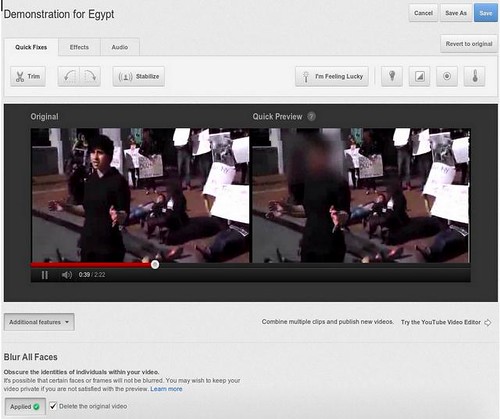
YouTube today launched a face blurring tool that allows video makers to obscure faces within videos with the click of a button. To Blur Faces on YouTube all you need to do is to choose a video that you would like to edit within Video Enhancements tool, go to Additional Features and click the "Apply" button below Blur All Faces. You'll be able to preview how it looks, and if you save changes, a new copy is made with the blurred faces and then you will be given the option to delete the original video.

YouTube in a blog post mentioned that it's still an emerging technology and it may still miss out on faces depending on lighting obstructions and video quality.

Visual anonymity in video allows people to share personal footage more widely and to speak out when they otherwise may not.

Source:- YouTube Blog

Wednesday, 4 July 2012

Google 'Spring Cleaning' Continues retiring iGoogle, Google Mini, others

google mini

Google today announced 'Spring Cleaning in Summer' discontinuing more services, including iGoogle, Google Mini, Google Talk ChatBack, Google Video and Symbian App search.

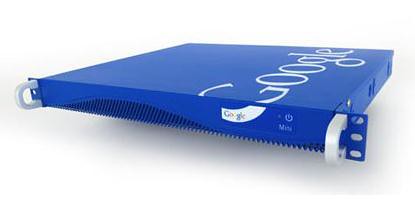
Google Mini is an enterprise search appliance that is being retired (starting July 31st) because its functionality can be better provided by products like Google Search Appliance, Google Site Search and Google Commerce Search.Google says that it will continue to support Google Mini owners for the duration of their contracts.

Google Talk Chatback allowed websites to embed a Google Talk widget so that they could engage with their visitors - now OUTDATED, so Google turning off Chatback and encouraging websites to use the Meebo bar.

Later this summer Google be moving the remaining hosted Google Video (which already stopped taking uploads a while back) content to YouTube giving users August 20th deadline to migrate, delete or download their content.

On November 1, 2013, iGoogle will be retired, giving users 16 months to adjust or export their data.

Finally, Google retiring Symbian Search App to focus their efforts on mobile web search experience and encouraging users to bookmark their homepage.

Source:- Google Blog

Wednesday, 27 June 2012

Google Announces Android 4.1 Jelly Bean

Jelly Bean Android 4.1

Today at Google I/O, Google announced the latest version of the Android platform, Android 4.1 (Jelly Bean), which will includes improved system performance and enhanced user features.

Improvements include a smoother and more responsive UI across the system, better CPU management, a home screen that automatically adapts to fit your content, a powerful predictive keyboard, richer and more interactive notifications, larger payload sizes for Android Beam sharing and much more.

Android 4.1 will be released to the open source community in mid July and the SDK will be available today at developer.android.com. nexus 7 tablet

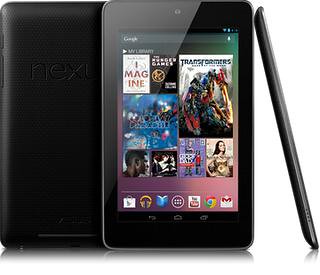
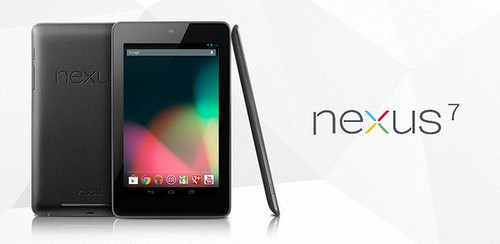
Google also is expected to release a new Nexus device, except this time it is a tablet. Rumored to be called the Nexus 7, will have a 7-inch screen, a quad-core processor, made by Asus and will be priced at $199.

Source:- Android 4.1 Jelly Bean

Tuesday, 26 June 2012

Gmail for iOS updated gets notification support and persistent logins

gmail for iOS

Gmail App for iOS has been updated today with fully integrated Notification Center and supports banners, alerts and lock screen options. Google also adds the ability to send messages from your alternate email addresses and improved the login process to allow you to stay logged into the app for as long as you’d like, which means sessions will no longer expire and you don’t have to  frequently enter account credentials to access your inbox.

Source:- Gmail Blog, iTunes

Thursday, 21 June 2012

Android Developers Site Simplified, Streamlined and Refocused

Android Developer

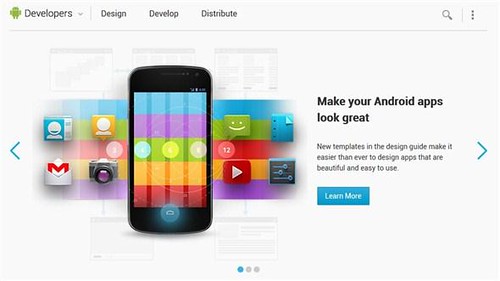
Google has just given its Android developer site a fresh new "streamlined, simplified, and refocused" look, ahead of next week's Google I/O conference. In general Google reduced the tabs in front page and call them a developer’s tasks that will fall into three baskets: Designing, developing, and distributing -focused on the app development lifecycle. Just hit the source link below and see what we’re talking about.

Source: Android Developer

Wednesday, 6 June 2012

Google Acquires QuickOffice

Google and quickoffice

Google announced that it has acquired QuickOffice, a world leader in office productivity solutions.

Alan Warren, engineering director at Google said:

Today, consumers, businesses and schools use Google Apps to get stuff done from anywhere, with anyone and on any device. Quickoffice has an established track record of enabling seamless interoperability with popular file formats, and we’ll be working on bringing their powerful technology to our Apps product suite.

So, we can expect QuickOffice to be integrated into Google Drive.