Showing posts sorted by relevance for query Security. Sort by date Show all posts

Tuesday, 12 October 2010

Kensington ClickSafe Keyed Laptop Lock

Kensington clicksafe keyed laptop lock

Kensington Computer Products Group, the worldwide leader in physical computer security, introduced the Kensington ClickSafe Keyed Laptop Lock, a simpler, safer, and smarter standard of defense for the Enterprise.

ClickSafe's unparalleled ease of use and protection serves to significantly cut IT expenses caused by stolen laptops, lost hardware and data. Physical computer security issues in the Enterprise have grown exponentially as employees have turned to laptops both in and out of the office. And yet, the simple, first line of defense that a laptop lock offers to protect IT assets and the valuable data that resides on them is still often overlooked by Enterprise users. Now Kensington- globally recognized creator of the famous Kensington Security Slot built into 99% of laptops, and award-winning MicroSaver and ComboSaver computer locks- has created yet another new standard in laptop security. The Kensington ClickSafe™ design is so simple – one click and that's it – that user compliance is expected to dramatically increase.

"Companies entrust laptops with their most sensitive data, yet do not often think twice about physical computer safety. Kensington's new product is designed for employees to stay productive with their laptops at all times while improving hardware security compliance and above all, being simple to use."

Today's business executives are more mobile than ever. Yet they are not aware that the price their company pays to replace just one lost business laptop is much more than the $49,246 worth of lost equipment and data reported by the Ponemon Institute1. Costs from hardware replacement, lost productivity, data recovery, damage to client relationships and company reputation can result in astronomical losses. Despite major advances in security software and internal data protection, thefts of the actual business laptops themselves continue to increase each year. In fact, a recent 2010 IDC Laptop Theft Survey2 commissioned by Kensington found that up to 40% of laptop thefts occur right in the office itself, with an astounding 9 out of 10 organizations reporting that they suffer from problems of laptop theft in epidemic proportions. The survey results also proved the value of initiating improved security and compliance with IT respondents reporting that well-implemented security policies can reduce laptop theft by as much as 43%.

"Hardware theft is still a very serious issue to many businesses," said James Michael Stewart, Certified Information Systems Security Professional and author of Foundations of Network Security, Firewalls, and VPN's. "Companies entrust laptops with their most sensitive data, yet do not often think twice about physical computer safety. Kensington's new product is designed for employees to stay productive with their laptops at all times while improving hardware security compliance and above all, being simple to use."

The ClickSafe lock protects computers in just one single, simple step. It easily attaches to a laptop with one motion to be secured. Kensington's smart made simple philosophy has eliminated the need to first insert a key and then follow multiple steps to engage a lock. There's no learning curve or hassle to use- the seamless solution is built to fit busy daily routines so all employees will stay security compliant. IT and security managers can now be confident that company computers and IT assets are protected from theft. ClickSafe's firm, anti-theft engagement mechanism, pairs with cable made from superior carbon strengthened materials to deliver the best security available in a cable-style lock. Kensington rigorously tests its security products for real-world conditions to resist lock-picking, corrosion, tampering and extreme environments, and the new ClickSafe has exceeded them all.

Kensington ClickSafe keyed Laptop Lock

"Kensington introduced computer locks to the world and with this product has once again raised the bar of security standards. ClickSafe is the solution enterprise companies have been waiting for to finally improve employee security compliance," said Rob Humphrey, Director, Security Products Global Business at Kensington. "We have taken smart made simple to a whole new level by simplifying a five-step process into one easy step, without compromising the strength and protection Kensington has always offered. There are no more barriers or excuses for users not to comply with their employer's security policy, so meeting HIPAA or GLBA regulations is that much easier. Here is an opportunity for businesses to enforce security policies, protect IT assets and save organizations real dollars."

Kensington ClickSafe Keyed Laptop Lock (K64637WW; SRP $49.99)

Protect the computer in a click with the Kensington ClickSafe Keyed Laptop Lock. Just one step ensures ultimate physical security-simply attach ClickSafe with a single motion. ClickSafe combines a cable made from superior materials with a tamper-proof disc-style lock to deliver the strongest security available in a cable lock. A master key version is also available: ClickSafe Master Access Keyed Laptop Lock (K64639; $49.99).

Kensington ClickSafe Keyed Twin Laptop Lock (K64638WW; SRP $69.99)

Designed for effortless protection of computers, peripherals and your business´s most important data. Kensington's ClickSafe Keyed Twin Laptop Lock features dual one click lock heads offering 3 rotational degrees of freedom to attach to hardware in a single step. There´s no need for employees to insert a key or follow multiple steps. A master key version is also available: ClickSafe Master Access Keyed Twin Laptop Lock (K64640; $69.99).

  • Simpler - Security in one step, the simplified design protects your employee's computer with just one click. So easy to use, your employees have no excuse to leave their computer and data unprotected and your business is protected.
  • Safer - Tamper-proof disk-style lock combined with super-strong high-carbon steel cable provides the strongest physical security on the market. Made with stainless steel and metal-injection molding, ClickSafe is reinforced by 7 x 7 carbon cables. It is the next generation in computer safety, from the people who brought you the first.
  • Smarter - No need to compromise security, portability or convenience. ClickSafe is designed to fit seamlessly into busy daily routines to deliver improved compliance. And for an extra layer of control, Clicksafe locks are also available in Master Access configurations.


The Kensington ClickSafe Keyed Laptop Locks are available for purchase at CDW, Dell and other resellers nationwide, as well as at Kensington.com. For additional information on the existing line of Kensington products, please visit www.kensington.com.

Kensington

Sunday, 1 May 2011

Some PlayStation Network and Qriocity Services to be Available This Week

PlayStation Network

Sony Computer Entertainment (SCE) and Sony Network Entertainment International (SNEI, the company) announced they will shortly begin a phased restoration by region of PlayStation Network and Qriocity services, beginning with gaming, music and video services to be turned on. The company also announced both a series of immediate steps to enhance security across the network and a new customer appreciation program to thank its customers for their patience and loyalty.

Following a criminal cyber-attack on the company’s data-center located in San Diego, California, U.S.A., SNEI quickly turned off the PlayStation Network and Qriocity services, engaged multiple expert information security firms over the course of several days and conducted an extensive audit of the system. Since then, the company has implemented a variety of new security measures to provide greater protection of personal information. SNEI and its third-party experts have conducted extensive tests to verify the security strength of the PlayStation Network and Qriocity services. With these measures in place, SCE and SNEI plan to start a phased rollout by region of the services shortly. The initial phase of the rollout will include, but is not limited to, the following:

  • Restoration of Online game-play across the PlayStation3 (PS3) and PSP (PlayStationPortable) systems
    -This includes titles requiring online verification and downloaded games
  • Access to Music Unlimited powered by Qriocity for PS3/PSP for existing subscribers
  • Access to account management and password reset
  • Access to download un-expired Movie Rentals on PS3, PSP and MediaGo
  • PlayStationHome
  • Friends List
  • Chat Functionality

Working closely with several outside security firms, the company has implemented significant security measures to further detect unauthorized activity and provide consumers with greater protection of their personal information. The company is also creating the position of Chief Information Security Officer, directly reporting to Shinji Hasejima, Chief Information Officer of Sony Corporation, to add a new position of expertise in and accountability for customer data protection and supplement existing information security personnel. The new security measures implemented include, but are not limited to, the following:

  • Added automated software monitoring and configuration management to help defend against new attacks
  • Enhanced levels of data protection and encryption
  • Enhanced ability to detect software intrusions within the network, unauthorized access and unusual activity patterns
  • Implementation of additional firewalls

The company also expedited an already planned move of the system to a new data center in a different location that has been under construction and development for several months. In addition, PS3 will have a forced system software update that will require all registered PlayStation Network users to change their account passwords before being able to sign into the service. As an added layer of security, that password can only be changed on the same PS3 in which that account was activated, or through validated email confirmation, a critical step to help further protect customer data.

The company is conducting a thorough and on-going investigation and working with law enforcement to track down and prosecute those responsible for the illegal intrusion.

“This criminal act against our network had a significant impact not only on our consumers, but our entire industry. These illegal attacks obviously highlight the widespread problem with cyber-security. We take the security of our consumers’ information very seriously and are committed to helping our consumers protect their personal data. In addition, the organization has worked around the clock to bring these services back online, and are doing so only after we had verified increased levels of security across our networks,” said Kazuo Hirai, Executive Deputy President, Sony Corporation. “Our global audience of PlayStation Network and Qriocity consumers was disrupted. We have learned lessons along the way about the valued relationship with our consumers, and to that end, we will be launching a customer appreciation program for registered consumers as a way of expressing our gratitude for their loyalty during this network downtime, as we work even harder to restore and regain their trust in us and our services.”

Complimentary Offering and “Welcome Back” Appreciation Program
While there is no evidence at this time that credit card data was taken, the company is committed to helping its customers protect their personal data and will provide a complimentary offering to assist users in enrolling in identity theft protection services and/or similar programs. The implementation will be at a local level and further details will be made available shortly in each region.

The company will also rollout the PlayStation Network and Qriocity “Welcome Back” program, to be offered worldwide, which will be tailored to specific markets to provide our consumers with a selection of service options and premium content as an expression of the company’s appreciation for their patience, support and continued loyalty.

Central components of the “Welcome Back” program will include:

  • Each territory will be offering selected PlayStation entertainment content for free download. Specific details of this content will be announced in each region soon.
  • All existing PlayStation Network customers will be provided with 30 days free membership in the PlayStation Plus premium service. Current members of PlayStation Plus will receive 30 days free service.
  • Music Unlimited powered by Qriocity subscribers (in countries where the service is available) will receive 30 days free service.
  • Additional “Welcome Back” entertainment and service offerings will be rolled out over the coming weeks as the company returns the PlayStation Network and Qriocity services to the quality standard users have grown to enjoy and strive to exceed those exceptions.
  • SNEI will continue to reinforce and verify security for transactions before resuming the PlayStationStore and other Qriocity operations, scheduled for this month.

For more information about the PlayStation Network and Qriocity services intrusion and restoration, please visit http://blog.us.playstation.com. or http://blog.eu.playstation.com/

Wednesday, 12 September 2012

Verizon launches Mobile Security App for Android

Verizon Mobile Security App

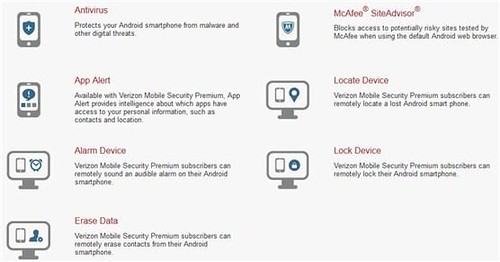
Verizon announced Verizon Mobile Security, an application that helps customers secure and protect Android smartphones against digital and physical threats. The Mobile Security app is powered by Asurion and McAfee is available in two (Free and Premium) version on Android smartphones running Android 2.1 or higher.

Verizon Mobile Security Basic – Provides antivirus protection, powered by McAfee, to detect viruses and malware, and McAfee SiteAdvisor to identify and warn customers of suspicious websites. There is no charge to download Verizon Mobile Security Basic, but a Verizon Wireless data plan is required and data usage will apply.

Verizon Mobile Security Premium – Includes the security features of Verizon Mobile Security Basic, as well as McAfee App Alert, which delivers information about which apps have the ability to access, store or transmit data to or from the device. Available for $1.99/month per line, Verizon Mobile Security Premium also provides recovery features from Asurion that allow customers to remotely locate, alarm, lock or wipe data from a lost or misplaced device using their My Verizon accounts.

Verizon customers who are subscribed to the Total Equipment Protection insurance plan can add Verizon Mobile Security Premium for $1 per month. Total Equipment Coverage combines the benefits of Asurion's Wireless Protection Plan for lost, stolen, and damaged devices, and Verizon Wireless' Extended Warranty for mechanical or electrical defects after the manufacturer's warranty expires.

Source:- Verizon

Saturday, 19 February 2011

Get Acronis Backup and Security 2010 Free for 3 Months

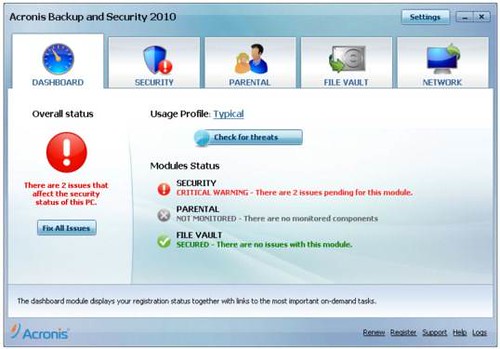
Acronis Backup and Security 2010

Acronis is currently offering free 3 months trial of Backup and Security 2010(Standard Edition). Acronis Backup and Security is a powerful security suite which combines antivirus, web protection, backup, firewall, parental control and anti-spam to protect users from all kinds of internal as well as external threats that can damage important system data.

The standard edition of Acronis Backup and Security comes with 5 GB of online storage that allows users to backup their financial information, personal data, music, photos securely on Acronis facility. It also features local backup and Nonstop Backup that prevents data loss by carrying out incremental backups every five minutes.

Key Features :

  • Local backup: protect and easily recover all of your data fast.
  • Full Internet security.
  • Online backup: protect your most critical files at a remote, secure site
  • Fast Recoveries.
  • Parental Control.
  • Full protection from external viruses, spam and malware.
  • Encrypts Yahoo! and MSN Instant Messages.
  • Block unauthorized access to your wireless network.
  • Firewall Protection.

How to Get Acronis Backup and Security 2010 (Standard Edition) for 3 Months

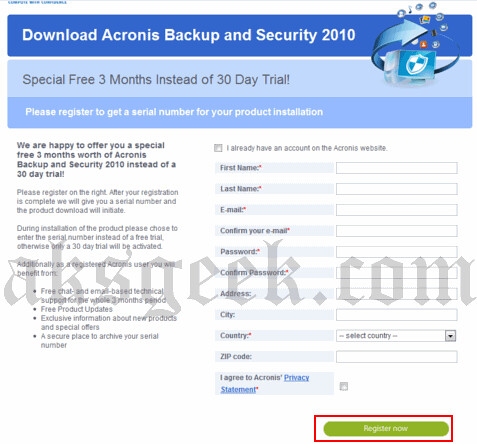
1. Visit this promo page. http://www.acronis.com/promo/abs3months/

acronic backup and security--form

2. Enter your first and last name, email address, country and other information. Click Register Now button. If you are an existing user then you can skip this step and directly login to Acronis website.

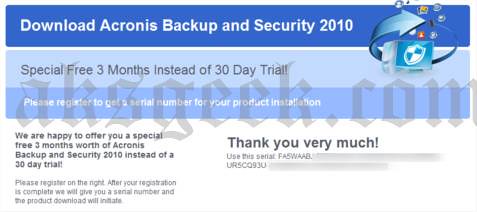
3. You will receive a confirmation e-mail from noreply@acronis.com. Click on the confirmation link to receive your free license key.
acronic backup and security-license

Done!

Download Acronis Backup and Security 2010

Tuesday, 19 July 2011

Get avast! Internet Security 6 License key for FREE

avast! internet security

avast! lover’s, its time to rejoice! Now you can get avast! Internet Security 6.0 license key valid till April 18, 2012 for FREE! avast! internet security 6 provides complete antivirus, anti-spyware, antispam, and firewall protection, complemented now by new avast! SafeZone technology. It creates an isolated virtual desktop, invisible to any possible attacker, where you can do your online shopping and banking securely.

How to get avast! Internet Security 6 License key for FREE (9 months) ?

1. Visit this link

 http://www.my-avast.de/AVAST-Aktion-com-so-gehts

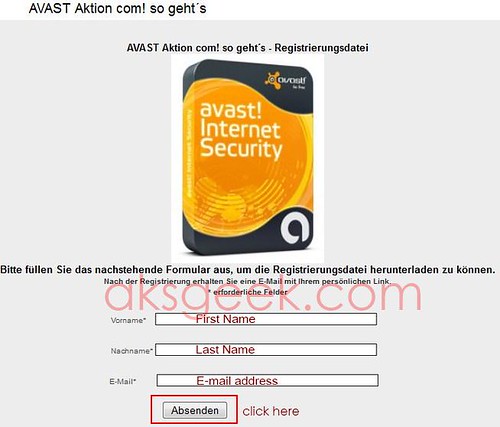
Avast Internet Security-form

2. Enter your first name (vorname), last name (nachname), email address and click on "Absenden" button.

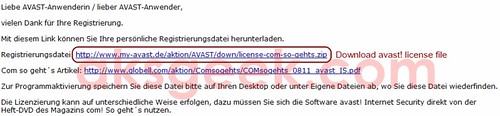
3. Now check your inbox, you’ll receive a mail from Globell Marketing containing link of avast! internet security 6 license file. Download the file and extract it.

Avast Internet Security-license

or Download license file from below link 

http://www.my-avast.de/aktion/AVAST/down/license-com-so-gehts.zip

This key is valid till April 18, 2012

4. Download and install avast! Internet Security 6.

5. During the setup use this license file and enjoy avast! internet security 6 for Free.

[Via]


Wednesday, 12 April 2017

Getting started with Amazon Web Services (AWS)–Create an EC2 Instance

As you are already aware of Amazon Web Services (AWS) that offer on-demand cloud computing solution with a pay-per-use approach. As Amazon offer 12 months free trial to check out their services, we exactly going to do that and also recommend you sign up for AWS Free tier. If you already did then let’s get started and learn together on how to create an EC2 instance in AWS.


First, take a quick look at Amazon Free Tier benefits:

Amazon EC2 (Compute)
  • 750 hours per month of Linux, RHEL, or SLES t2.micro instance usage
  • 750 hours per month of Windows t2.micro instance usage
Amazon S3
(Storage)
  • 5GB of standard storage (20,000 Get Requests, 2,000 Put Requests)
Amazon RDS
(Database)
  • 750 Hours per month of database usage
  • 20 GB of DB Storage: any combination of General Purpose (SSD) or Magnetic
  • 20 GB for Backups (with RDS Magnetic storage; I/Os' on General Purpose [SSD] are not separately billed)
  • 10,000,000 I/Os'
Amazon QuickSight
(Analytics)
  • 1 GB of SPICE capacity 1 user perpetual free tier
  • 10GB of SPICE capacity the first 2 months for free for a total of 4 users
Offers that won’t expire after 12 months
  • AWS Lambda, DynamoDB, AWS Database Migration Service etc..

A. Log in to your AWS-console;
aws console

B. Go to Services on top left corner and select EC2, to enter in EC2 dashboard;


ec2_launch instance

C. Now click on “Launch Instance”


To successfully launch an EC2 instance you have to follow 7 steps:


1. Choose Amazon Machine Image (AMI)

aws choose ami
  • You can choose any AMI from amazon marketplace as per your requirement but in this tutorial, I will focus only on free tier eligible products and services. Therefore, I am selecting Amazon Linux AMI (64-bit)
2. Choose an Instance type
 aws instance type
  • Select General purpose t2.micro (free tier eligible) instance and click on “next Configure Instance Details”
3. Configure Instance Details
 configure instance aws
  • You may leave the setting to default but I want you to look into the settings:
    • Subnet: you may choose any one default subnet available or may create a new subnet;
    • Auto-assign Public IP: keep it as default (use subnet setting (enable). If needed, you may enable elastic IP to connect it to your domain;
    • Enable termination protection: check this to protect against accidental termination;
  • Click on “Add Storage” button.
4. Add Storage
 add storage aws
  • You may go ahead with the default setting by clicking on “Add Tags” button or you may increase storage size up to 30GB for Volume type General Purpose SSD or Magnetic storage. (increase storage as per your requirement, make sure don’t decrease it from 8GB)
5. Add Tags 
 add tags ec2 aws
  • Skip this step and continue with clicking on “Configure Security Group”
6. Configure Security Group
 security group ec2
configure security group ec2
  • In Assign a security group: Select “create a new security group” (if you don’t have any) or “choose from existing one”;
  • Provide Security Group name or leave it as default ( launch-wizard-1) – I recommend you to add name which may later help you in identifying the security group;
  • Add description – enter description which makes this security group explanatory for you;
  • In SSH select source My IP (recommended option), so it will allow only your IP to connect to SSH or you can assign custom IP address or just select “Anywhere” (least secure option);
  • Add HTTP to connect to server port to make your instance accessible;
  • For the last step click on “Review Instance Launch”.
7. Review Instance Launch
 review ec2 instance
  • You may go through the summary of your instance. In case you want to make any changes, just do it.
  • Once you go through all the details available on Review instance launch, click on “Launch” button, new window pop-up - “Select an existing key pair or create a new pair window”.
  • Now create a new key pair (never proceed without a key pair, otherwise you won’t be able to connect your instance) and enter key pair name;
ec2 key pair
  • Download the key pair and keep it in a secure location as you will NOT be able to download the file again after it's created.
  • Finally, click Launch Instances.
ec2 instance launched 

You have successfully launched an EC2 instance on AWS, now go to your EC2 dashboard and view running instance. This guide may be used for creating a different EC2 instance with different machine image.
On next post, we will move further any see how we can connect to our instance and install WordPress.

Saturday, 25 December 2010

Get Free F-Secure Mobile Security License for 6 Months

F-Secure Mobile Security

F-Secure is giving away 5000 licenses of F-Secure Mobile Security of 6 month validity for free. This free 6-months license is in the value of 20 €, 20 £, 20$ and you can get it for free.

F-Secure Mobile Security is a complete security solution for your smartphone. It helps protect the contents of your phone, enables safe mobile web browsing, and can assist you if your phone is lost or stolen.

  • Protects your personal and confidential content from viruses and malware
  • Enables safe browsing and safeguards your identity online
  • Locates your lost or stolen phone, or the person holding it

How To Get F-Secure Mobile Security 6 Month License for FREE

1. Visit F-Secure Facebook page.

2. Click like button. F-secure

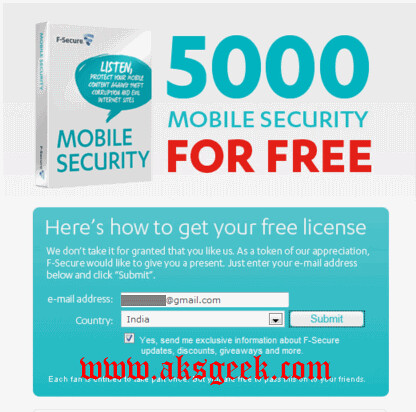
3. Fill up your email id, select country and click submit button.

4. Now check your inbox for your license key.

How to install F-Secure Mobile Security

1. Click here

2. Pick the correct download file for your smartphone version

3. Save the download file to your computer or directly to your smartphone. Make a note of where you save the file

4. Once you have saved the file on your Smartphone, launch the installation and follow the instructions.

5. When prompted during the installation, enter your personal subscription key.

Enjoy!

Saturday, 7 May 2011

Download Comodo Internet Security Pro 2011 with 1 Year license for Free

Comodo Internet Security pro 2011

Comodo is now offering FREE download of their Internet Security PRO version for one year. Comodo Internet Security Pro 2011 offers real-time protection against Viruses, Trojans, Adware, Spyware and other Malware threats. Other Antivirus products depend on signature updates alone but Auto Sandbox Technology means you’re protected from even unknown threats. It adds an additional layer of prevention called Defense+. This is what is known as a HIPS or Host Intrusion Prevention System.

Key Features:-

  • Firewall
  • Defense+ Technology
  • Auto Sandbox Technology
  • Spyware Scanning
  • Cloud based Antivirus

The latest version of Comodo Internet Security Pro normally priced at $49.99 per 1-year license but as part of Comodo giveaway promotion, you can now  download the full version of Comodo Internet Security Pro (12 months) free of charge.

Download Comodo Internet Security Pro 2011


Saturday, 6 August 2011

Download Norton Internet Security 5 and Antivirus 12 Beta for Mac OS X Lion 10.7

Norton Internet Security 5 for Mac

Symantec has released the public beta version of Norton Internet Security 5  and Norton Antivirus 12 for Mac OS X Lion 10.7. Both are available for download for Free.

Norton Internet Security 5 for Mac OS X Lion 10.7

Browse, shop, and bank online with powerful protection against getting attacked or ripped off. Norton Internet Security for Mac blocks dangerous websites, and detects and eliminates online threats so you can safely enjoy your favorite Internet activities.

The new beta of Norton Internet Security for Mac includes:

  • Norton Safe Web
  • New and Improved User Interface
  • Faster Installation and Improved Performance

Download Norton Internet Security 5 Beta 

Norton Antivirus 12 for Mac OS X Lion 10.7

Norton Antivirus 12 for Mac

More and more online threats are targeting Mac and Mac users. Fortunately, Norton AntiVirus for Mac gives you the power to keep your Mac—and your files—safe from the newest threats.

  • The new beta of Norton AntiVirus for Mac includes:
  • Daily protection updates to keep you safe from new Mac threats
  • New and Improved User Interface
  • Faster Installation and Improved Performance

Download Norton Antivirus 12 Beta


Sunday, 15 May 2011

Restoration of PlayStation Network Begins

PlayStation Restore

Sony announced that phased restoration by region of PlayStation Network and Qriocity Services is beginning today. The phased restoration will be on a country by country basis beginning in the Americas, Europe, Australia, New Zealand, and Middle East.

The first phase of restored services for these countries and regions will include:

  • Sign-in for PlayStation Network and Qriocity services, including the resetting of passwords
  • Restoration of online game-play across PS3 and PSPPlayback rental video content, if within rental period, of PlayStation Network Video Delivery Service on PS3, PSP and MediaGo
  • Music Unlimited powered by Qriocity, for current subscribers, on PS3 and PC
  • Access to 3rd party services such as Netflix, Hulu, Vudu and MLB.tv
  • 'Friends' category on PS3, including Friends List, Chat Functionality, Trophy Comparison, etc
  • PlayStation Home
  • Increased Security Measures

As the result of a criminal cyber attack on the company's data-center located in San Diego, California, U.S.A., SNEI shut down the PlayStation Network and Qriocity services on April 20, in order for the company to undergo an investigation and make enhancements to the overall security of the network infrastructure. Working closely with several respected outside security firms, the company has implemented new and additional security measures that strengthen safeguards against unauthorized activity, and provide consumers with greater protection of their personal information.

The company has made considerable enhancements to the data security, including updating and adding advanced security technologies, additional software monitoring and penetration and vulnerability testing, and increased levels of encryption and additional firewalls. The company also added a variety of other measures to the network infrastructure including an early-warning system for unusual activity patterns that could signal an attempt to compromise the network.

The restoration of the services across the Americas, Europe, Australia, New Zealand, and Middle East are beginning, and consumers will be able to enjoy some of the online functionality provided by both the PlayStation Network and Qriocity services. Phased restoration in Japan and other Asian countries and regions will be announced in due course. The company expects to have the services fully restored by the end of May 2011.

The company will be offering customers a "Welcome Back" package of services and premium content to all registered PlayStation Network and Qriocity account services. The details of this program will be announced in each region shortly.

Source:- PlayStation Blog


Saturday, 23 April 2011

Download Norton Mobile Security (Beta) for Android

Nortone Mobile Security

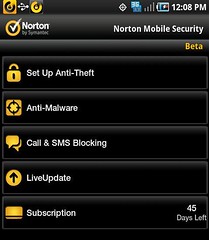
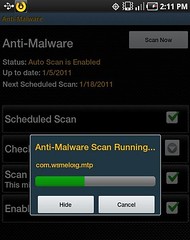
Now it’s time to protect your Android device, you can download Norton Mobile Security 2.0 (Beta) which is a new mobile app that gives you Anti-Phishing web protection, Anti-Theft Remote Locate, Lock and Wipe capabilities in case your device is lost or stolen, Call and SMS screening from unwanted callers as well as Norton strength Anti-Malware protection.

Nortone Mobile Security- scanning

Norton Mobile Security 2.0 is a Beta app, so may not be as effective as other antivirus but surely you can give it a try. You can also submit any feedback/comments to the Norton Mobile forum.

What is your free and favorite antivirus for Android?

Download Norton Mobile Security (Beta) (require android 1.6 or higher)


Friday, 10 August 2012

Blizzard's Battle.net Hacked, Account Data stolen

battle.net

Blizzard Entertainment, the company behind Warcraft, Starcraft and Diablo, today announced that its Battle.net service was compromised. The company in its public statement said that truly sensitive information such as credit cards, billing addresses, or real names is safe but hackers manage to steal certain things like email address, the answer to the personal security question, and information relating to Mobile and Dial-In Authenticators. Although they claimed that this information alone is NOT enough for anyone to gain access to Battle.net accounts but as a precaution, recommending all users to change their passwords right away. Read detailed security update from Blizzard after the break.

Players and Friends,

Even when you are in the business of fun, not every week ends up being fun. This week, our security team found an unauthorized and illegal access into our internal network here at Blizzard. We quickly took steps to close off this access and began working with law enforcement and security experts to investigate what happened.

At this time, we’ve found no evidence that financial information such as credit cards, billing addresses, or real names were compromised. Our investigation is ongoing, but so far nothing suggests that these pieces of information have been accessed.

Some data was illegally accessed, including a list of email addresses for global Battle.net users, outside of China. For players on North American servers (which generally includes players from North America, Latin America, Australia, New Zealand, and Southeast Asia) the answer to the personal security question, and information relating to Mobile and Dial-In Authenticators were also accessed. Based on what we currently know, this information alone is NOT enough for anyone to gain access to Battle.net accounts.

We also know that cryptographically scrambled versions of Battle.net passwords (not actual passwords) for players on North American servers were taken. We use Secure Remote Password protocol (SRP) to protect these passwords, which is designed to make it extremely difficult to extract the actual password, and also means that each password would have to be deciphered individually. As a precaution, however, we recommend that players on North American servers change their password. Please click this link to change your password. Moreover, if you have used the same or similar passwords for other purposes, you may want to consider changing those passwords as well.

In the coming days, we'll be prompting players on North American servers to change their secret questions and answers through an automated process. Additionally, we'll prompt mobile authenticator users to update their authenticator software. As a reminder, phishing emails will ask you for password or login information. Blizzard Entertainment emails will never ask for your password. We deeply regret the inconvenience to all of you and understand you may have questions. Please find additional information here.

We take the security of your personal information very seriously, and we are truly sorry that this has happened.

Sincerely,
Mike Morhaime


Source:- Blizzard

Monday, 18 April 2011

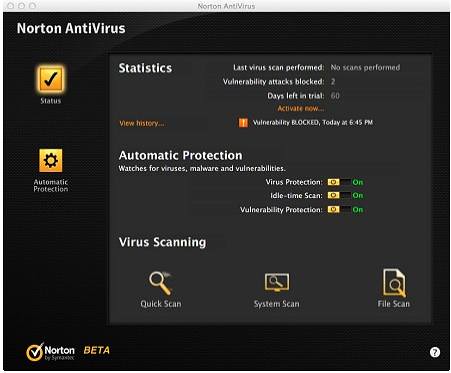
Download Norton Internet Security and Antivirus 2012 Beta

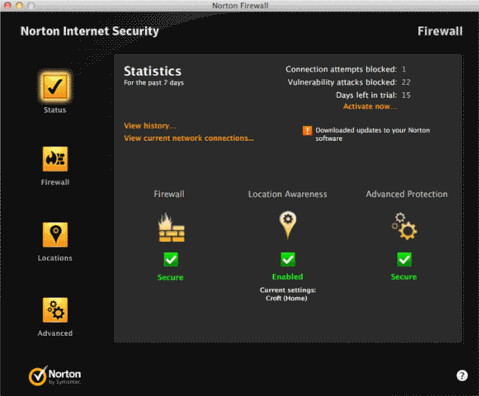
nis2012-main-ui

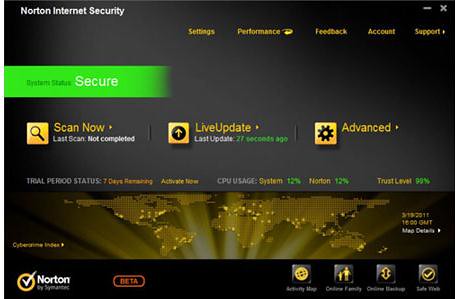
Symantec has released the public beta version of Norton Internet Security 2012 (NIS 2012) and Norton Antivirus 2012 (NAV 2012). Both are available for download for Free.

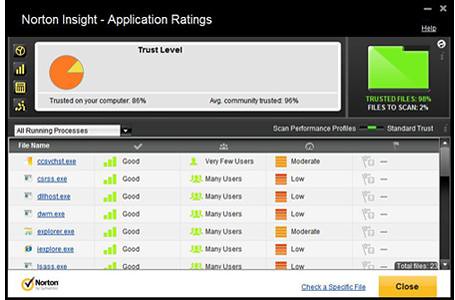
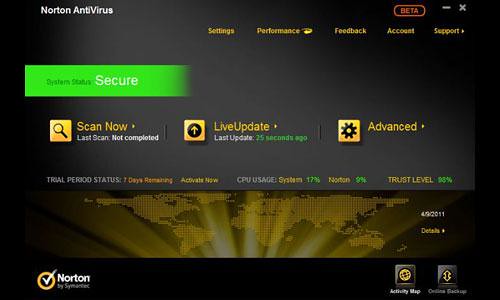
The NIS 2012 and NAV 2012 beta have nice looking GUI. Symantec also added new features to their security products like Download Insight 2.0 which tells you how stable a download is before you put your computer at risk for crashes or other bad things to happen, Bandwidth Management which limits Norton’s processes and updates when you have limited bandwidth or monthly downloads and so on.

Features of Norton Internet Security 2012 Beta

nis2012-norton-insight
  • Norton Protection System includes 4 layers of rock-solid protection designed to proactively protect against the very latest threats – so you can do more on your PC without disruptions.
  • Customizable Control Center gives you the option to choose your preference between a simplified screen or the traditional detailed view.
  • Identity Safe alerts have moved to the Norton Toolbar so there are less interruptions while you are online – but your passwords are still as secure as ever.
  • Bandwidth Management limits Norton’s processes and updates when you have limited bandwidth or monthly downloads.
  • Download Insight 2.0 now tells you how stable a download is before you put your computer at risk for crashes or other bad things to happen.
  • Norton Recovery Tools help remove threats that can be deeply buried in a PC’s operating system.

Features Of Norton Antivirus 2012 Beta

NAV2012_MainUI
  • Norton Protection System includes 4 layers of rock-solid protection designed to proactively protect against the very latest threats – so you can do more on your PC without disruptions.
  • Insight Technology protects you from download dangers no matter which browser, instant messenger or file sharing program you use.
  • Customizable Control Center gives you the option to choose your preference between a simplified screen or the traditional detailed view.
  • Bandwidth Management limits Norton’s processes and updates when you have limited bandwidth or monthly downloads.
  • Download Insight 2.0 now tells you how stable a download is before you put your computer at risk for crashes or other bad things to happen.
  • Norton Recovery Tools help remove threats that can be deeply buried in a PC’s operating system.


Download

Wednesday, 16 May 2012

LaCie 2big NAS delivers speeds up to 100MB/s

LaCie 2big NAS

Today LaCie announced a new 2-bay network-attached storage solution (NAS) that delivers the ideal combination of speed and security for small businesses – the LaCie 2big NAS, design by Neil Poulton. Powered by a 2GHz processor and improved file system, the 2big NAS delivers speeds up to 100MB/s, ensuring employees can share files from any PC, Mac, or Linux workstation.

FAST COLLABORATION

In a data-dependent world, small offices can't afford delays in workflow. The 2big NAS supports non-stop data accessibility and collaboration thanks to its 2GHz processor and LaCie NAS OS 2 software. It delivers enough storage capacity and bandwidth to back up multiple workstations, share large files and work on projects concurrently.

FORMIDABLE DATA SECURITY

Because data multiplies by the second, office administrators and IT professionals must ensure all digital assets are backed up and secure. The LaCie 2big NAS offers multiple levels of security including RAID 1 for data mirroring. Coupled with its hot-swappable drives, a failed disk can be replaced with no interruption, no data loss and without needing to turn off the device.

The LaCie 2big NAS ensures a complete backup of any Linux, PC or Mac workstation. Choose from the popular Time Machine and Windows 7 Backup software, or the included LaCie backup software. Consistent automatic backup means users can restore lost files instantly.

What's more, LaCie's NAS OS 2 dashboard makes it easy for businesses to back up the 2big NAS automatically, for added data security and peace of mind. Wizards with presets make advanced tasks such as RAID management, users management and NAS-to-NAS backups easy. No IT degree required. With just a few clicks users can back up the 2big NAS onto a direct-attached external hard drive, or schedule a nightly backup onto a NAS in a different location.

REMOTE ACCESSIBILITY

Complementary to fast file sharing and data security is instant access to your data. The 2big NAS allows employees to access important files anywhere where there is an Internet connection. They can even download the free iOS app – LaCie MyNAS – to access files from an iPhone or iPad.

ENERGY SAVINGS

The LaCie 2big NAS saves businesses money by allowing full control of its energy usage. Users can schedule shutdown and restart during optimal business hours to boost efficiency. Plus, the LaCie 2big NAS is now ten times more energy efficient when in deep sleep mode. And, thanks to the wake-on-LAN protocol, users can access the 2big NAS from deep sleep without being next to the system.

AVAILABILITY

The LaCie 2big NAS is available in 0TB (diskless) and 6TB capacities starting at £187 ($299) with a three year warranty.

Sunday, 6 March 2011

Android Market Security Update for all affected devices

android market warning

On Tuesday, Google hit a bit of a rough patch, when it was learned that a large number of malware-infected apps were being sold by publisher Myournet on Android Market. The publisher and its products were quickly removed, but the damage had already been done: the 58 removed apps were downloaded roughly 260,000 times before they went away.

In response to the recent Android Market exploit, Google  says "The applications took advantage of known vulnerabilities which don’t affect Android versions 2.2.2 or higher. For affected devices, we believe that the only information the attacker(s) were able to gather was device-specific (IMEI/IMSI, unique codes which are used to identify mobile devices, and the version of Android running on your device)"

Google says they've taken a number of steps to protect those who downloaded a malicious app:

    • We removed the malicious applications from Android Market, suspended the associated developer accounts, and contacted law enforcement about the attack.
    • We are remotely removing the malicious applications from affected devices. This remote application removal feature is one of many security controls the Android team can use to help protect users from malicious applications.
    • We are pushing an Android Market security update to all affected devices that undoes the exploits to prevent the attacker(s) from accessing any more information from affected devices. If your device has been affected, you will receive an email from android-market-support@google.com over the next 72 hours. You will also receive a notification on your device that “Android Market Security Tool March 2011” has been installed. You may also receive notification(s) on your device that an application has been removed. You are not required to take any action from there; the update will automatically undo the exploit. Within 24 hours of the exploit being undone, you will receive a second email.
    • We are adding a number of measures to help prevent additional malicious applications using similar exploits from being distributed through Android Market and are working with our partners to provide the fix for the underlying security issues.

[Google Mobile Blog]


Sunday, 15 July 2012

Microsoft Malware Prevention Troubleshooter now Available for Download

malware prevention

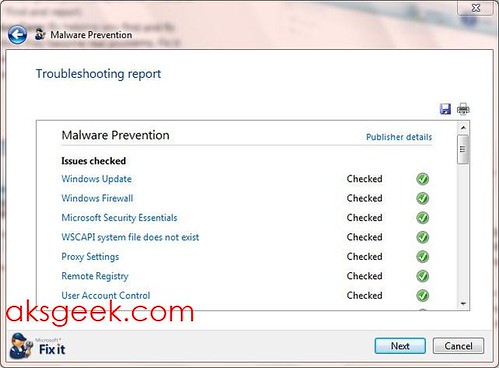
Microsoft has released a Malware Prevention troubleshooter tool, a free tool which automatically checks whether your Windows machine has up-to-date security setting and security software or not? and provide you with automatic or manual solutions.

The Microsoft Malware Prevention troubleshooter does the following:

  1. Turns on your Windows Firewall. Enabling your Windows Firewall will protect your computer by blocking communication to your PC that may be malicious software.
  2. Antivirus software: Checks your Antivirus protection status. You will be prompted to update your Antivirus program if it is not up to date or enable Real-time protection. If you don't have an anti-virus program installed it will offer you to use Microsoft Security Essentials or learn more about other security software partners.
  3. Turns on Automatic Update. Windows Update helps keep your PC current, secure and enhance performance by automatically downloading and installing the latest security and feature updates from Microsoft. This helps ensure that both Important and Recommended updates are downloaded.
  4. Pop-blocker: Enabling Pop-up Blocker will make browsing the web safer by helping prevent malicious or unsafe pop-ups from automatically appearing.
  5. Remote Registry: The Windows Remote Registry service enables remote users to modify registry settings on this computer. If this service is stopped the registry can be modified only by users on this computer as opposed to over the network.
  6. Internet Explorer: The package will inform you if you have the latest version of Internet Explorer installed. It will also modify your current privacy settings to ensure you have a safe browsing experience. The package will delete your internet cache and browsing history, which will help protect against malicious threats attempting to access your computer while you’re online.
  7. Enables User Account Control (UAC). User Account Control (UAC) will prevent malicious software from modifying your computer settings without your consent.
  8. Proxy Settings: If malicious software has modified your Internet Proxy settings, therefore making it difficult to get online, the package will reset your settings so you can browse the internet normally.

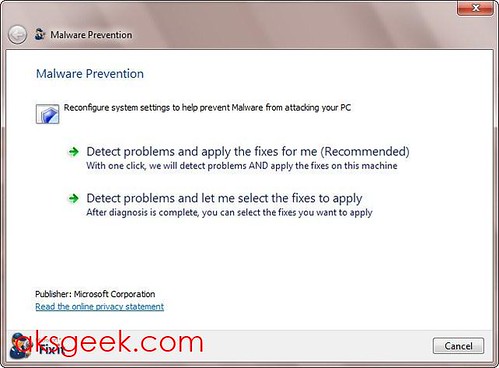
Once you have downloaded the tool, run it (with administrator privileges). You will be presented with two options "Detect problems and apply fixes for me " and "Detect problem and let me select the fixes to apply". I would suggest you to choose the second option, because it will let you know about the problems and the changes that the program would have made automatically otherwise. Just select the issues you want to fix and let the Fix It, fix it for you.

malware prevention01

It’s a good, free little tool for those who are not tech-savvy and inexperienced and will help them guard their Windows machines against viruses and other malicious software.

Download Microsoft Malware Prevention troubleshooter

Monday, 14 February 2011

Norton 360 version 5, Internet Security and Antivirus 2011 Free for 90 Days

norton

Today, I’m sharing with you 90 days trial version of Norton 360 v5.0, Norton Internet Security 2011 (NIS 2011) and Norton Antivirus 2011 (NAV) each. You don’t have to fill up any form, all you need to do is to download and install.

Download Norton 360 v 5.0 and NAV 2011 | NIS 2011

How to use Norton Security for 270 days?

You’ve 90 days of NAV 2011 + 90 days of NIS 2011 + 90 days of Norton 360 =270 days of security. Install one product then after 90 days uninstall it and install another.. that way you get Norton protection for 270 days.

Enjoy!

Updated:- Norton 360 v 4.0 to v 5.0.

Sunday, 30 July 2023

Got a New Mac? Do These 10 Things to Set It Up Perfectly

System Settings-MacOS
So you just bought a brand new Mac and can't wait to dive into the world of the Apple ecosystem. Congratulations! Whether you're a long-time Apple user or a first-time Mac user, setting up your new device can improve your experience and productivity. In this article, we'll walk you through ten important steps to ensure your new Mac is ready to reach its full potential. Let's get started!

1. MacOS Updates:

Once you've set up your Mac, check for macOS updates. Click on System Settings, then select General, then select Software Update. Install any pending updates to ensure your Mac is running the latest version of macOS, which includes bug fixes and new features.

2. Adjust System Preferences:

Customize your Mac's settings to your liking. Go to System Settings and explore options like Touchpad, Mouse, Keyboard, Desktop & Dock etc. Customize these settings to fit your workflows to personalize your Mac experience.

3. Customize your Dock:

The Dock is the quick access bar at the bottom of the screen. Customize for easy access by adding the apps you use most. To add an application to the Dock, simply drag its icon from the Applications folder or click and hold the application icon in the Dock, then select Save to Dock. 

4. Install Must Have Apps:

Go to the App Store and download essential apps like web browsers, communication tools (like Slack or Microsoft Teams), productivity apps, and media players. Some popular applications you might consider are Google Chrome, Microsoft Office, VLC Media Player, and Evernote.

5. Configure Time Machine (Backup):

It's important to back up your Mac regularly to protect your data from the unexpected. Connect an external hard drive and set up Time Machine (Apple's built-in backup solution). Go to System Settings > General>Time Machine and select an external drive as the backup destination.

6. Configure iCloud:

Take advantage of Apple's cloud services by setting up iCloud. Go to System Settings > Apple ID> iCloud. Enable iCloud Drive to sync files across devices, iCloud Photos to back up and access your photos and videos, and iCloud Keychain to keep your passwords safe. 

7. Security and privacy settings:

Make sure your Mac is protected by setting the necessary security and privacy settings. Go to System Settings > "Privacy & Security" to configure features such as FileVault (disk encryption), firewall, and gateways (application security). You can also manage app permissions to access your camera, microphone, and other sensitive data. 

8. Add email and social media accounts:

Integrate your email and social media accounts into your mail and calendar applications. This will help you stay organized and up-to-date without constantly switching between different platforms.


9. Personalize your desktop and screensaver:

Make your Mac feel more like home by personalizing the desktop wallpaper and screensaver. Simply right-click on the desktop, choose "Change Wallpaper," and select an image of your choice. For screensavers, go to System Settings > Screensaver and choose from the available options or add your own folder of images.

10. Learn useful keyboard shortcuts:

Finally, learn some useful Mac keyboard shortcuts to improve your workflow. Learn basic keyboard shortcuts like Command+C (copy), Command+V (paste), Command+Z (undo), and application-specific shortcuts that can dramatically speed up tasks. 

By following these ten steps, you can ensure that your new Mac is perfectly set up and tailored to your needs. From software updates to personalizing your desktop, every step helps create a smoother, more enjoyable Mac experience. Embrace the world of MacOS and explore the possibilities offered by the Apple ecosystem. 


Friday, 20 August 2010

Intel to buy McAfee for $7.68 Billion

Intel McAfee

   On Thursday Intel Corporation (chip giant) announced that it will acquire McAfee for $7.68 Billion as the computer giant seek to expand its operation in the online market. Intel said it has entered into a definitive agreement to acquire McAfee, Inc., through the purchase of all of the company’s common stock at $48 per share in cash. Both boards of directors have unanimously approved the deal, which is expected to close after McAfee shareholder approval, regulatory clearances and other customary conditions specified in the agreement.

   The acquisition reflects that security is now a fundamental component of online computing. Today’s security approach does not fully address the billions of new Internet-ready devices connecting, including mobile and wireless devices, TVs, cars, medical devices and ATM machines as well as the accompanying surge in cyber threats. Providing protection to a diverse online world requires a fundamentally new approach involving software, hardware and services.

Inside Intel, the company has elevated the priority of security to be on par with its strategic focus areas in energy-efficient performance and Internet connectivity.

"With the rapid expansion of growth across a vast array of Internet-connected devices, more and more of the elements of our lives have moved online" Intel CEO Paul Otellini said in a statement. "In the past, energy-efficient performance and connectivity have defined computing requirements. Looking forward, security will join those as a third pillar of what people demand from all computing experiences."

Intel McAfee

Read more here


Friday, 17 February 2012

Apple Releases OS X Mountain Lion Developer Preview

Mountain Lion OS X

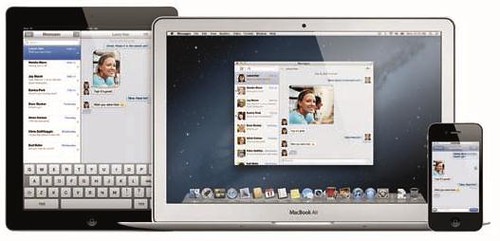
Apple released a developer preview of OS X Mountain Lion, the ninth major release of the world’s most advanced operating system, which brings popular apps and features from iPad to the Mac and accelerates the pace of OS X innovation. Mountain Lion introduces Messages, Notes, Reminders and Game Center to the Mac, as well as Notification Center, Share Sheets, Twitter integration and AirPlay Mirroring. Mountain Lion is the first OS X release built with iCloud in mind for easy setup and integration with apps. The developer preview of Mountain Lion also introduces Gatekeeper, a revolutionary security feature that helps keep you safe from malicious software by giving you complete control over what apps are installed on your Mac. The preview release of Mountain Lion is available to Mac Developer Program members starting today. Mac users will be able to upgrade to Mountain Lion from the Mac App Store in late summer 2012.

The developer preview of Mountain Lion features the all new Messages app which replaces iChat and allows you to send unlimited messages, high-quality photos and videos directly from your Mac to another Mac or iOS device. Messages will continue to support AIM, Jabber, Yahoo! Messenger and Google Talk. Starting today Lion users can download a beta of Messages from www.apple.com, and the final version will be available with Mountain Lion. Reminders and Notes help you create and track your to-dos across all your devices. Game Center lets you personalize your Mac gaming experience, find new games and challenge friends to play live multiplayer games, whether they’re on a Mac, iPhone, iPad or iPod touch.

Mountain Lion presents notifications in an elegant new way, and Notification Center provides easy access to alerts from Mail, Calendar, Messages, Reminders, system updates and third party apps. System-wide Share Sheets make it easy to share links, photos and videos directly from Apple and third party apps. Twitter is integrated throughout Mountain Lion so you can sign on once and tweet directly from Safari, Quick Look, Photo Booth, Preview and third party apps. Mountain Lion also introduces AirPlay Mirroring, an easy way to wirelessly send a secure 720p video stream of what's on your Mac to an HDTV using Apple TV.

More than 100 million users have iCloud accounts, and Mountain Lion makes it easier than ever to set up iCloud and access documents across your devices. Mountain Lion uses your Apple ID to automatically set up Contacts, Mail, Calendar, Messages, FaceTime and Find My Mac. The new iCloud Documents pushes any changes to all your devices so documents are always up to date, and a new API helps developers make document-based apps work with iCloud.

Gatekeeper is a revolutionary new security feature that gives you control over which apps can be downloaded and installed on your Mac. You can choose to install apps from any source, just as you do on a Mac today, or you can use the safer default setting to install apps from the Mac App Store, along with apps from developers that have a unique Developer ID from Apple. For maximum security, you can set Gatekeeper to only allow apps from the Mac App Store to be downloaded and installed.

Mountain Lion also has features specifically designed to support Chinese users, including significant enhancements to the Chinese input method and the option to select Baidu search in Safari. Mountain Lion makes it easy to set up Contacts, Mail and Calendar with top email service providers QQ, 126 and 163. Chinese users can also upload video via Share Sheets directly to leading video websites Youku and Tudou, and system-wide support for Sina weibo makes microblogging easy.

Hundreds of new APIs give developers access to new core technologies and enhanced features within OS X. The Game Kit APIs tap into the same services as Game Center on iOS, making it possible to create multiplayer games that work across Mac, iPhone, iPad and iPod touch. A new graphics infrastructure underpins OpenGL and OpenCL and implements GLKit, first introduced in iOS 5, to make it easier to create OpenGL apps. Using Core Animation in Cocoa apps is easier than ever, and new video APIs deliver modern 64-bit replacements for low-level QuickTime APIs. Enhanced Multi-Touch APIs give developers double-tap zoom support and access to the system-wide lookup gesture. Kernel ASLR improves security through enhanced mitigation against buffer overflow attacks.